Every business mile at the HMRC rate, and the box it goes in
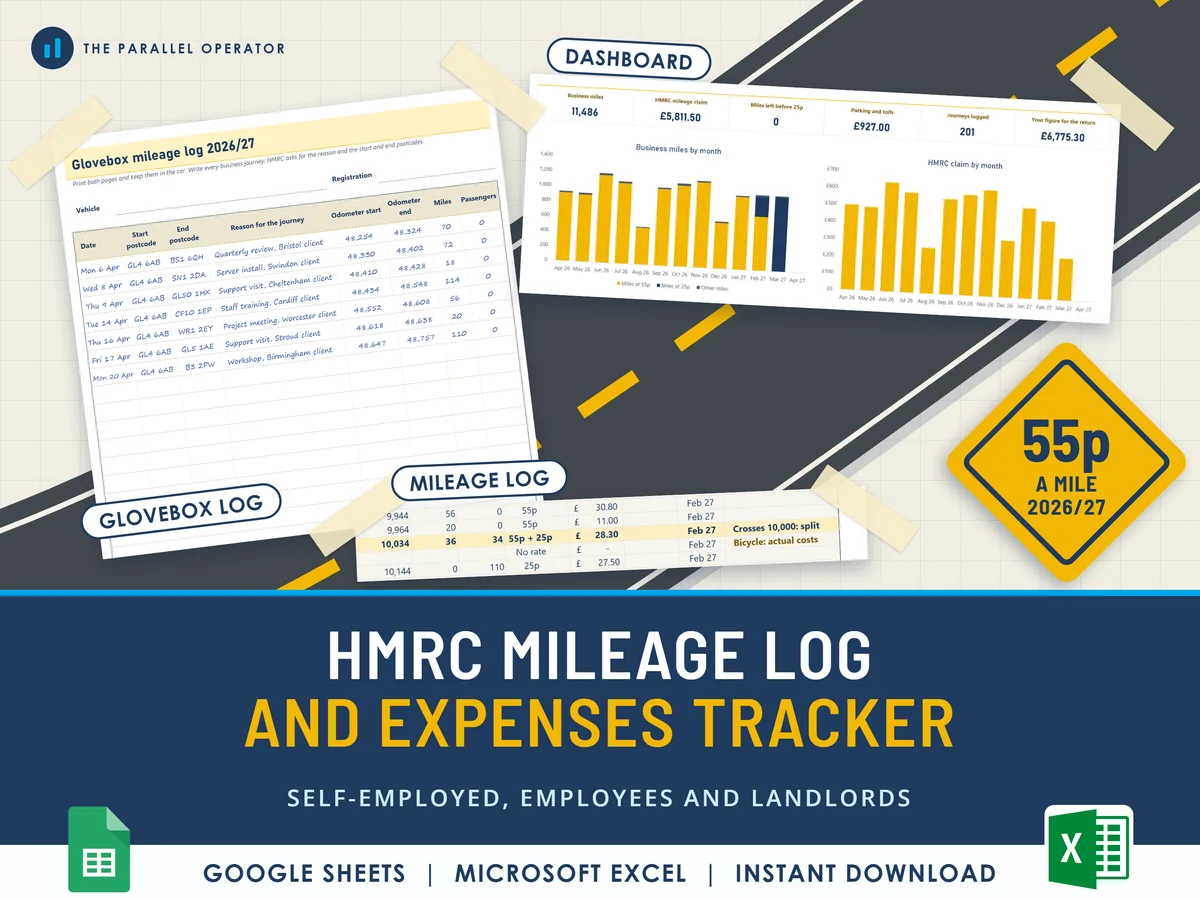
Log every business journey of the 2026/27 tax year, postcode to postcode, and the tracker applies the HMRC rates and shows the figure for your tax return. Excel and Google Sheets.
What you get
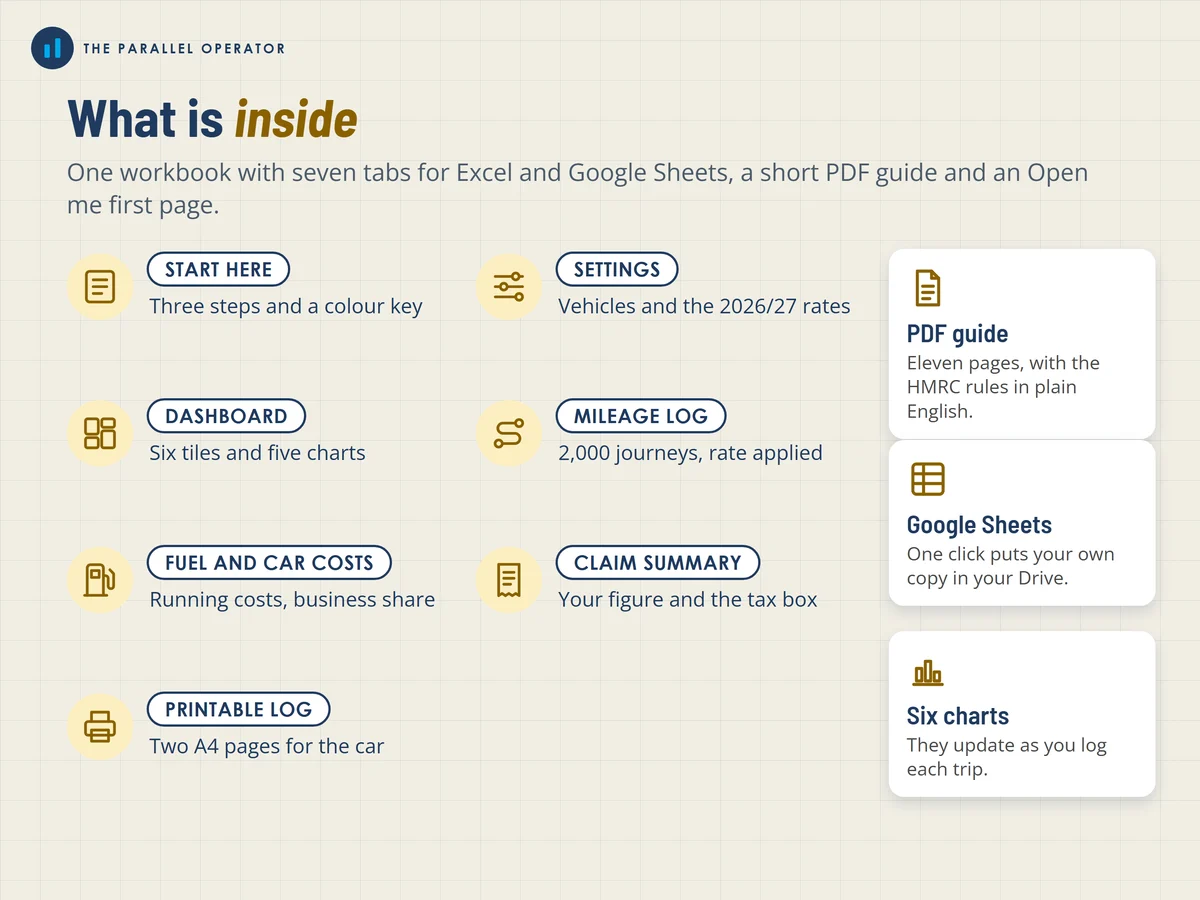
- Excel workbook, 7 tabs and 6 chartsStart here, Settings, Dashboard, Mileage log, Fuel and car costs, Claim summary, Printable log
- Google Sheets versionA make-a-copy link puts it in your own Drive in one click
- 11 page PDF guideThe HMRC rules in plain English and a worked example, plus a two-page glovebox log to print inside the workbook
- Open me first pageThe Google Sheets button and the three things to do first
Why this one
- The 2026/27 rates, applied for you55p and 25p for cars and vans, 24p for motorcycles, 20p for bicycles and 5p for passengers for employees, each in a cell you can update, with its source.
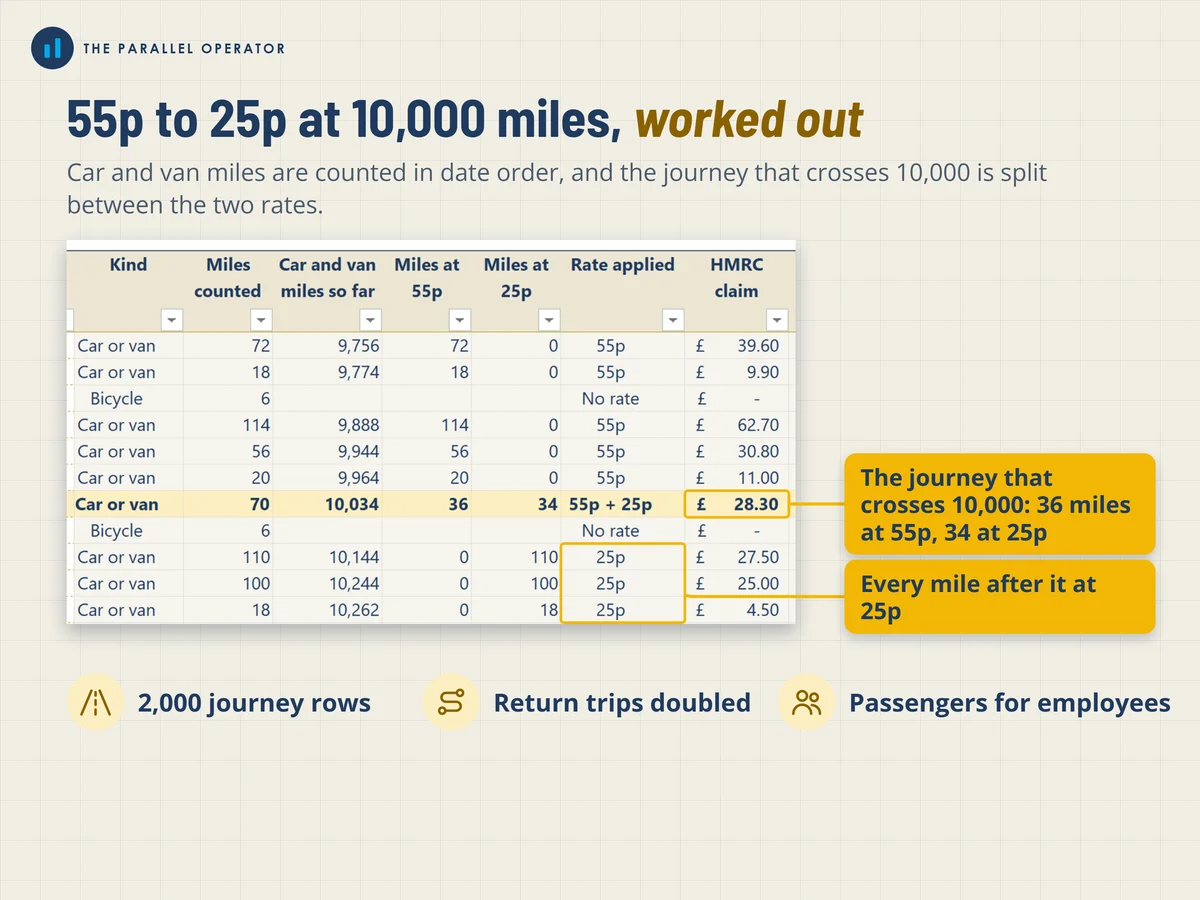
- The 10,000 mile switch, done properlyCar and van miles are counted together in date order, and the journey that crosses 10,000 is split between 55p and 25p.
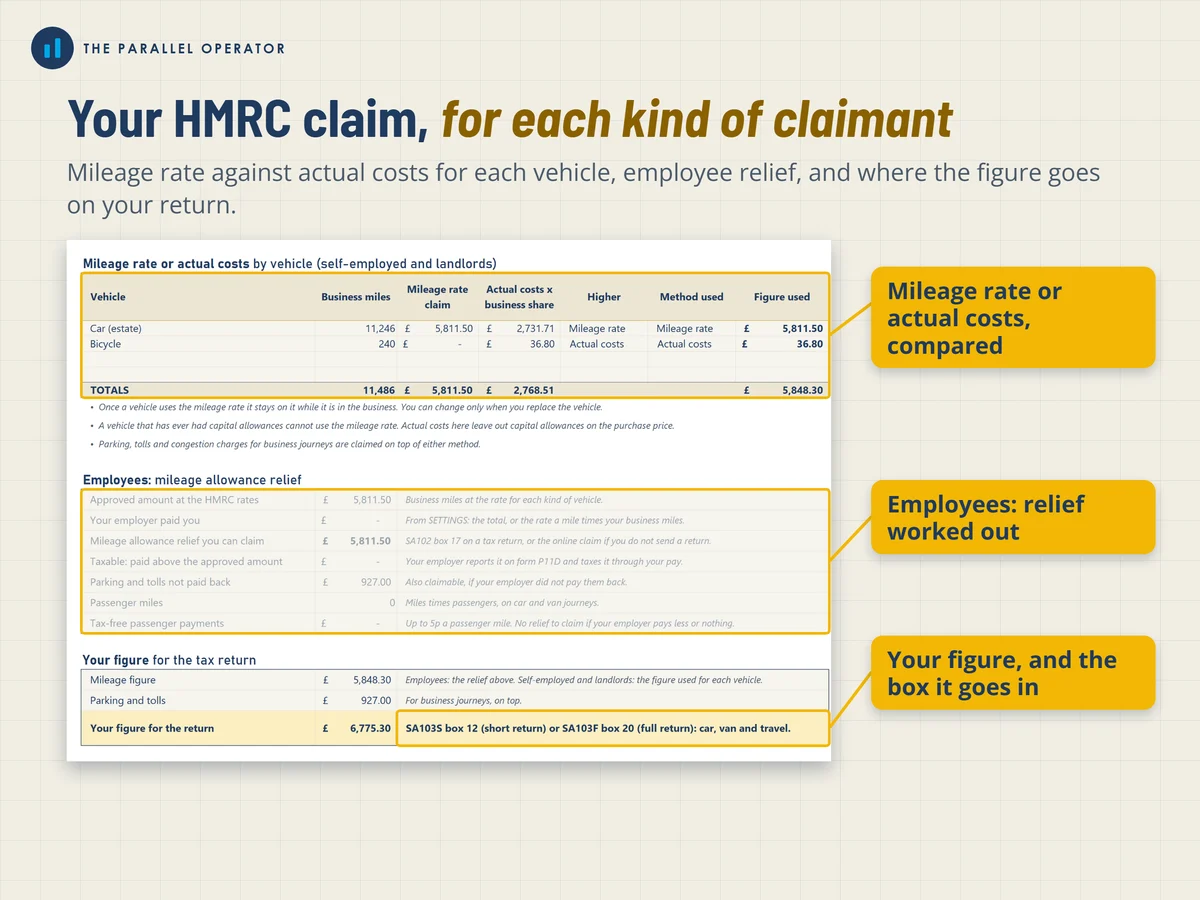
- A claim summary for each kind of claimantSelf-employed: the mileage rate against the business share of actual costs. Employees: what your employer paid against the approved amount. Landlords: the figure for the property pages.
- The records HMRC asks forEvery row keeps the reason and the start and end postcodes, and the printed log goes in the glovebox.
- Room for the whole yearUp to 2,000 journeys and 500 fuel and car costs, for up to four vehicles.
How it works
- Say who is claimingOn Settings: self-employed, employee or landlord, then add your vehicles
- Log each journeyVehicle, postcodes, reason and miles on Mileage log, or write it in the glovebox log and type it in each week
- Read your claimAdd fuel and car costs. Claim summary shows your figure and the box it goes in
Who it is for
Sole traders, freelancers and side hustlers who drive for work, employees who use their own car and get paid less than the HMRC rate, and landlords who drive to their properties. The HMRC rate is the amount a mile you can claim tax-free for business journeys. Mileage allowance relief is what an employee can claim back when their employer pays less than that rate.
Questions
Do I need Microsoft Excel?
No. It comes with a Google Sheets version, which is free with a Google account. The Excel file also opens in the free web version of Excel.
How do I get it?
Straight after payment it is in your library on this site: the Excel file with the printable glovebox log inside, the PDF guide and the Open me first page with the Google Sheets button.
I am an employee, not self-employed. Is it for me?
Yes. Pick employee on Settings and type what your employer pays you a mile. The claim summary works out the mileage allowance relief you can claim.
What if HMRC changes a rate?
Every rate is an input cell on Settings with its source, so you can type the new figure and every tab follows.
Is this tax advice?
No. Every figure is an estimate to help you prepare. Box numbers are from the current forms, so check them against the new forms when HMRC publishes them.

Made by Izhar Shah. I built a brand in the evenings alongside a full-time engineering job, and in its first twelve months it passed £500,000 in sales. I make the sheets I wish I had when I started.
Works in
Instant access in your library after payment. Every figure is an estimate to help you prepare, not tax advice.