A year of income and expenses, ready for your SA103
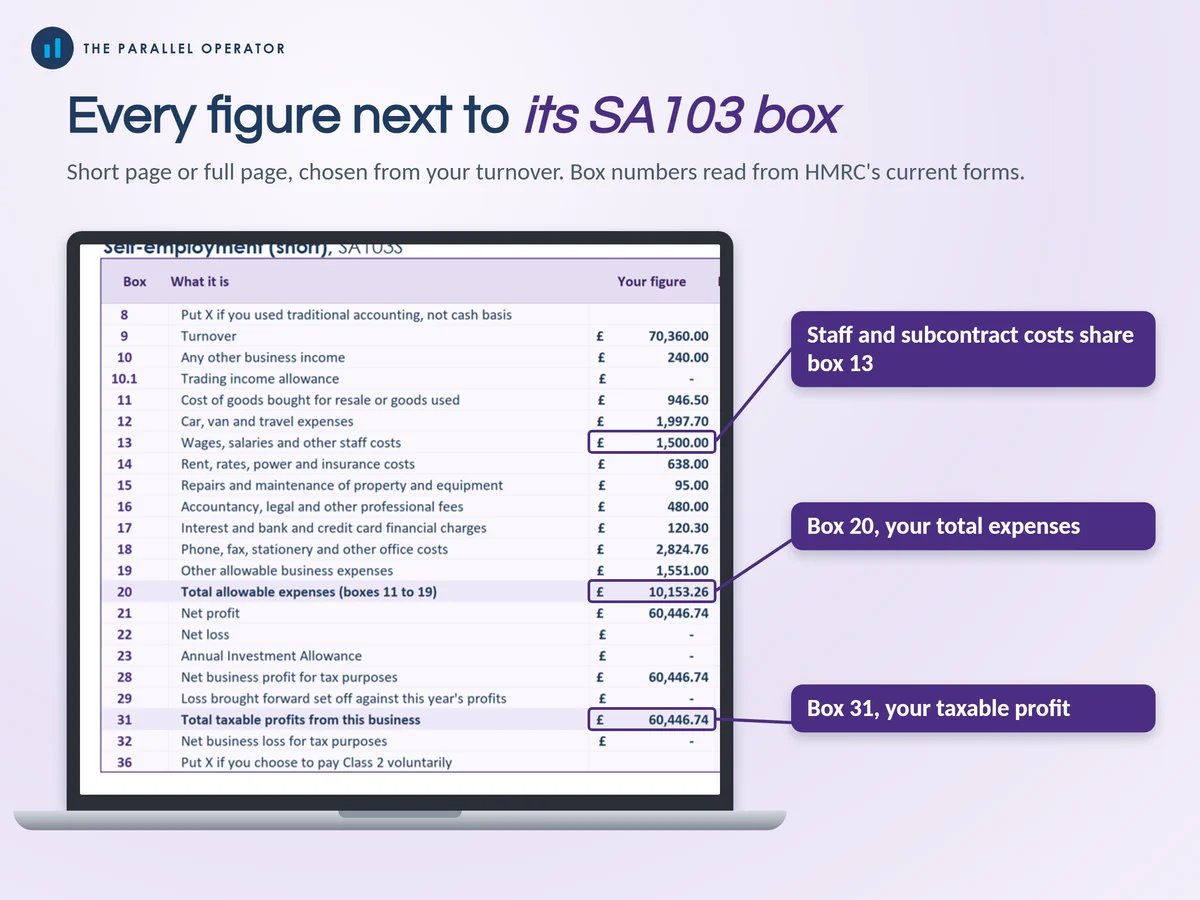
Keep a full year of self-employed income and expenses in one place, and finish with every figure next to its box on the SA103 Self-employment pages of your tax return. Excel and Google Sheets.
What you get
- Excel workbook, 11 tabs and 6 chartsStart here, Settings, Dashboard, Income, Expenses, Mileage and home, Capital items, MTD quarters, Tax calculator, SA103 box map, Payments on account
- Google Sheets versionA make-a-copy link puts it in your own Drive in one click
- 11 page PDF guideSettings and rates, income and expenses by HMRC category, mileage and home, the tax calculator, the box map, Making Tax Digital and payments on account
- Open me first pageThe Google Sheets button and the three things to do first
Why this one
- Box numbers from HMRC's current formsShort page or full page chosen from your turnover, then every figure next to its SA103S or SA103F box number.
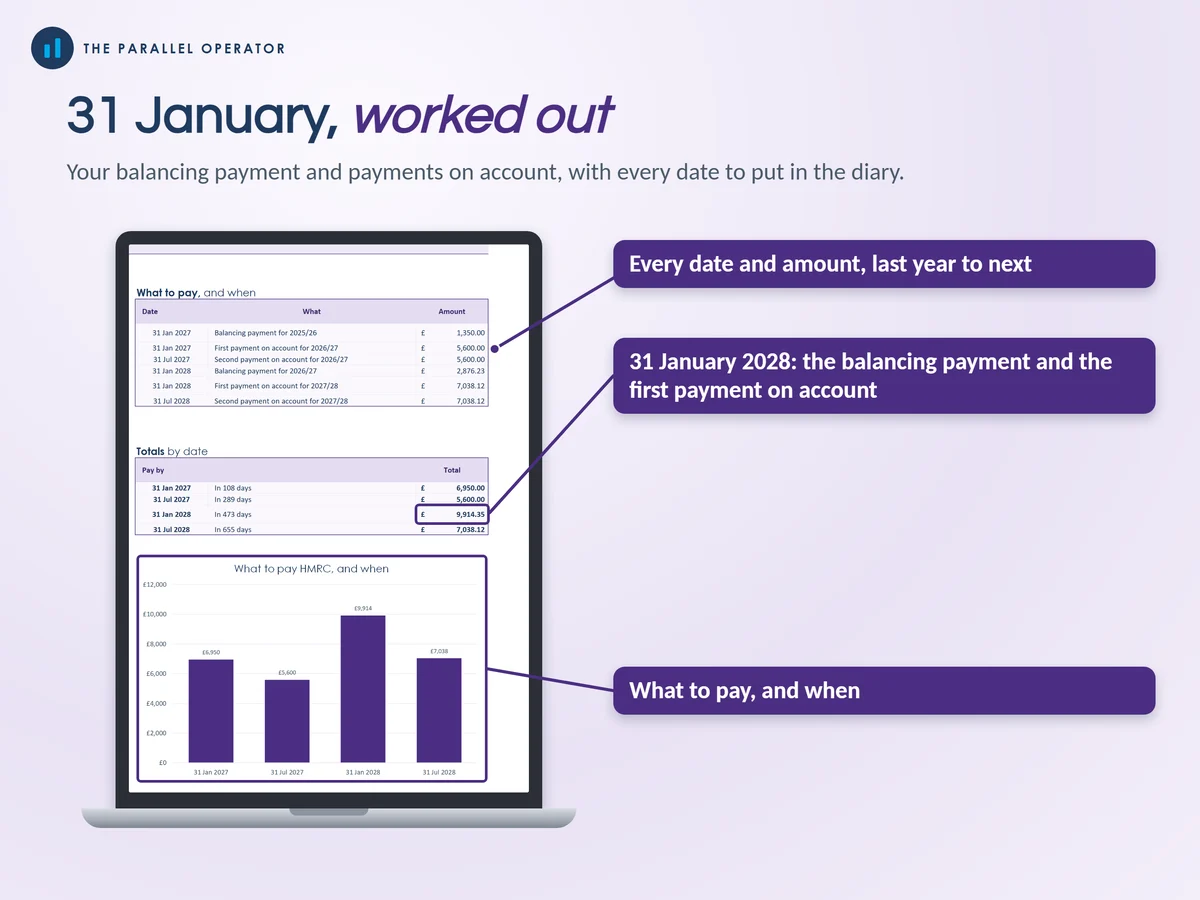
- Payments on account worked outThe 31 January and 31 July payments, last year's and next year's, so January holds no surprise.
- Making Tax Digital, readyIt tells you if and when it starts for you and builds your four quarterly totals as you go.
- Rates you can seeThe 2026/27 personal allowance and bands, Scotland included, Class 4 and Class 2, the 55p mileage rate and the home flat rates sit in cells you can update.
- The full sole trader fileNot a side hustle tracker: income and expenses, the tax bill, SA103 boxes, payments on account and MTD quarters in one workbook.
How it works
- Set your choicesOn Settings, where you live for tax, cash basis or traditional accounting, and how you claim car and home costs
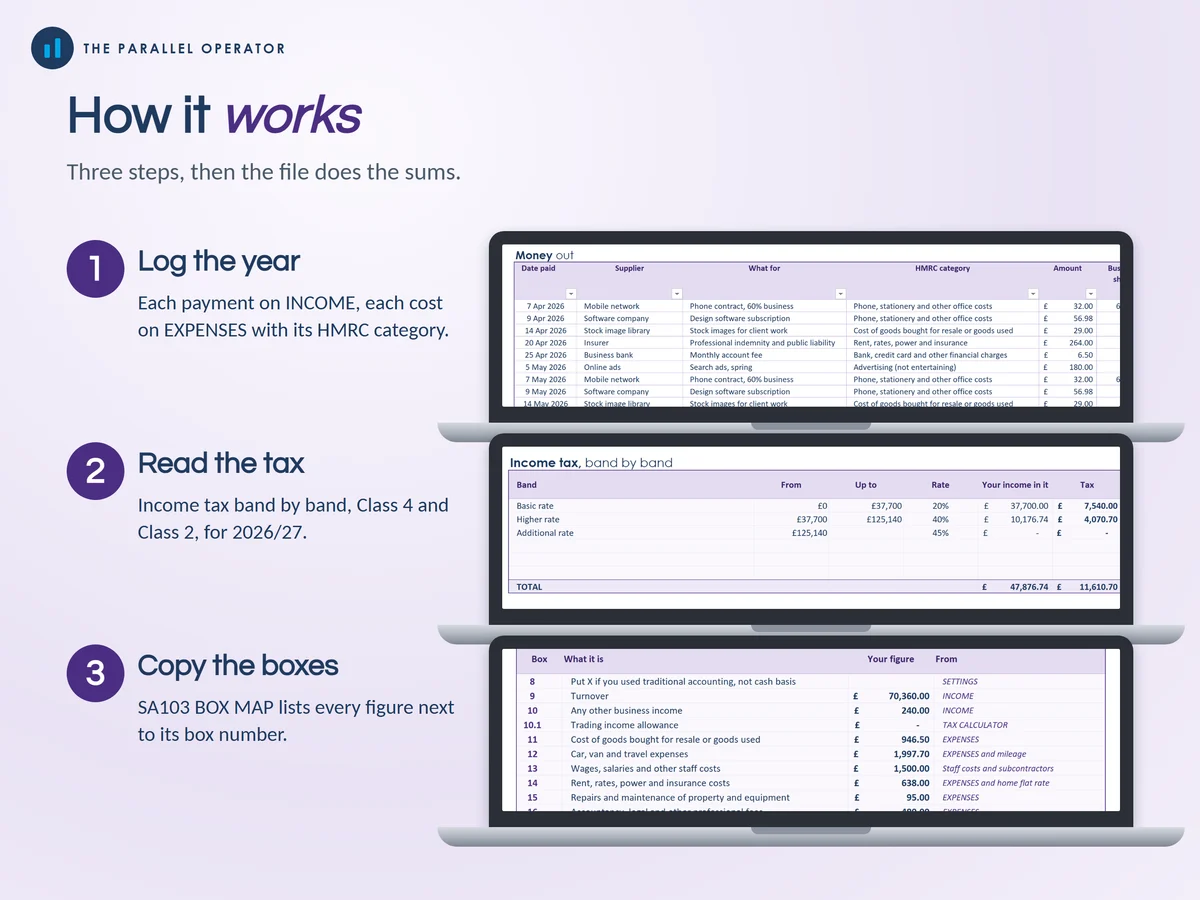
- Log the yearEach payment on Income and each cost on Expenses with its HMRC category. Add miles and home hours each month
- Read the tax and copy the boxesTax calculator for the bill, SA103 box map for the figures, Payments on account for the dates
Who it is for
UK sole traders and freelancers who file Self Assessment as their main work: designers, cleaners, tutors, trades, consultants, photographers and makers. A sole trader is someone self-employed in their own name rather than through a limited company. The SA103 is the Self-employment part of the tax return. If you also have a job, it counts your salary too.
Questions
Do I need Microsoft Excel?
No. It comes with a Google Sheets version, which is free with a Google account. The Excel file also opens in the free web version of Excel.
How do I get it?
Straight after payment it is in your library on this site: the Excel file, the PDF guide and the Open me first page with the Google Sheets button.
Does it file my tax return?
No. It gives you the figures box by box to copy into your own return. It is not Making Tax Digital software, but it works with bridging software.
What does it not cover?
VAT, partnerships, CIS refunds, savings, dividends and student loans. It is built for the self-employment pages.
Is this tax advice?
No. Every figure is an estimate to help you keep records and put money aside. Your final bill comes from your own Self Assessment.

Made by Izhar Shah. I built a brand in the evenings alongside a full-time engineering job, and in its first twelve months it passed £500,000 in sales. I make the sheets I wish I had when I started.
Works in
Instant access in your library after payment. Every figure is an estimate to help you prepare, not tax advice.