The order to pay your debts, and the month each one goes
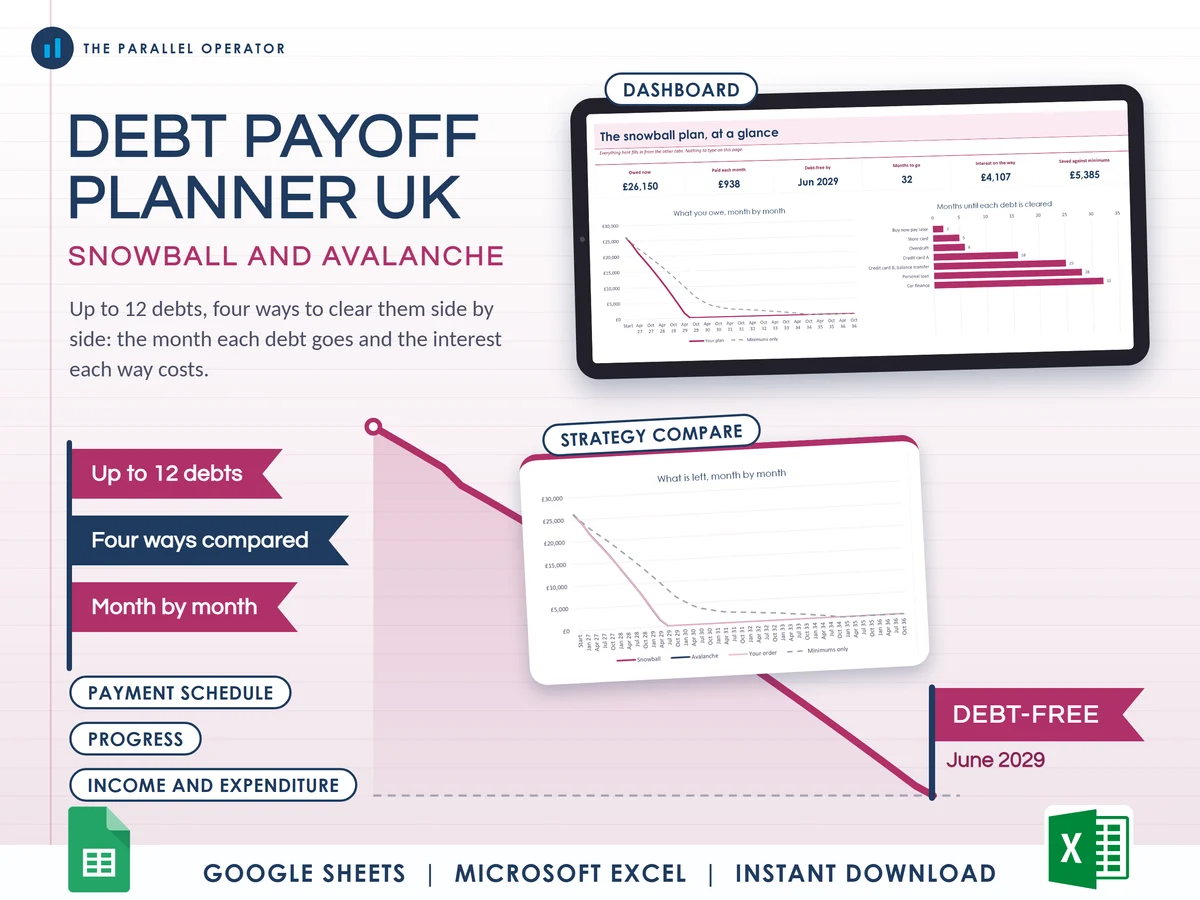
Your debts in one place, the order to pay them, and the month each one is cleared, with the snowball and the avalanche side by side. Excel and Google Sheets.
What you get
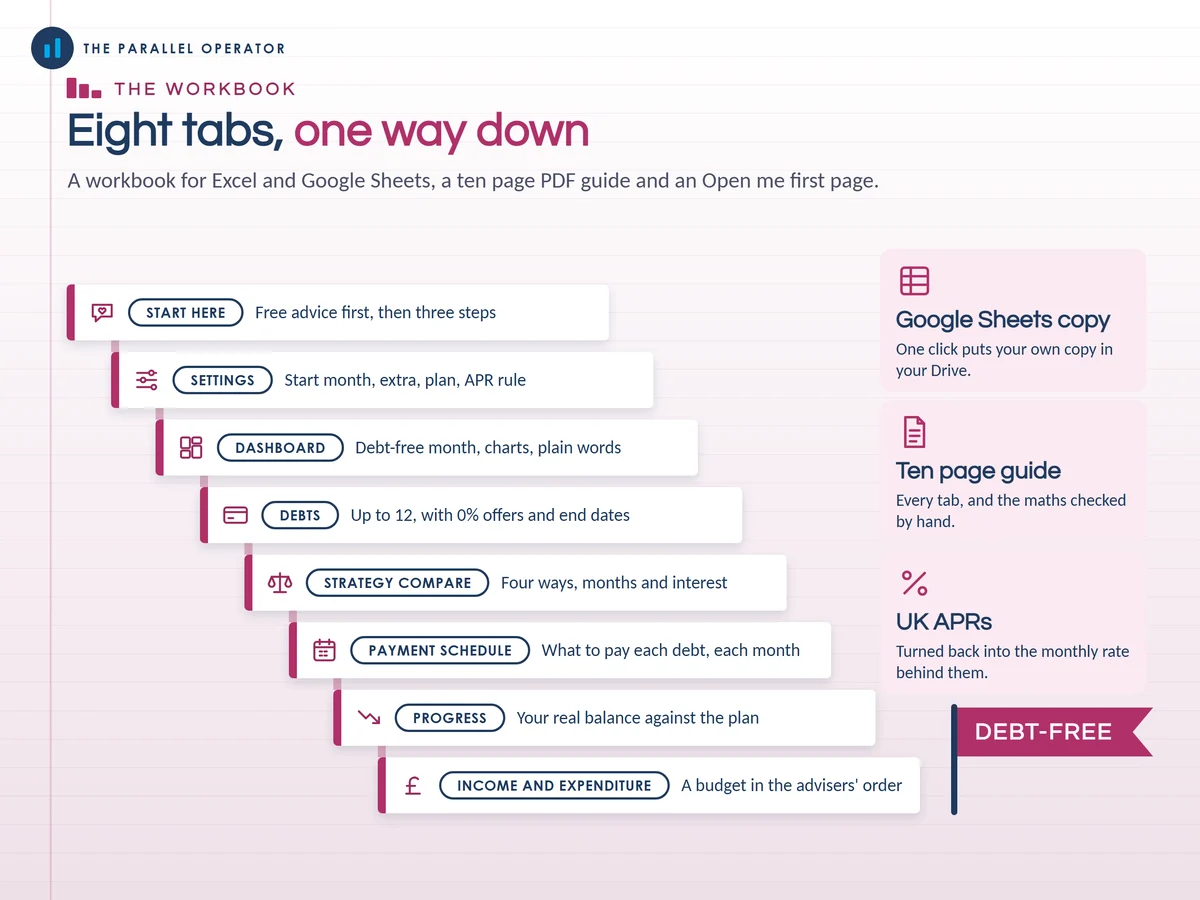
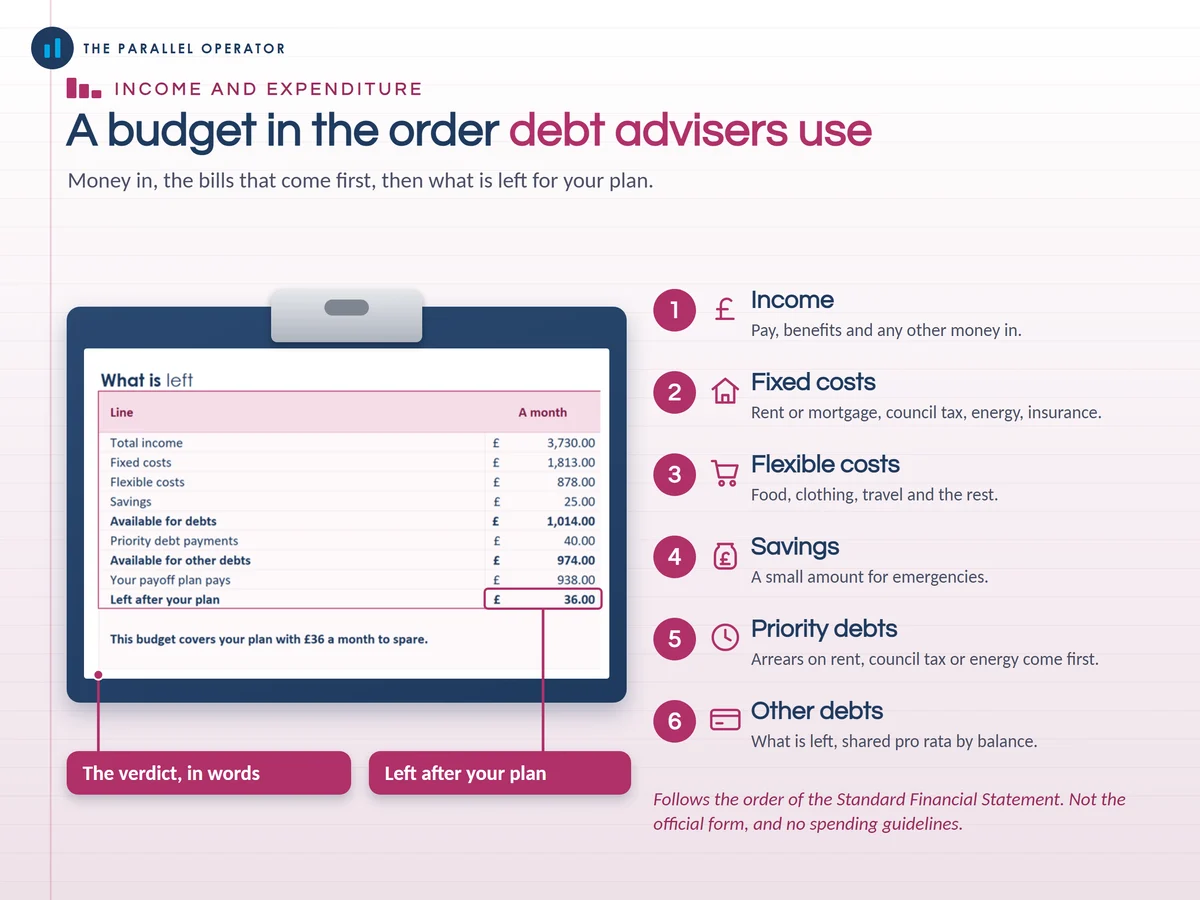
- Excel workbook, 8 tabs and 7 chartsStart here, Settings, Dashboard, Debts, Strategy compare, Payment schedule, Progress, Income and expenditure
- Google Sheets versionA make-a-copy link puts it in your own Drive in one click
- 10 page PDF guideFree advice first, your debts, snowball or avalanche, how each month is worked out, and the maths explained with a worked example
- Open me first pageThe Google Sheets button, the three things to do first and the free advice services
Why this one
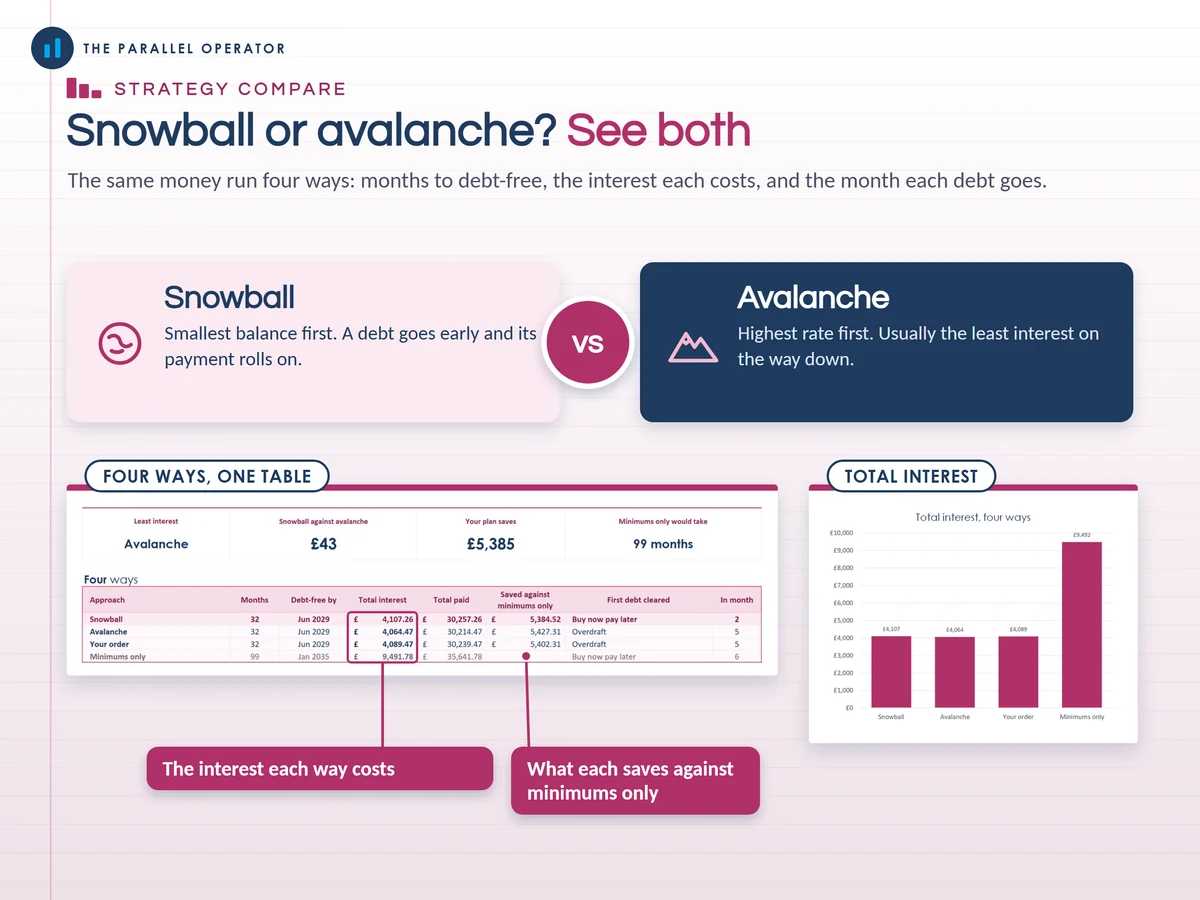
- Four ways, one click apartThe snowball, the avalanche, your own order and minimums only all run at once on the same money, so the difference in months and interest is in front of you.
- UK APRs handled properlyA UK APR has monthly compounding built in, so the planner turns it back into the monthly rate behind it, with a switch for statements that divide by 12.
- 0% offers with end datesA balance transfer stays at 0% until the date you type, then the card's usual APR applies.
- Checked by handTwo loans were run through an online loan calculator and the planner matched them to the penny.
- Free advice signpostedMoneyHelper, StepChange, National Debtline and Citizens Advice are on Start here, the Dashboard and in the guide.
How it works
- DebtsEach debt: balance, APR, minimum, and any 0% offer with its end date
- SettingsThe month you start, the extra you can pay each month, and Snowball, Avalanche or Your order
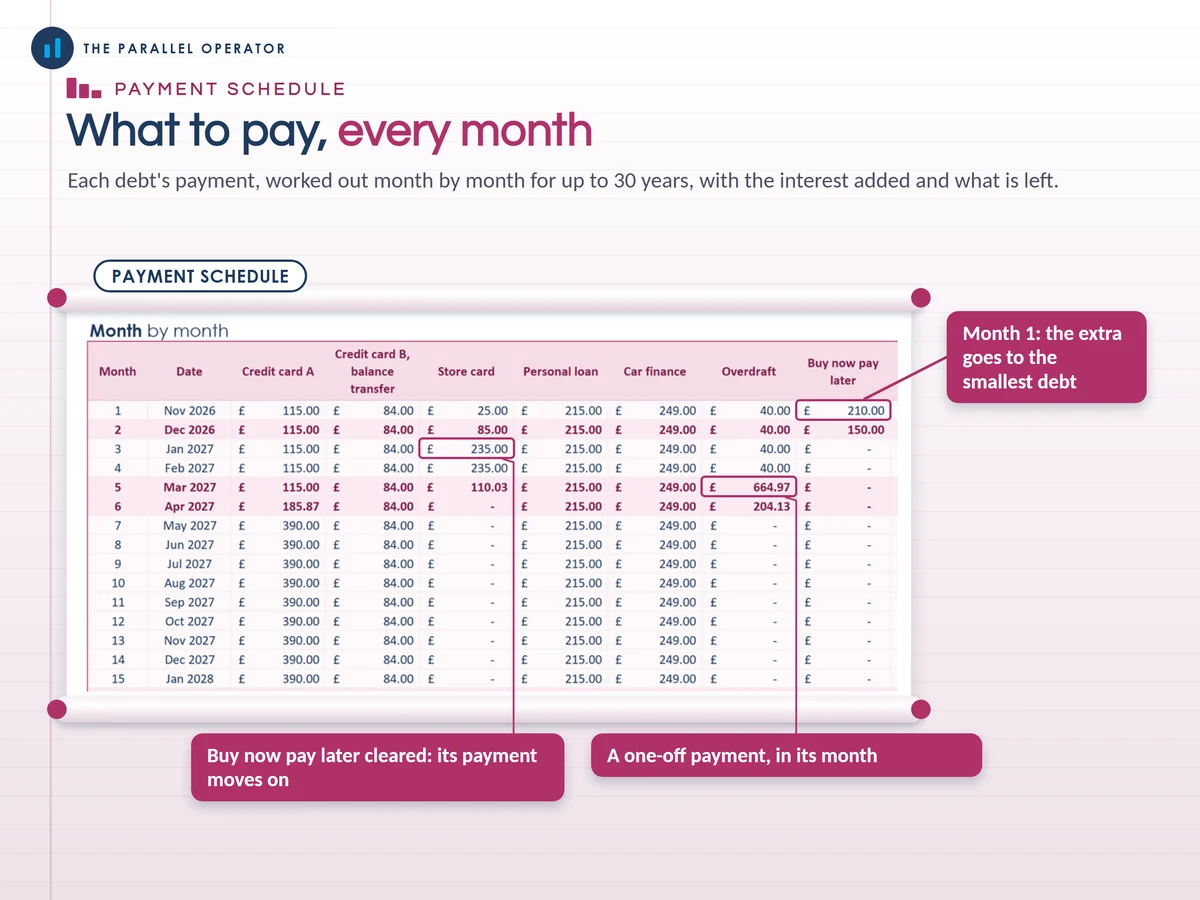
- Payment scheduleFollow it month by month, and type your real balance on Progress when statements arrive
Who it is for
Anyone in the UK with credit cards, store cards, loans, car finance, overdrafts or buy now pay later who wants a clear order to pay them in and a month to aim for. The snowball pays the smallest balance first, the avalanche the highest interest rate first. If you are behind on priority bills such as rent, mortgage, council tax or energy, please speak to a free debt adviser first.
Questions
Do I need Microsoft Excel?
No. It comes with a Google Sheets version, which is free with a Google account. The Excel file also opens in the free web version of Excel.
How do I get it?
Straight after payment it is in your library on this site: the Excel file, the PDF guide and the Open me first page with the Google Sheets button and the free advice services.
Snowball or avalanche, which is better?
The avalanche usually costs the least interest, and the snowball clears a debt sooner so its payment rolls on early. The planner runs both on your own debts so you can see the difference in months and pounds.
How many debts can it hold?
Up to 12 debts, worked out month by month for up to 30 years, with one-off payments on Settings.
Is this debt advice?
No. It is a planning tool, not regulated debt advice, and it does not tell you whether a debt solution is right for you. MoneyHelper, StepChange, National Debtline and Citizens Advice give free, confidential advice.

Made by Izhar Shah. I built a brand in the evenings alongside a full-time engineering job, and in its first twelve months it passed £500,000 in sales. I make the sheets I wish I had when I started.
Works in
Instant access in your library after payment. A planning tool, not regulated debt advice, and no promise of how fast your debts will be cleared.