Your bank balance at the end of every month for a year
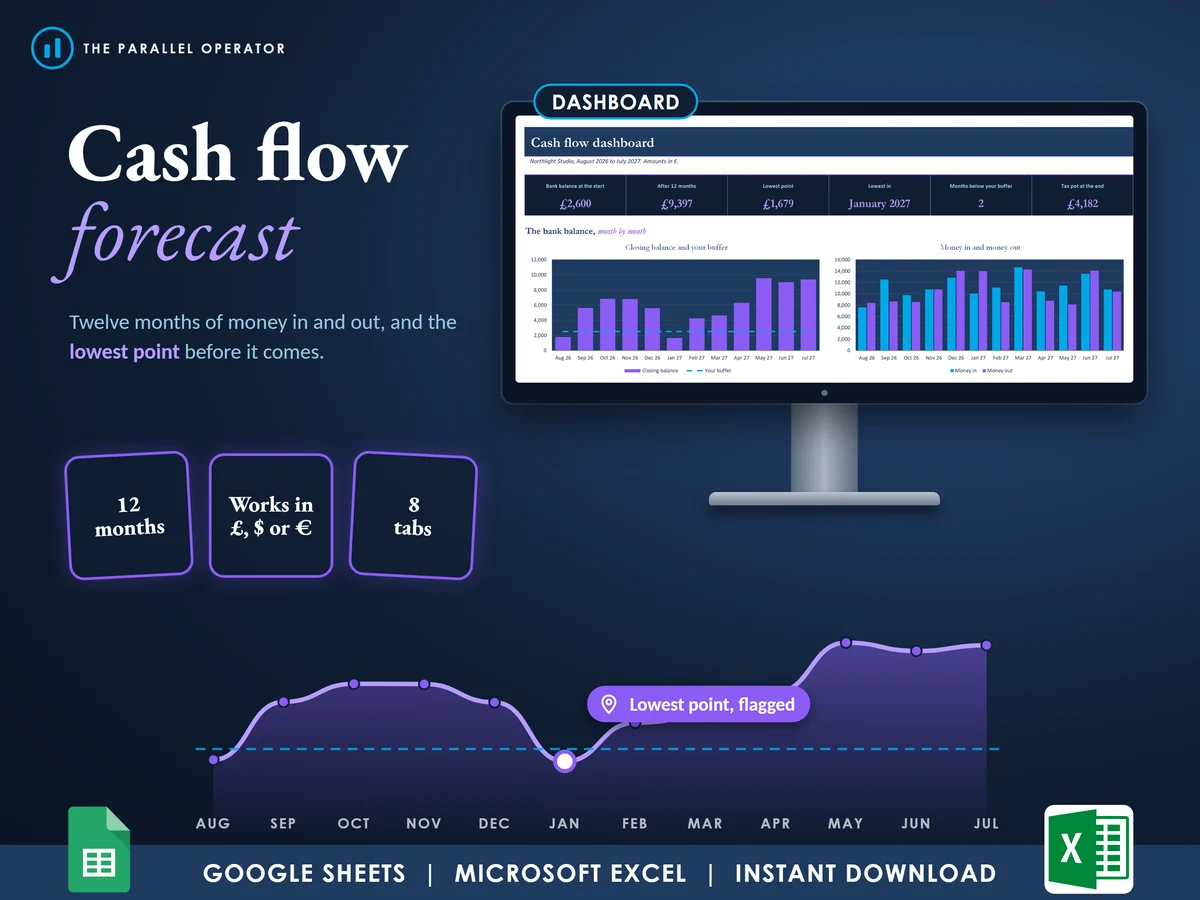
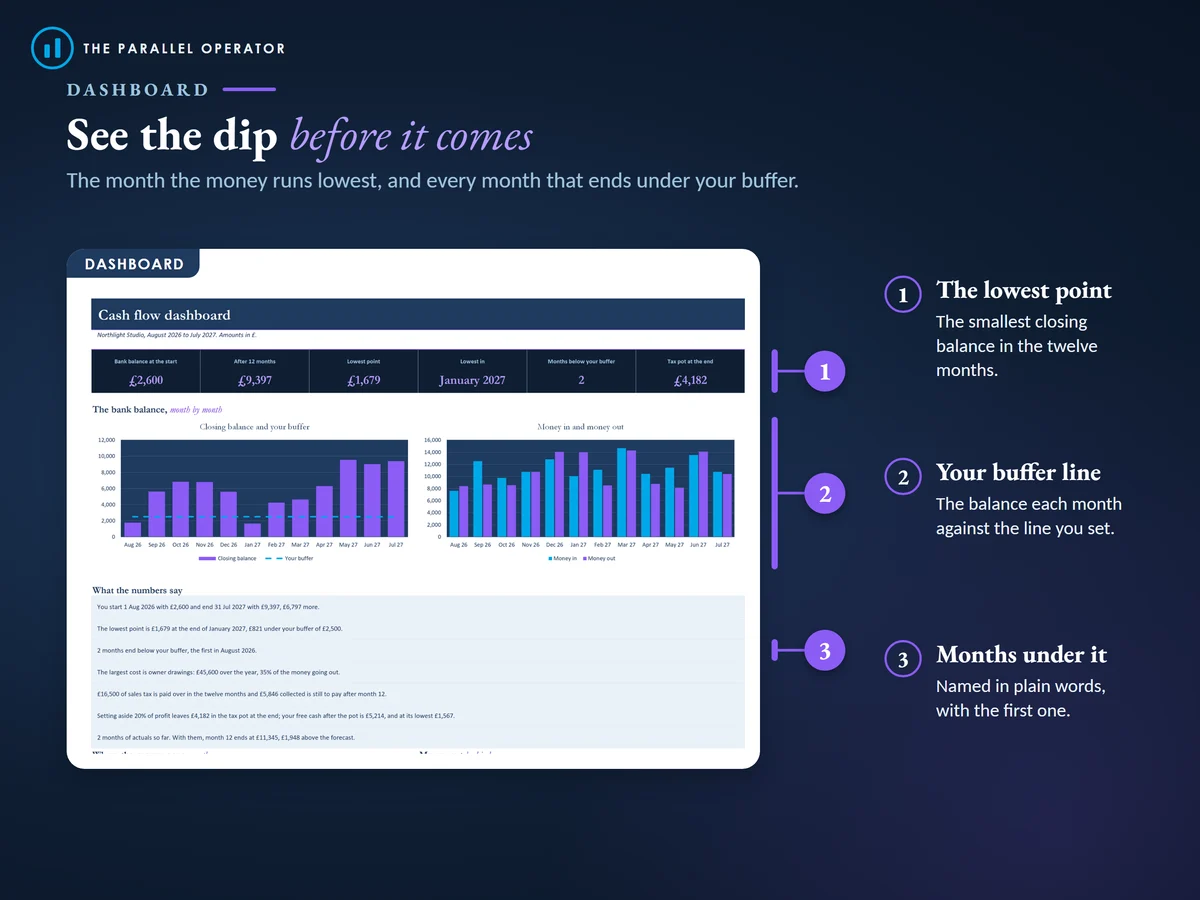
Money in, money out and the bank balance at the end of every month, with the lowest point flagged before it comes. Excel and Google Sheets.

What you get
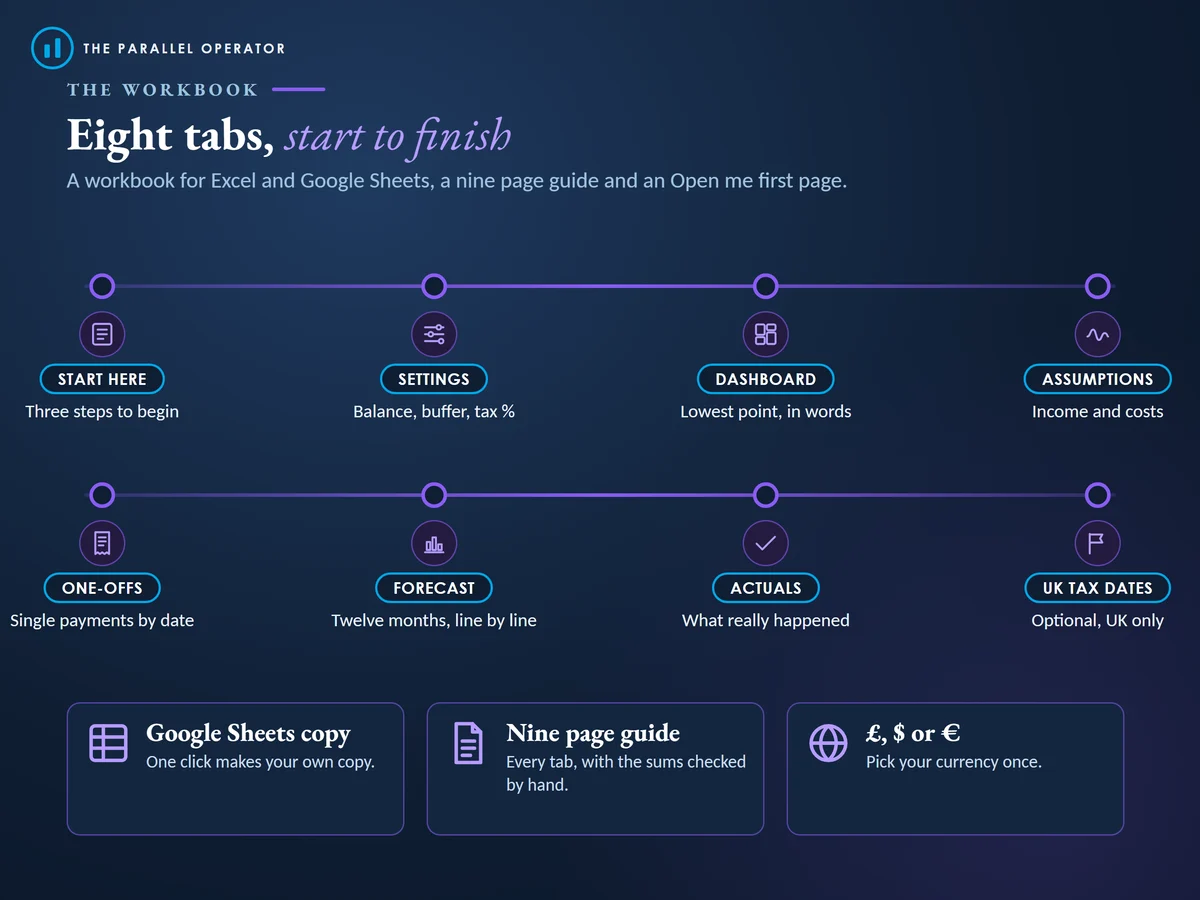
- Excel workbook, 8 tabs and 4 chartsStart here, Settings, Dashboard, Assumptions, One-offs, Forecast, Actuals, UK tax dates
- Google Sheets versionA make-a-copy link puts it in your own Drive in one click
- 9 page PDF guideEvery tab with a worked example, and the sales tax and tax pot worked out by hand
- Open me first pageThe Google Sheets button and the three things to do first
Why this one
- The dip before it comesThe lowest month is shaded and named, so you can move a cost or chase an invoice in time.
- Late payers built inEach income line can arrive the same month or up to three months later.
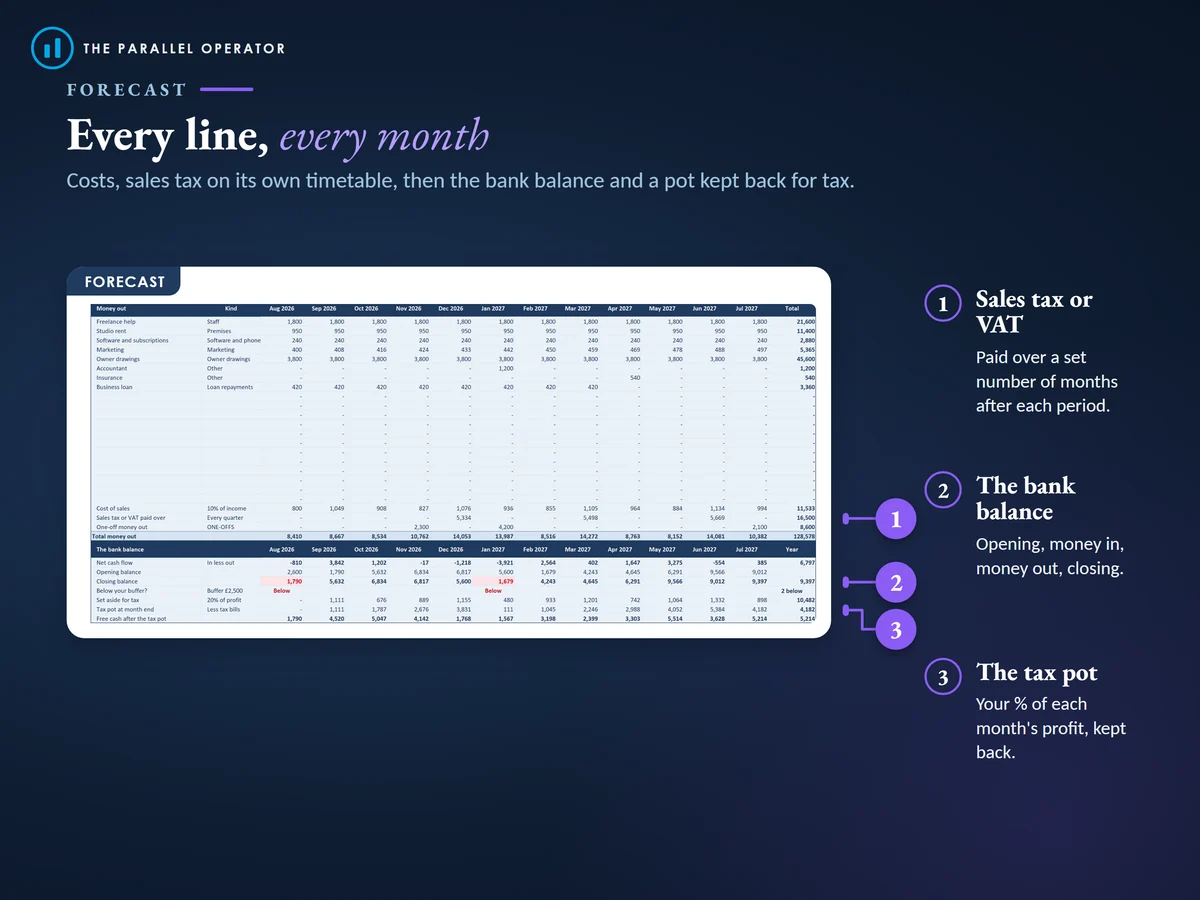
- Sales tax on its own timetableType your rate and how often you pay it, and the forecast collects it and pays it over in the right month.
- A tax potKeep a share of each month's profit back, and tax bills draw it down.
- Checked by handSeventeen cells in the example match a separate calculation, and more than thirty unusual inputs were tested.
How it works
- Set the startOn Settings, pick £, $ or €, the first month, today's bank balance and your buffer
- Type what comes and goesOn Assumptions, your income and regular costs. On One-offs, single payments by date
- Read it, then roll it forwardThe Dashboard shows the lowest point. As each month ends, type the real figures on Actuals
Who it is for
Freelancers, sole traders, side businesses and small companies that want to see the next twelve months of cash before they happen, for planning, a bank or an investor conversation. Cash flow is the money that actually lands in and leaves your account, which is not the same as profit. Your buffer is the balance you never want to go under.
Questions
Do I need Microsoft Excel?
No. It comes with a Google Sheets version, which is free with a Google account. The Excel file also opens in the free web version of Excel.
How do I get it?
Straight after payment it is in your library on this site: the Excel file, the PDF guide and the Open me first page with the Google Sheets button.
I am not in the UK. Does it work?
Yes. It works in £, $ or €, and sales tax is a rate you type. UK readers also get an optional tab with the usual Self Assessment, Corporation Tax, VAT and PAYE dates.
What if customers pay late?
Each income line can arrive the same month or up to three months later, so the money shows in the month it really lands.
Is this financial advice?
No. It is a planning tool and makes no promise about your results. Every figure comes from the amounts, dates and rates you type.

Made by Izhar Shah. I built a brand in the evenings alongside a full-time engineering job, and in its first twelve months it passed £500,000 in sales. I make the sheets I wish I had when I started.
Works in
Instant access in your library after payment. A planning tool, not financial or tax advice.