Quotes and invoices that print, and who still owes you
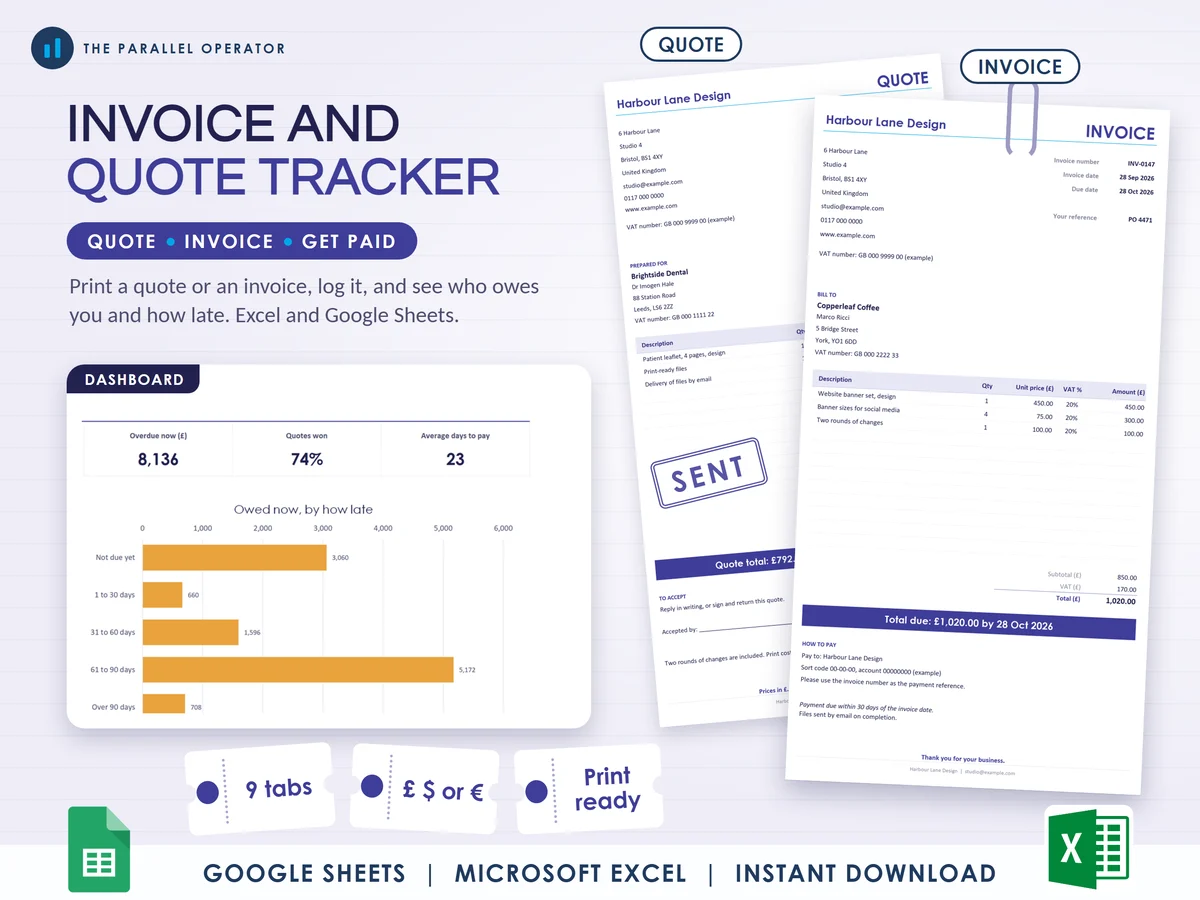
Send quotes and invoices that look the part, and always know who still owes you. Excel and Google Sheets.
What you get
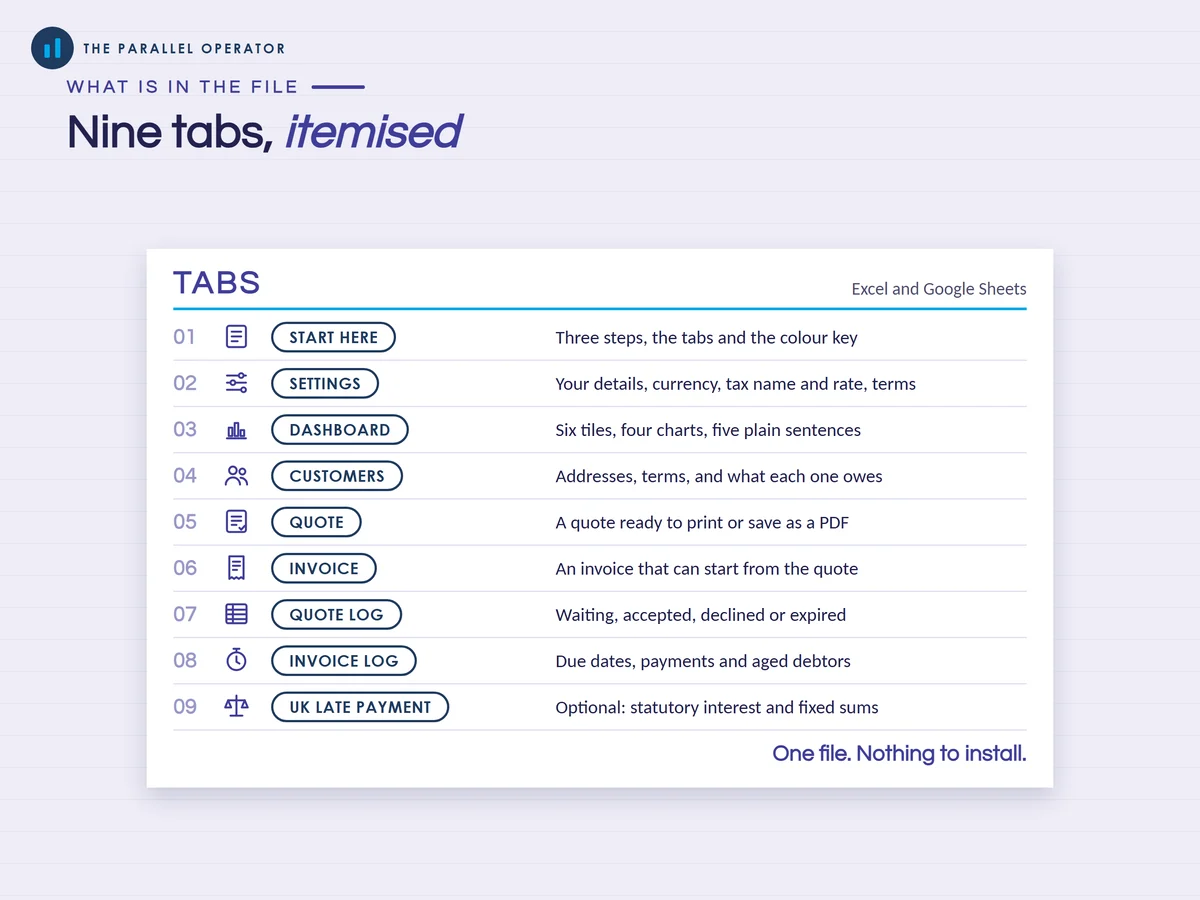
- Excel workbook, 9 tabs and 4 chartsStart here, Settings, Dashboard, Customers, Quote, Invoice, Quote log, Invoice log, UK late payment
- Google Sheets versionA make-a-copy link puts it in your own Drive in one click
- 9 page PDF guideYour details, currency and tax, customers, printing a quote and an invoice, the two logs, the dashboard and the UK late payment tab, with worked examples
- Open me first pageThe Google Sheets button and the three things to do first
Why this one
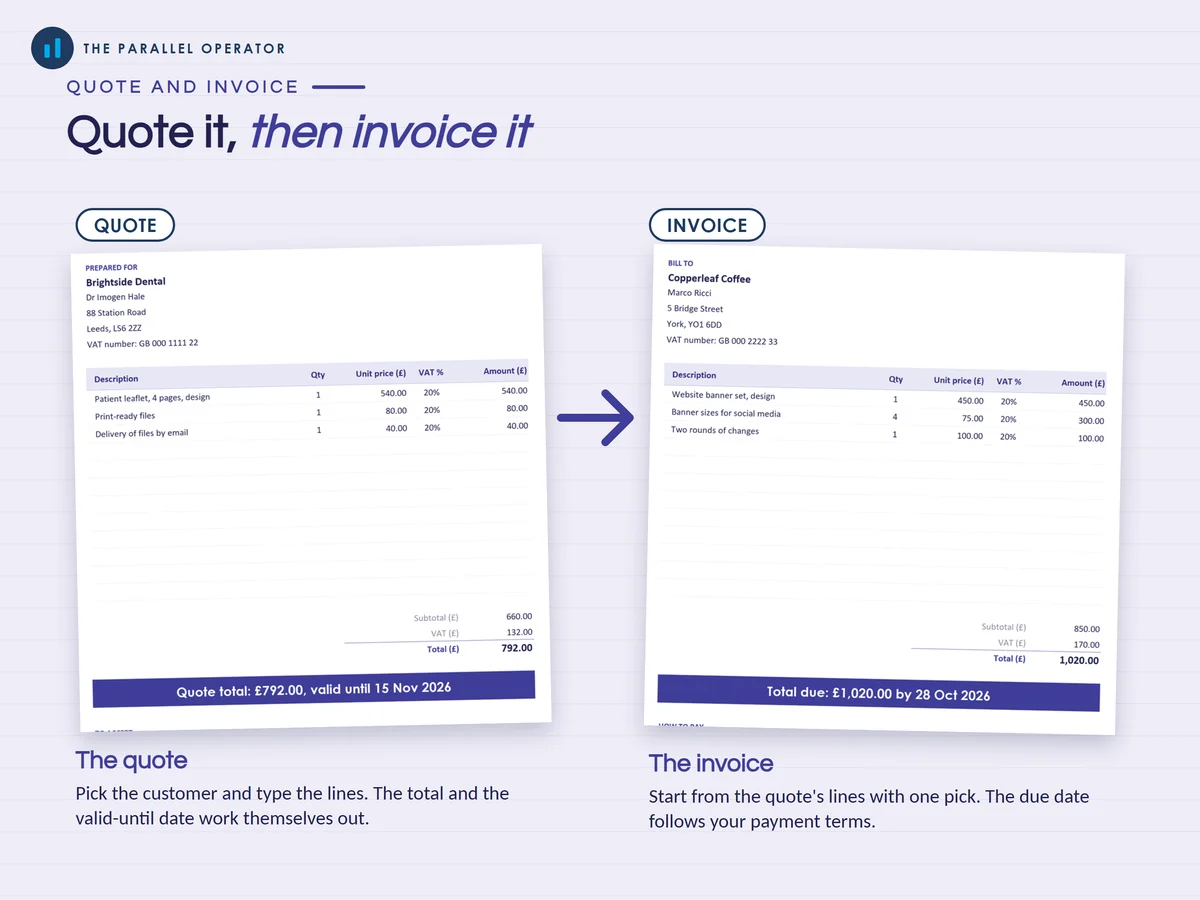
- A quote and invoice that fill themselves inPick the customer and the address, tax number and due date come with them. Type the lines and the totals, tax and a total due band appear.
- Quote to invoice in one stepAn accepted quote's lines carry over to the invoice with one pick.
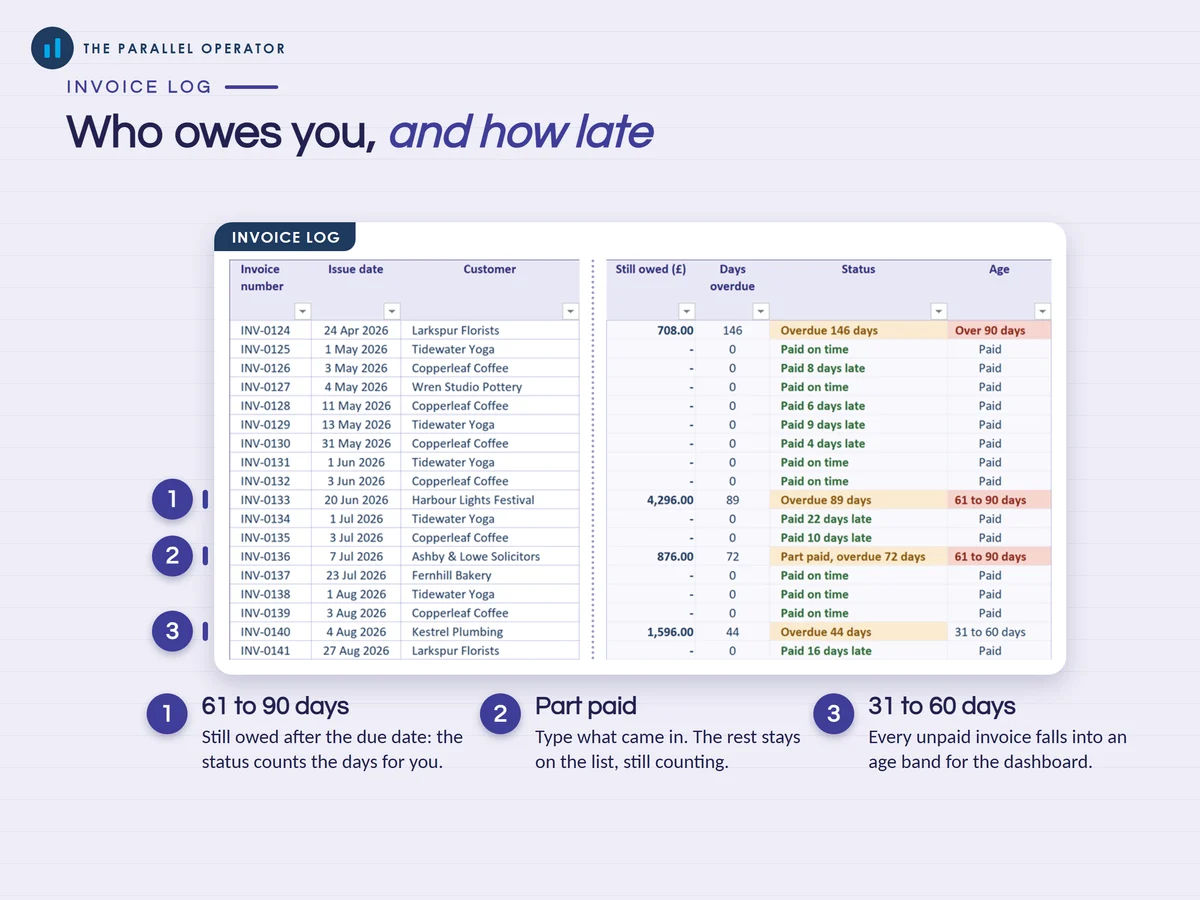
- Aged debtors, done for youEvery unpaid invoice shows how many days overdue it is and falls into a band: not due yet, 1 to 30, 31 to 60, 61 to 90 or over 90 days.
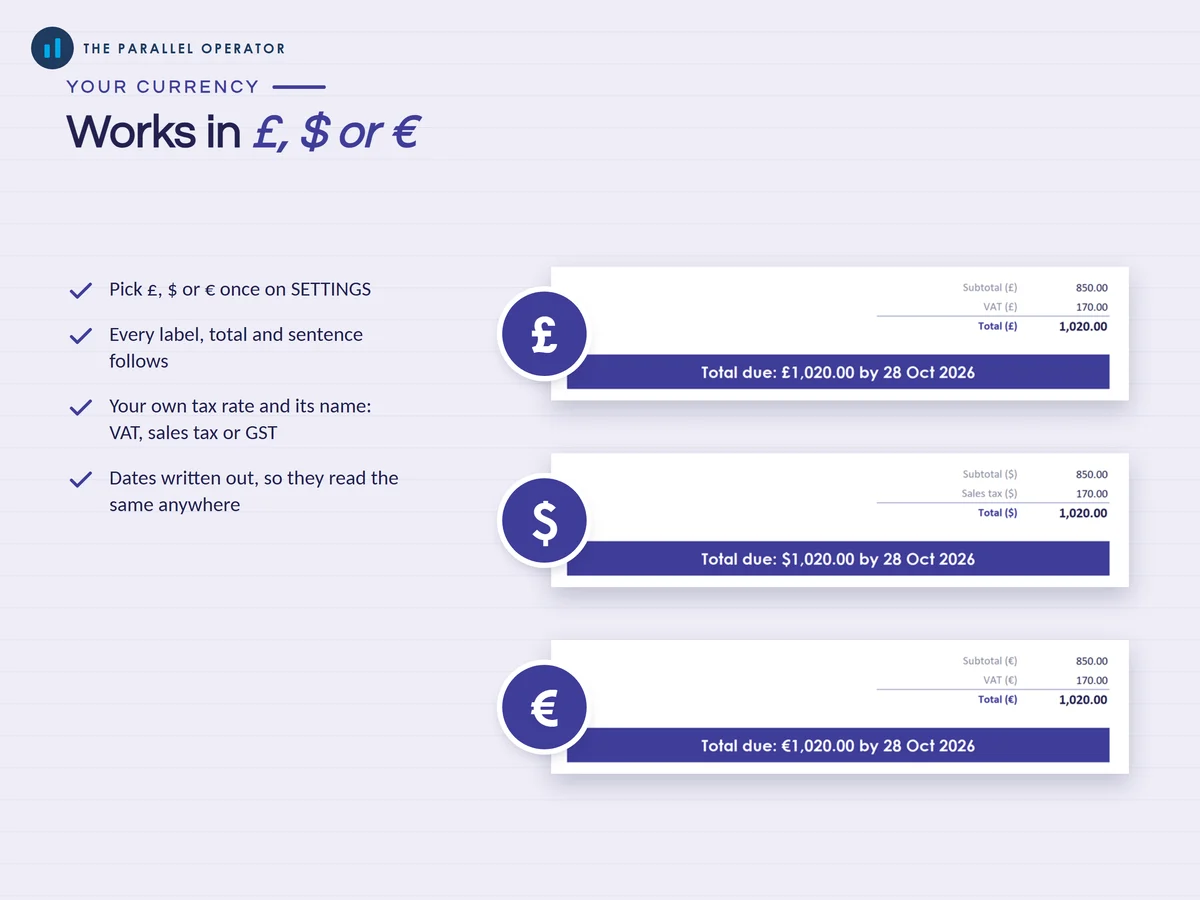
- Your currency, your taxPick £, $ or € once and every label, total and sentence follows, with your own tax rate and its name, such as VAT, sales tax or GST.
- Optional UK late payment tabStatutory interest at 8% over the Bank of England base rate and the fixed sums of £40, £70 or £100, worked out for each late invoice.
How it works
- SettingsType your business details and pick your currency, your word for tax and its rate, and your payment terms
- Quote or invoiceFill in the panel, print the page or save it as a PDF, and add it as one row on its log
- Invoice logType the paid date when the money arrives. The Dashboard shows who owes you and how late
Who it is for
Freelancers, sole traders, contractors and small businesses who send their own quotes and invoices and want to see at a glance who has paid and who is late, in the UK, the US, Europe or anywhere that bills in pounds, dollars or euros. Aged debtors simply means your unpaid invoices, sorted by how many days late they are.
Questions
Do I need Microsoft Excel?
No. It comes with a Google Sheets version, which is free with a Google account. The Excel file also opens in the free web version of Excel.
How do I get it?
Straight after payment it is in your library on this site: the Excel file, the PDF guide and the Open me first page with the Google Sheets button.
Can I use it outside the UK?
Yes. Pick £, $ or € and type your own word for tax and its rate. The UK late payment tab is optional.
What does the UK late payment tab do?
For an invoice another UK business paid late, it works out the statutory interest and the fixed sum you can claim. If a rate changes, type the new figure into its cell and every tab follows.
Is this accounting advice?
No. It is a tool to keep your own records, not tax, legal or accounting advice. Check what your invoices must show where you trade.

Made by Izhar Shah. I built a brand in the evenings alongside a full-time engineering job, and in its first twelve months it passed £500,000 in sales. I make the sheets I wish I had when I started.
Works in
Instant access in your library after payment. A tool to keep your own records, not tax, legal or accounting advice.