What every book really earns, after its ads
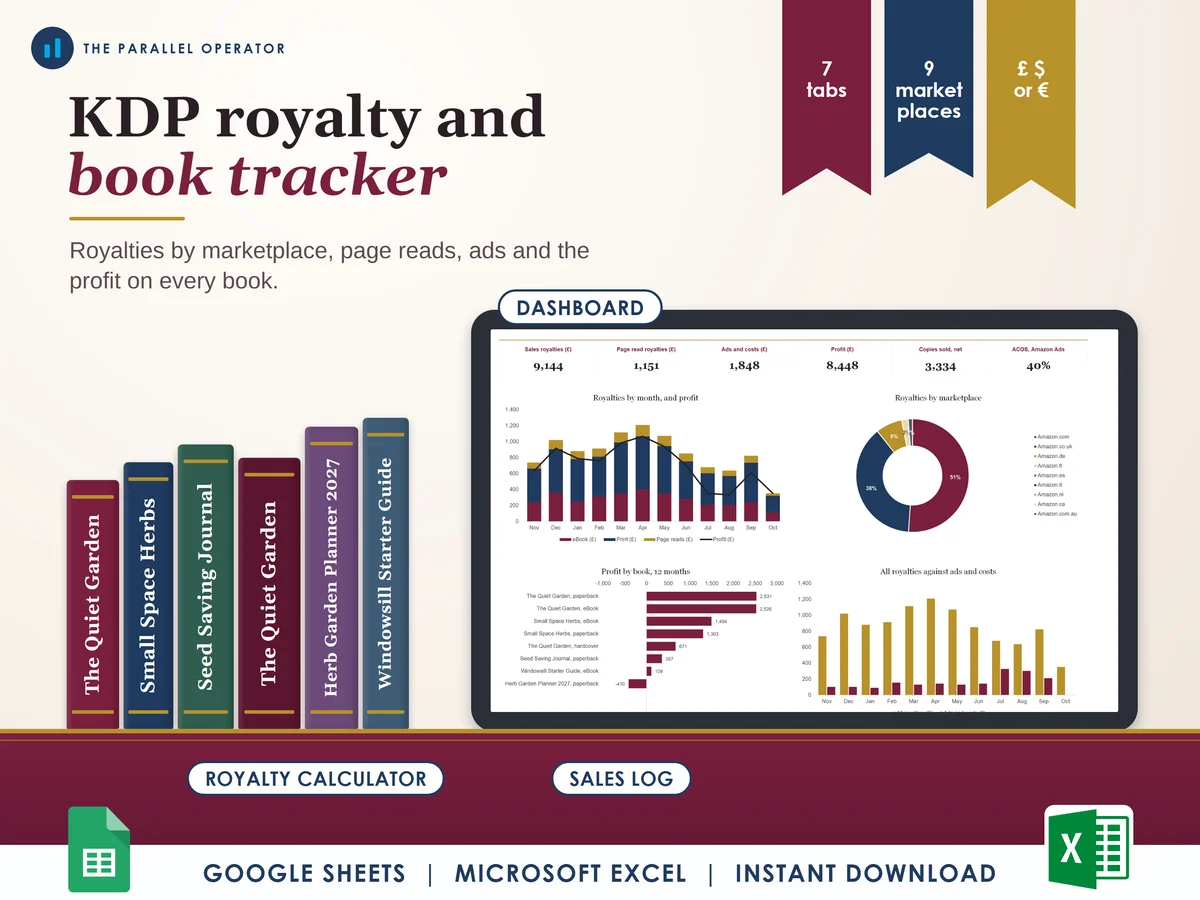
See what every book really earns on Amazon KDP, in every marketplace, after its ads. Excel and Google Sheets.
What you get
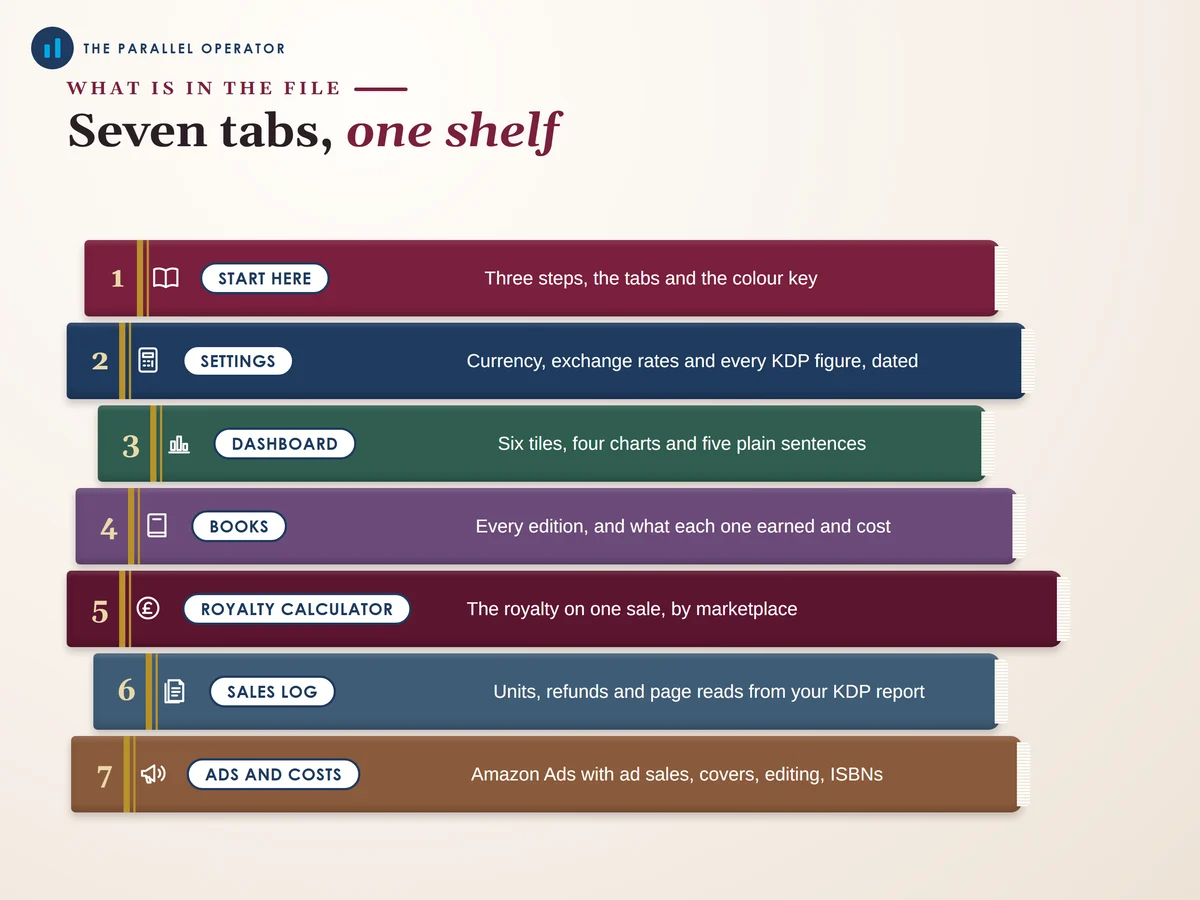
- Excel workbook, 7 tabs and 4 chartsStart here, Settings, Dashboard, Books, Royalty calculator, Sales log, Ads and costs
- Google Sheets versionA make-a-copy link puts it in your own Drive in one click
- 9 page PDF guideYour currency, every KDP figure and its source, the royalty calculator with five worked examples, the sales log, ads and costs
- Open me first pageThe Google Sheets button and the three things to do first
Why this one
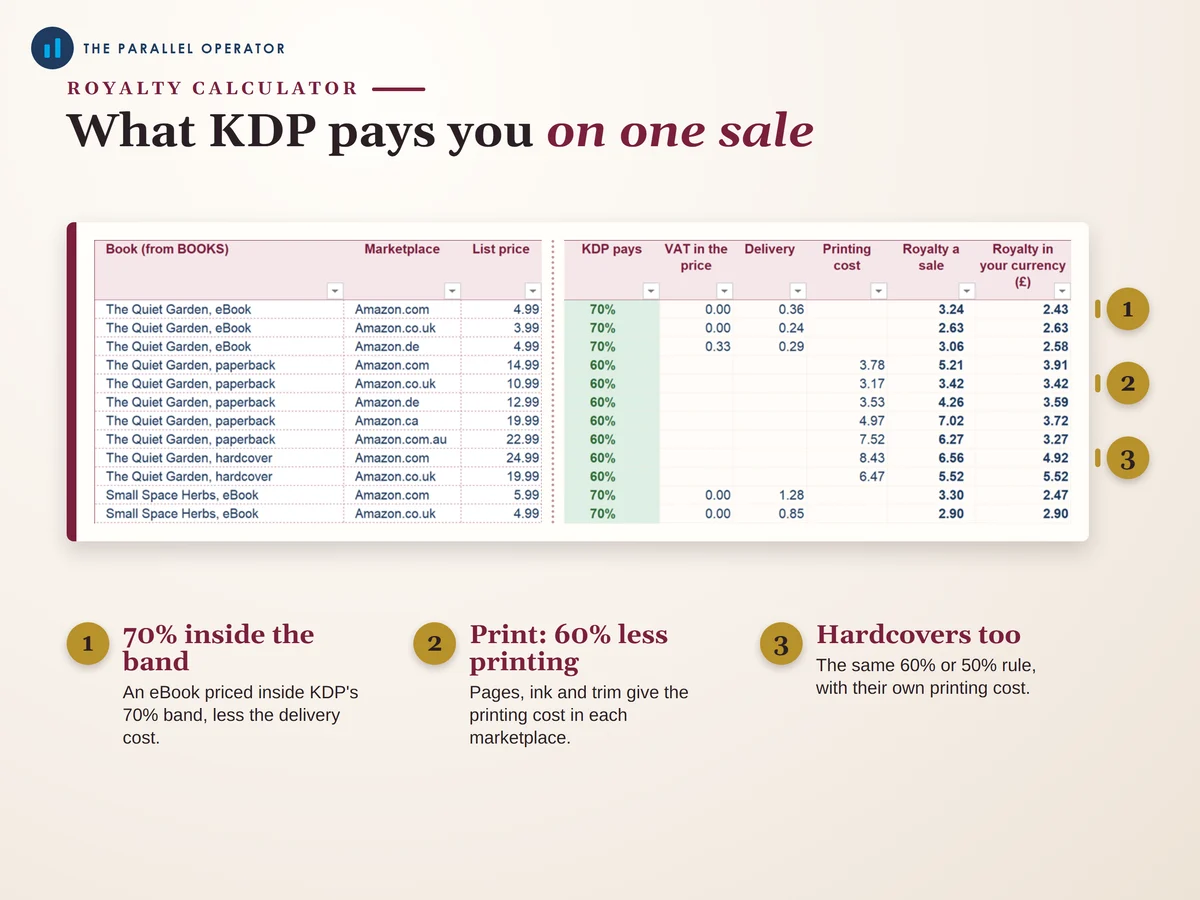
- KDP rules built in70% or 35% for eBooks with the price band and the delivery cost, 60% or 50% for print less the printing cost for its pages, ink and trim, each figure with its source page.
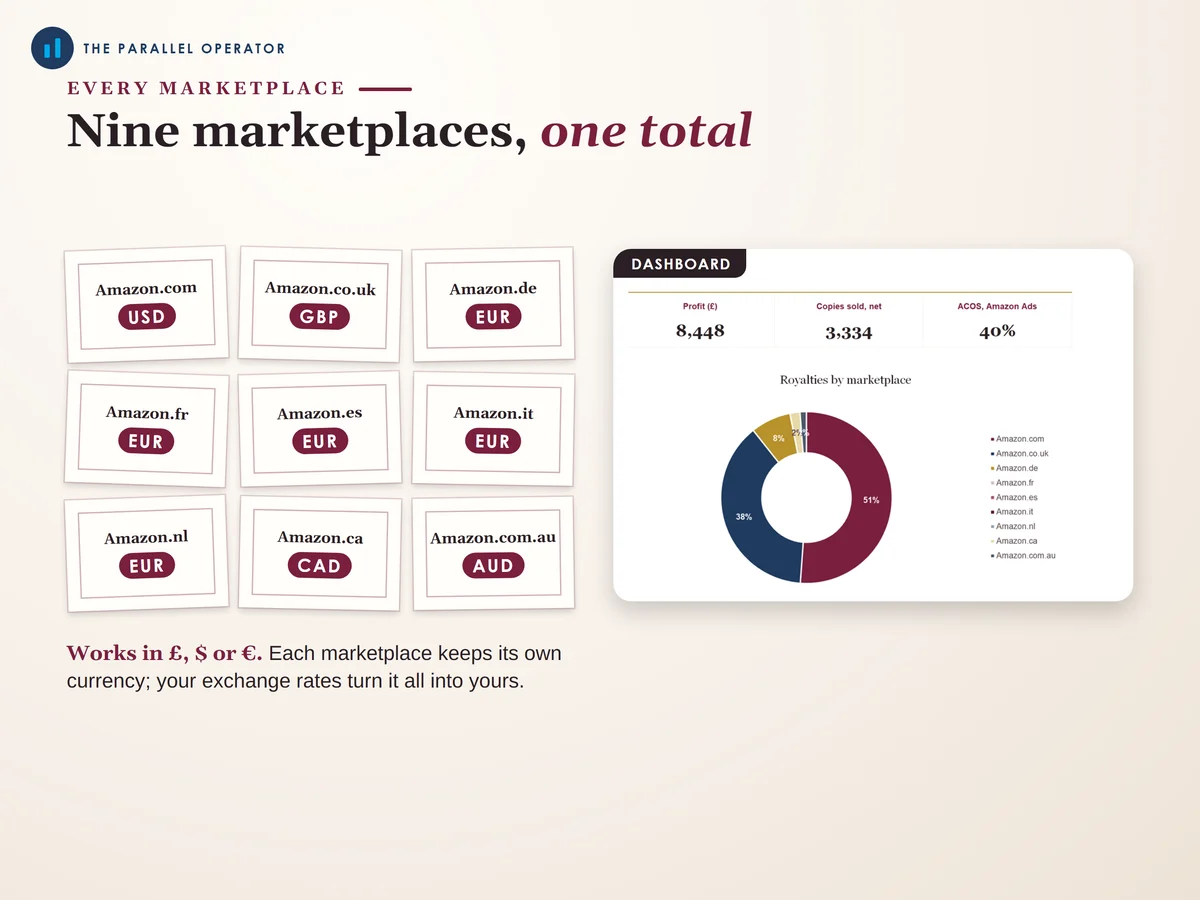
- Every format, nine marketplaceseBook, paperback and hardcover on Amazon in the US, UK, Germany, France, Spain, Italy, the Netherlands, Canada and Australia, each in its own currency.
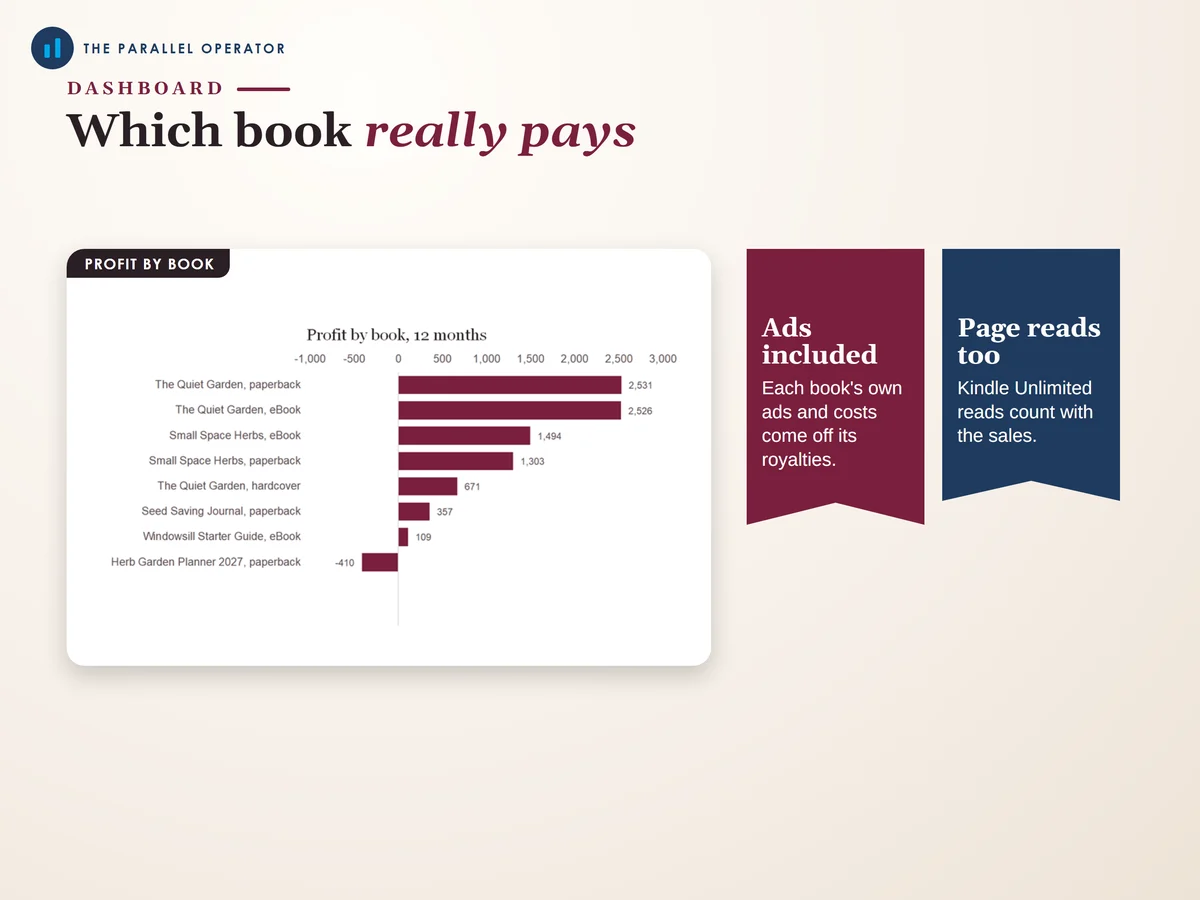
- Profit per book, not just royaltiesEach book's own ads, covers and editing come off its royalties, so you can see which titles really pay.
- Your KDP report has the final wordLeave the royalty empty for an estimate, or type the figure from your report and the file uses it.
- Explains the odd resultsA 70% eBook priced outside the band, a page count KDP cannot print or a price below KDP's minimum gets a plain note.
How it works
- Add your booksOn Books, add each edition once, and pick your currency on Settings
- Price a saleOn Royalty calculator, pick a book and a marketplace and type the list price. The royalty a sale appears
- Each month, copy your KDP reportUnits and page reads go into Sales log, your ads into Ads and costs. The Dashboard shows your profit
Who it is for
Self publishing authors and low content publishers on Amazon KDP, Amazon's Kindle Direct Publishing service, from a first book to a shelf of titles in several formats and marketplaces, anywhere in the world. Page reads are the Kindle Unlimited pages KDP pays you for. ACOS is what your Amazon Ads cost as a share of the sales they bring in.
Questions
Do I need Microsoft Excel?
No. It comes with a Google Sheets version, which is free with a Google account. The Excel file also opens in the free web version of Excel.
How do I get it?
Straight after payment it is in your library on this site: the Excel file, the PDF guide and the Open me first page with the Google Sheets button.
I am not in the UK. Does it work?
Yes. Pick £, $ or € once on Settings, and your exchange rates turn every marketplace into your currency.
What if KDP changes a figure?
Every KDP figure sits in its own cell on Settings, with its source page. Type the new figure and every tab follows. Your KDP report is always the final word.
Is it linked to Amazon?
No. It is independent and not affiliated with or endorsed by Amazon. It is a tool to keep your own records, not tax or financial advice, and no promise of sales.

Made by Izhar Shah. I built a brand in the evenings alongside a full-time engineering job, and in its first twelve months it passed £500,000 in sales. I make the sheets I wish I had when I started.
Works in
Instant access in your library after payment. Independent, not affiliated with Amazon, and your KDP report is the final word.