Three things a day, and a bar that fills as you tick
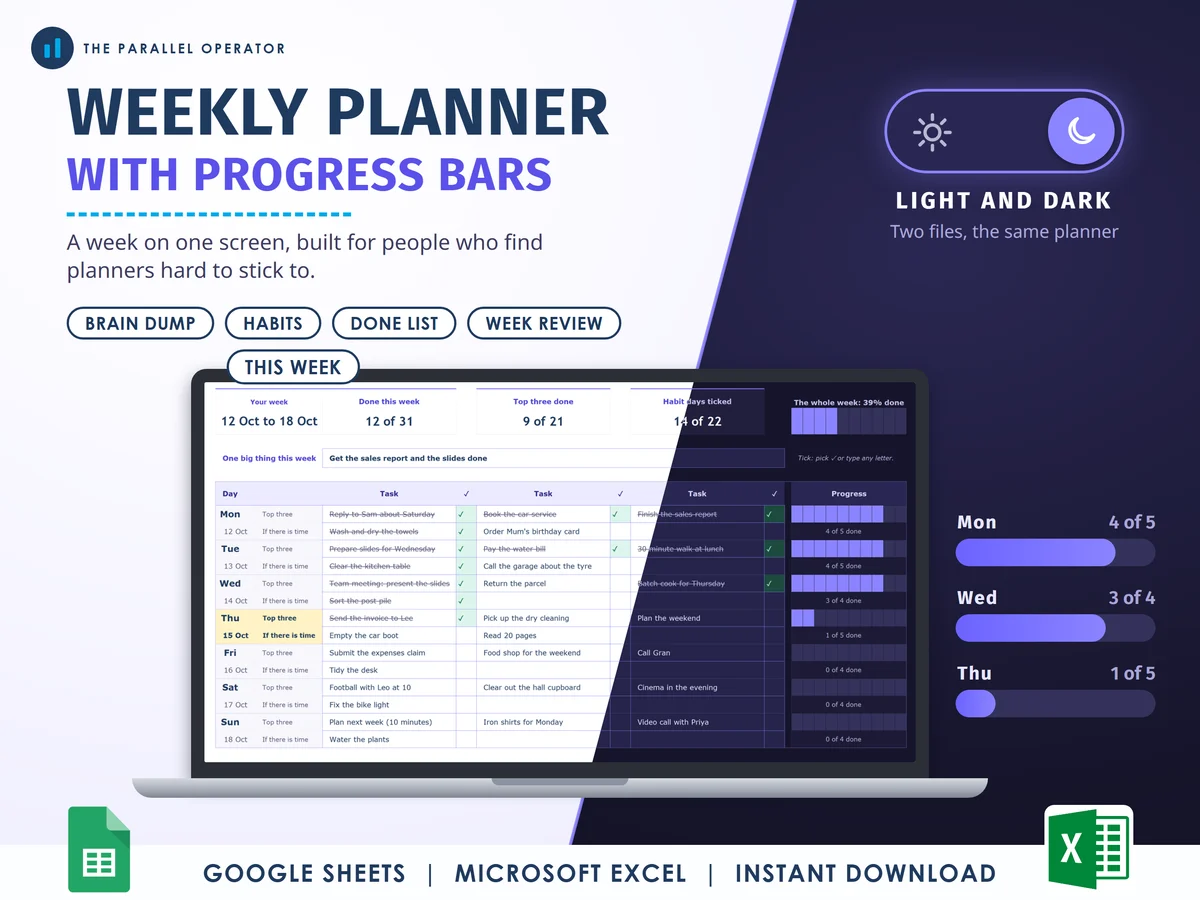
A weekly planner for people who find planners hard to stick to: the whole week on one screen, three things a day that matter, and a bar that fills as you tick. Excel and Google Sheets.
What you get
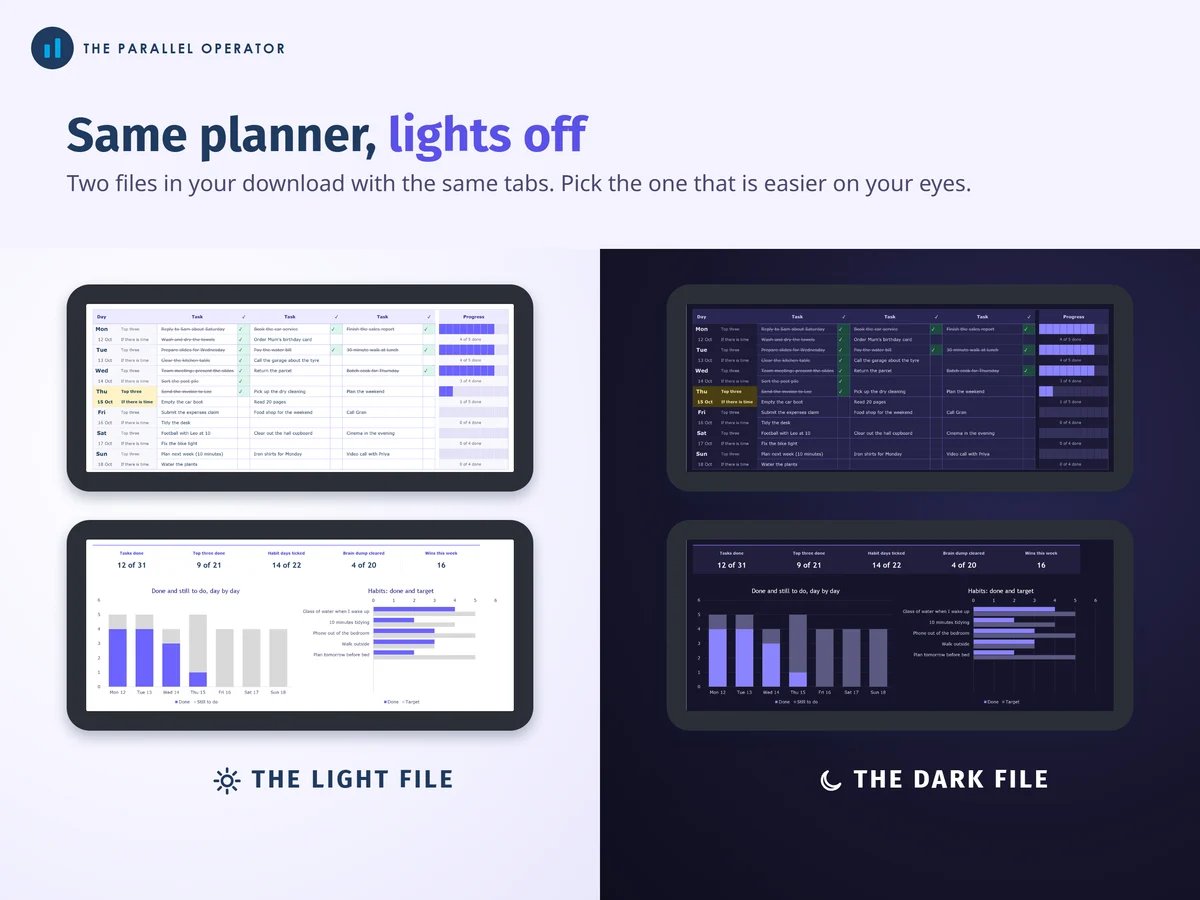
- Two Excel workbooks, light and dark7 tabs and 5 charts each: Start here, Settings, This week, Brain dump, Habits, Done list, Week review
- Google Sheets versionsLight and dark, each with a make-a-copy link to your own Drive
- Short guide, six A4 pagesThe three steps, each tab, the Sunday review and a week to print
- Open me first pageBoth Google Sheets buttons and the three things to do first
Why this one
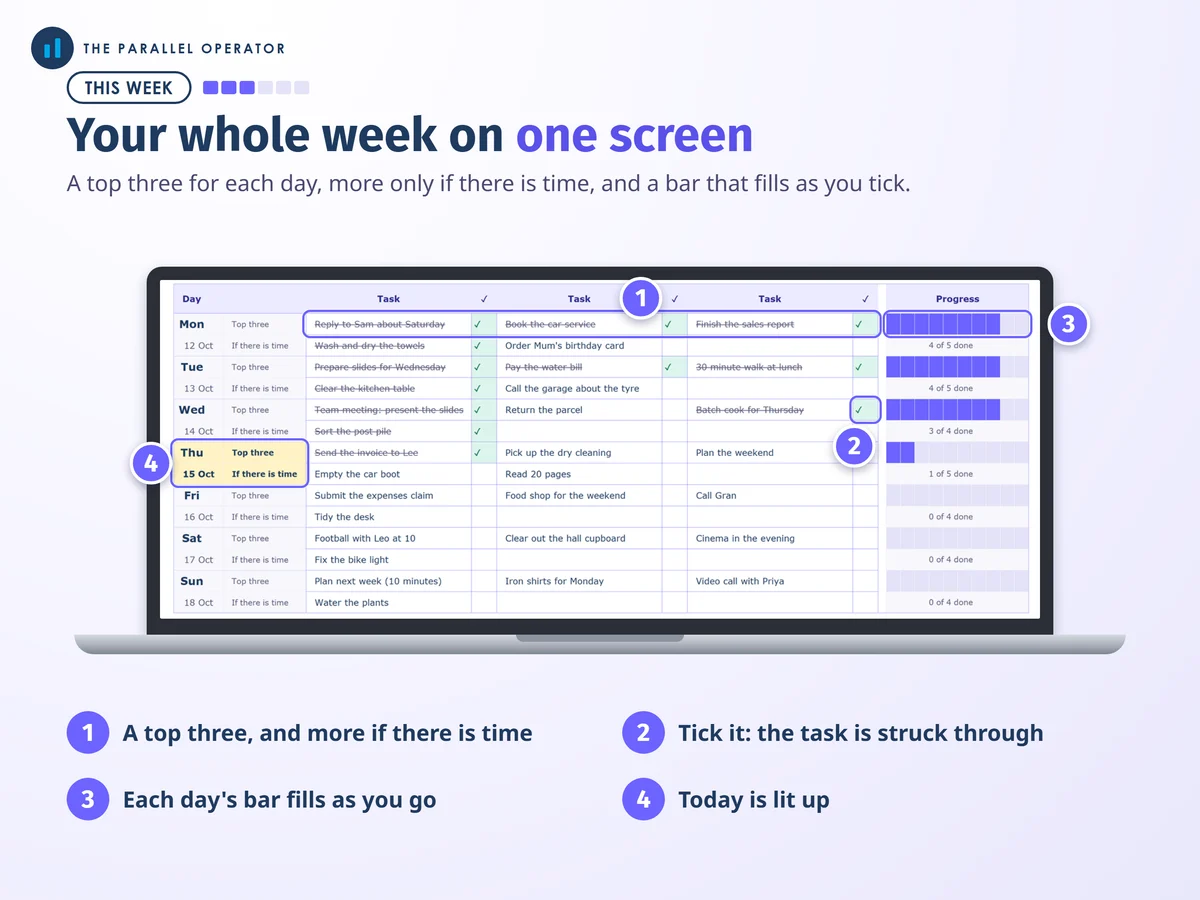
- One screen, three tasksEach day asks for a top three, with three more only if there is time, so the plan stays short enough to read at a glance.
- Bars that fill as you tickTick a task and it is struck through, and the day's bar fills. The bars are built from cells, so they look the same in Excel and Google Sheets.
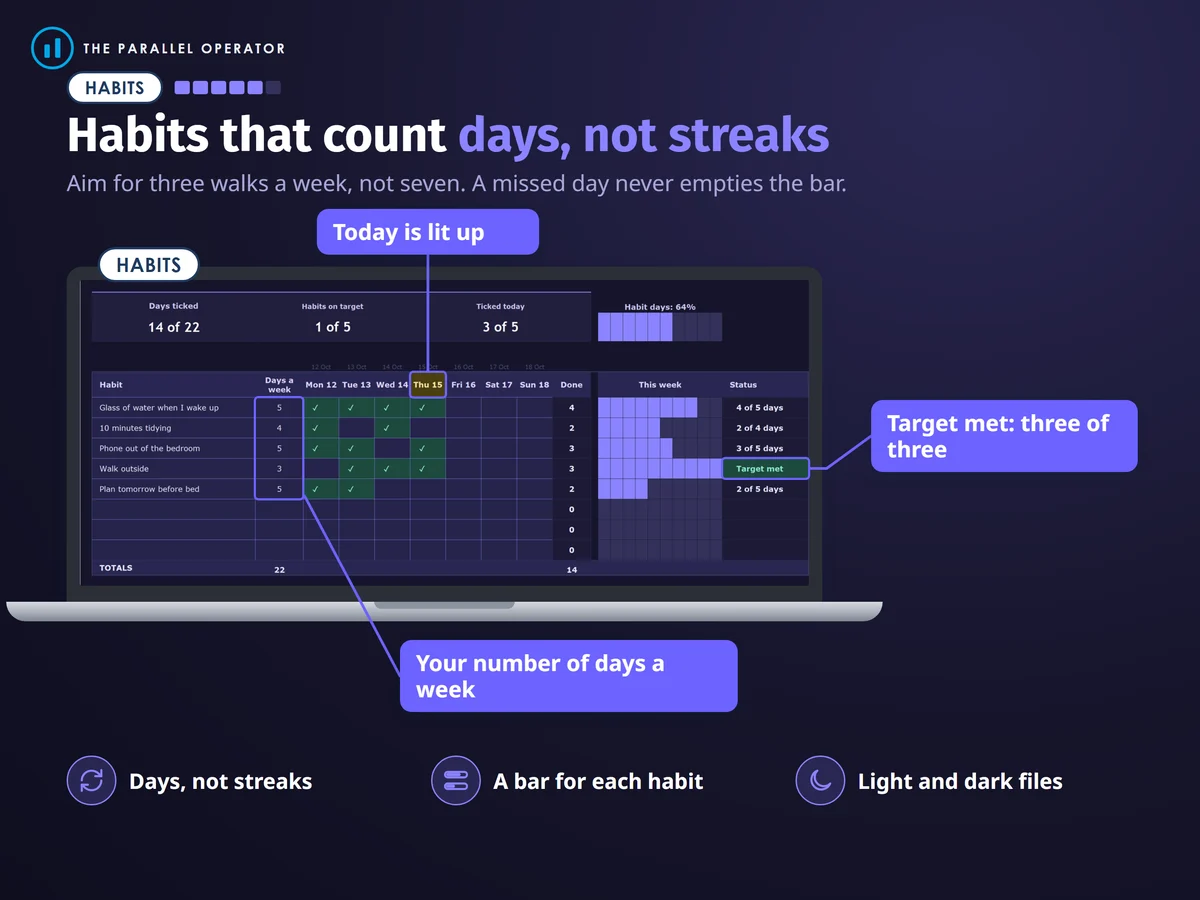
- Nothing turns redAn undone task just stays undone, and habits count days, not streaks, so a missed day never empties the bar.
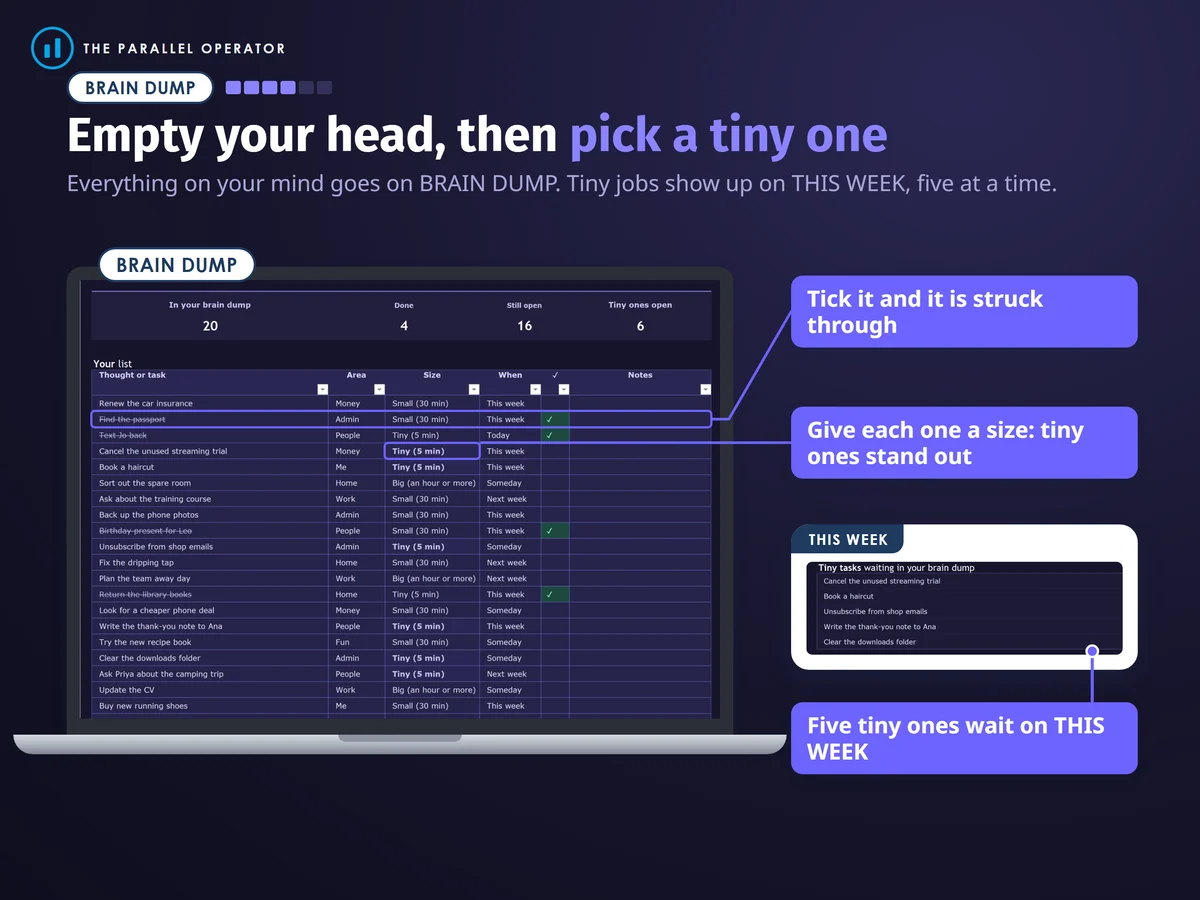
- Tiny jobs waiting for youEverything on your mind goes on the brain dump with a size, and the tiny jobs wait on the week for a spare five minutes.
- Light and darkTwo files with the same tabs: a light one, and a true dark one with dark charts.
How it works
- Empty your headOn Brain dump, write down everything on your mind, one line each
- Pick a top threeOn This week, three things for each day, and more only if there is time
- Tick as you goWatch the bar fill. On Sunday, open Week review to see what got done
Who it is for
Anyone who has started a planner and stopped: people who like to see their progress, want fewer tasks a day, or prefer a dark screen. There is nothing to set up: type a task and tick it. It works week after week, you clear the week and type the new Monday.
Questions
Do I need Microsoft Excel?
No. It comes with Google Sheets versions, light and dark, which are free with a Google account. The Excel files also open in the free web version of Excel.
How do I get it?
Straight after payment it is in your library on this site: the light and dark Excel files, the short guide with a week to print, and the Open me first page with both Google Sheets buttons.
What is the difference between the two files?
Nothing but the colours. Both have the same tabs. One is light, and one is a true dark file with dark charts, so you can pick whichever is easier on your eyes.
What happens if I miss a day?
Nothing turns red. An undone task just stays undone, and habits count days, not streaks, so a missed day never empties the bar.
Is it a medical product?
No. It is a planning tool, and it makes no claims about any condition.

Made by Izhar Shah. I built a brand in the evenings alongside a full-time engineering job, and in its first twelve months it passed £500,000 in sales. I make the sheets I wish I had when I started.
Works in
Instant access in your library after payment. A planning tool, not a medical product.