Budget, suppliers, guests and the day, in one workbook
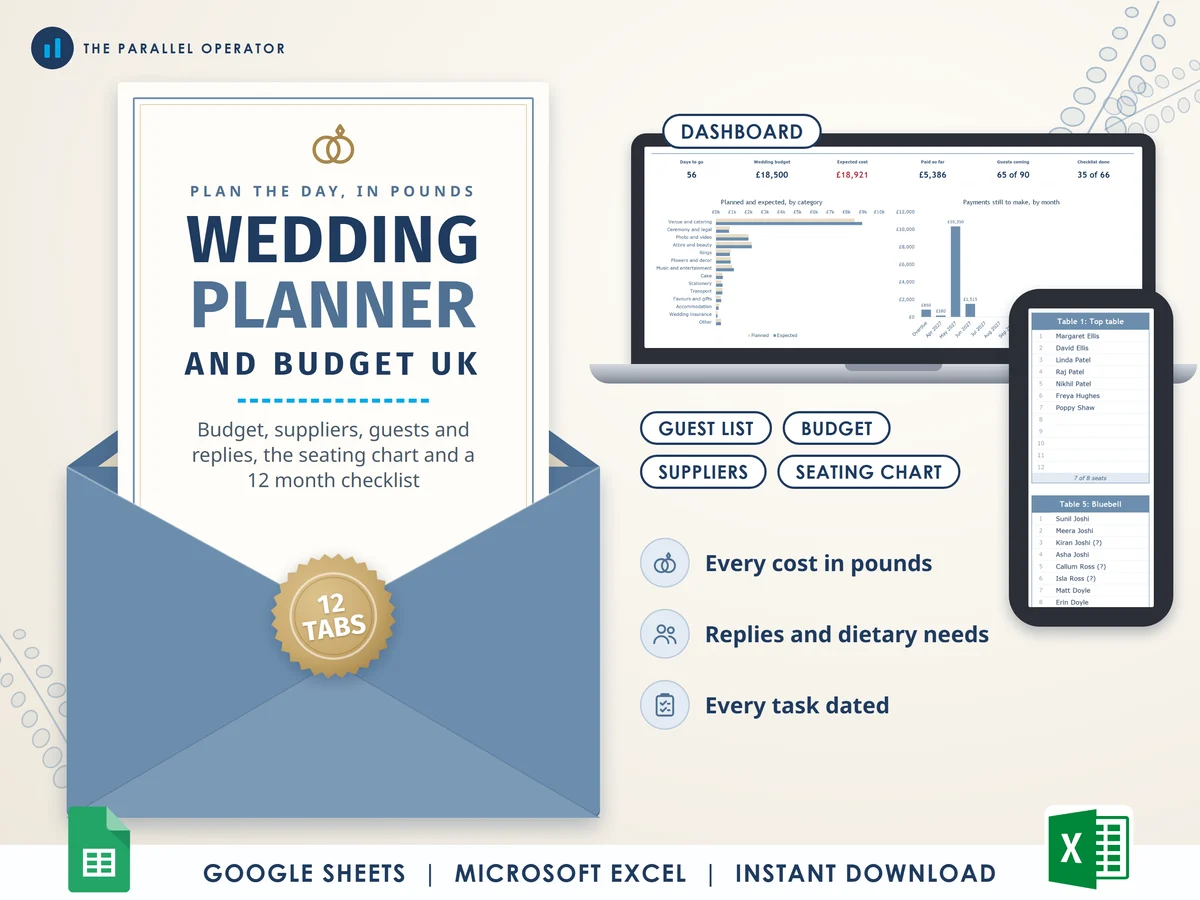
Plan the whole wedding in pounds: the budget, every supplier payment, the guest list and replies, a seating chart that fills itself in and the running order of the day. Excel and Google Sheets.
What you get
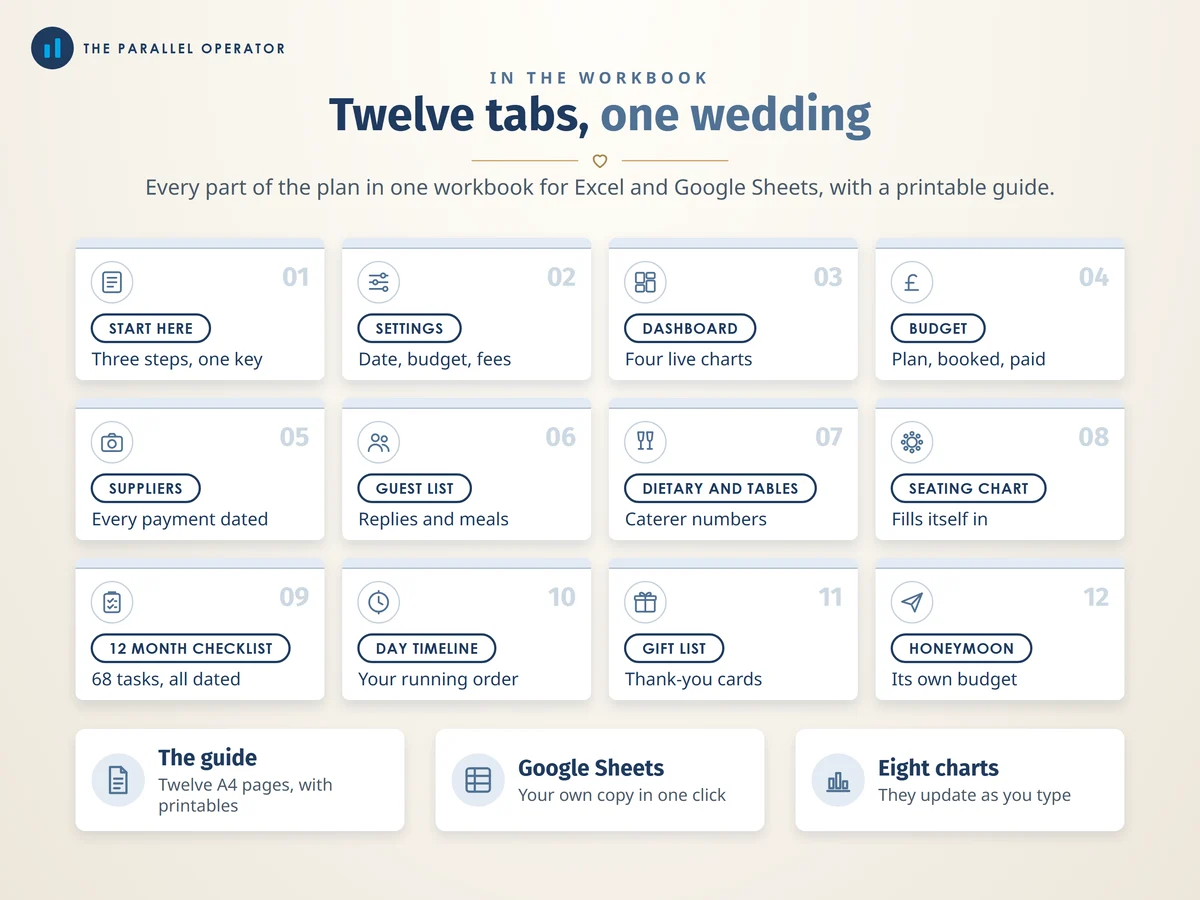
- Excel workbook, 12 tabs and 8 chartsStart here, Settings, Dashboard, Budget, Suppliers, Guest list, Dietary and tables, Seating chart, 12 month checklist, Day timeline, Gift list, Honeymoon
- Google Sheets versionA make-a-copy link puts it in your own Drive in one click
- 12 page A4 PDFA short guide and four printables: the checklist in two parts, a seating chart and a run sheet for the day
- Open me first pageThe Google Sheets button and the three things to do first
Why this one
- Checklist and budget joined upMost wedding planners are either a checklist or a budget. This one keeps the money, the guests, the tables and a twelve month countdown in one workbook.
- UK, and in poundsThe fees for giving notice, the registrar and the certificate in England and Wales are filled in with the source beside each. Every other cost is yours to type, so nothing is a guess.
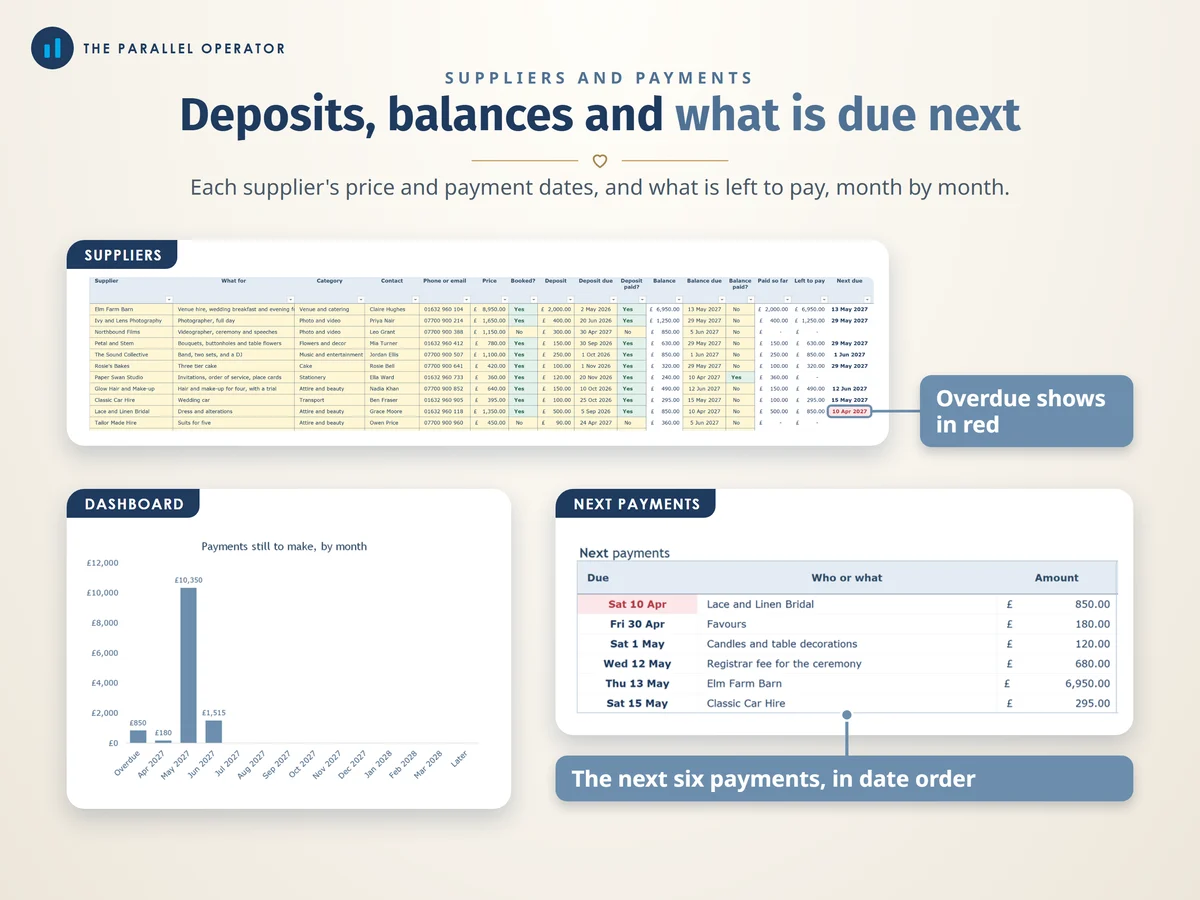
- Every payment datedEach supplier has a deposit and a balance with due dates. The dashboard lists the next six payments, and overdue ones turn red.
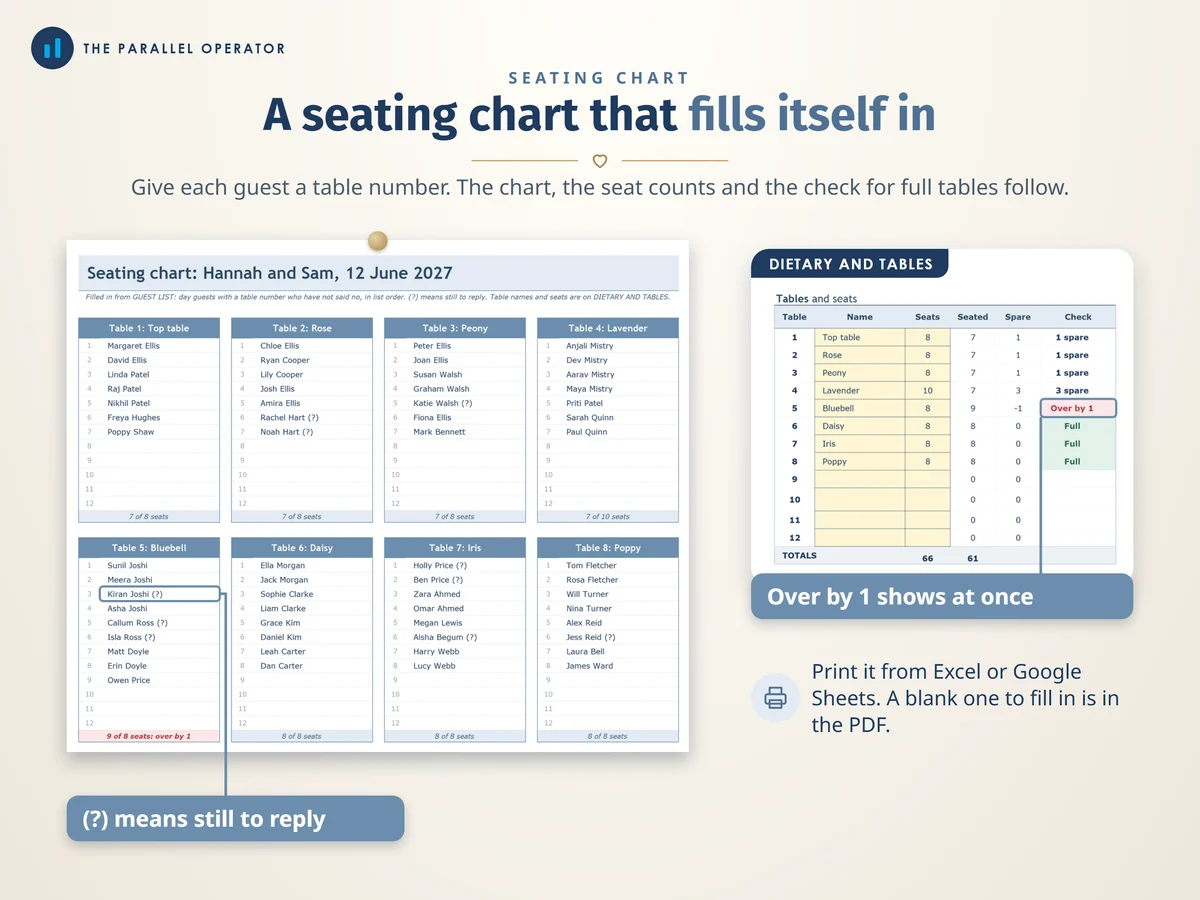
- A seating chart that fills itself inGive each guest a table number and the chart, the seat counts and the check for full tables follow. A (?) marks anyone still to reply.
- From twelve months out to the last danceSixty-eight UK wedding tasks dated back from your wedding day, and a day timeline that times itself from the minutes you type.
How it works
- Type the basicsOn Settings, your names, the wedding date, the budget and the ceremony type
- Plan the moneyGive each category a plan on Budget, and add each supplier on Suppliers with the payment dates
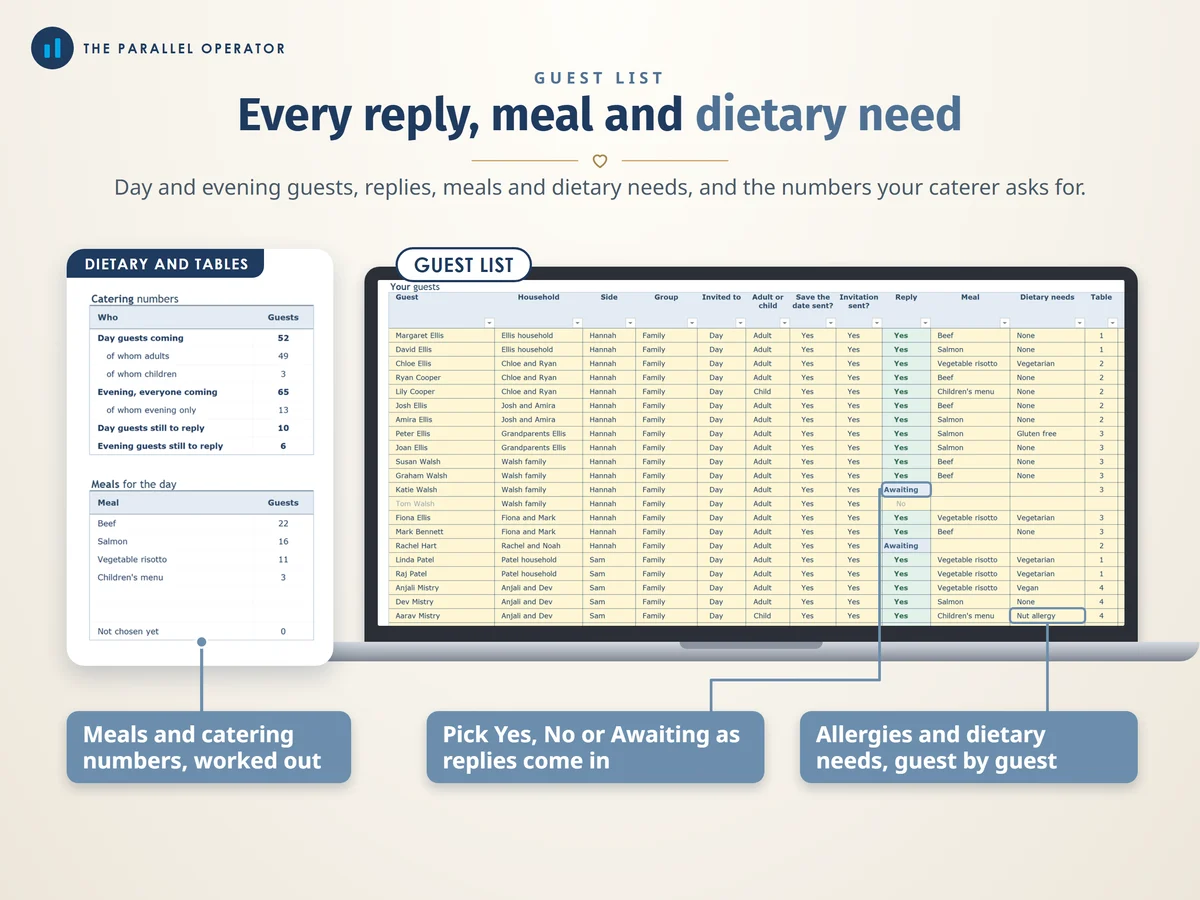
- Add your guestsPick replies and meals as they come in and give each day guest a table. The Dashboard fills in by itself
Who it is for
Couples planning a wedding in the UK, from a register office ceremony for twenty to a barn for a hundred, and anyone helping them plan. The legal fees filled in are the ones for England and Wales.
Questions
Do I need Microsoft Excel?
No. It comes with a Google Sheets version, which is free with a Google account. The Excel file also opens in the free web version of Excel.
How do I get it?
Straight after payment it is in your library on this site: the Excel file, the 12 page A4 PDF with the guide and printables, and the Open me first page with the Google Sheets button.
How many guests does it hold?
Up to 200 guests, day or evening, and a seating chart of twelve tables with up to twelve guests each.
Does it tell me what a wedding should cost?
No. No average wedding cost is used anywhere. Apart from the legal fees for England and Wales, every cost is yours to type in.
Is this legal or financial advice?
No. It is a planning tool. Your register office and your suppliers confirm what you pay, and the legal fees sit on Settings so you can update them if they change.

Made by Izhar Shah. I built a brand in the evenings alongside a full-time engineering job, and in its first twelve months it passed £500,000 in sales. I make the sheets I wish I had when I started.
Works in
Instant access in your library after payment. A planning tool, not legal or financial advice.