Everything you own and owe, one number a month
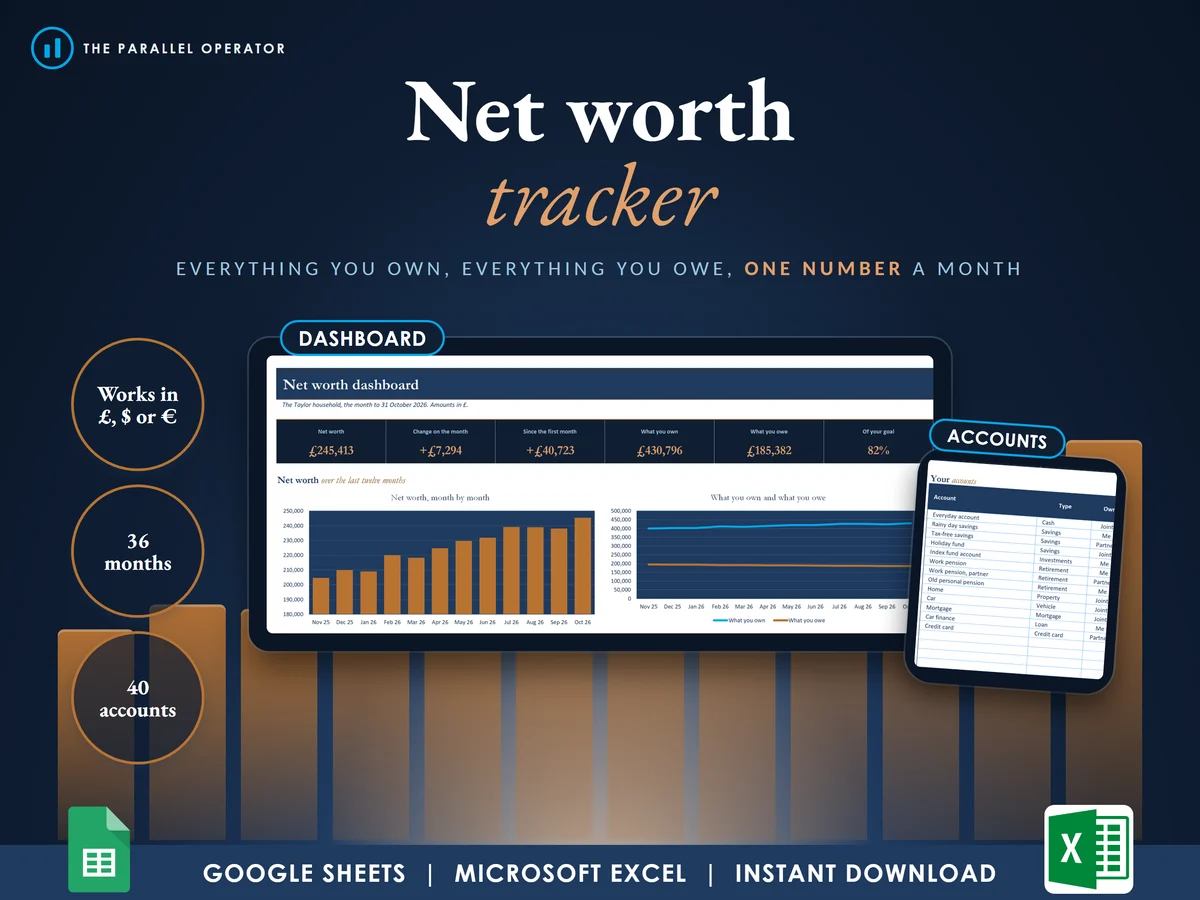
List each account once, type the balances at each month end, and see your net worth, the change on the month and how far you are from your goal. Excel and Google Sheets.
What you get
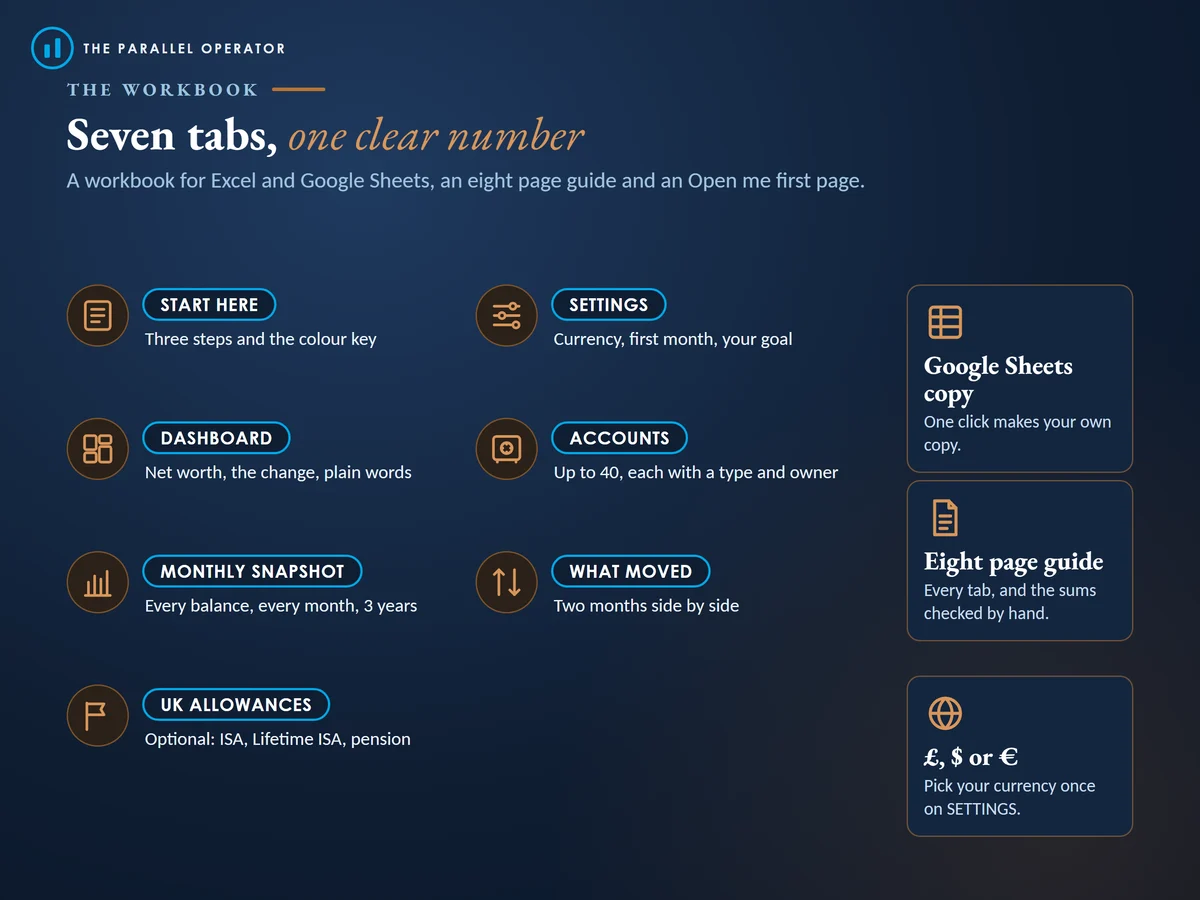
- Excel workbook, 7 tabs and 5 chartsStart here, Settings, Dashboard, Accounts, Monthly snapshot, What moved, UK allowances
- Google Sheets versionA make-a-copy link puts it in your own Drive in one click
- 8 page PDF guideSettings and currency, your accounts, the monthly snapshot, the dashboard and the goal, what moved and the UK allowances tab, with the sums checked by hand
- Open me first pageThe Google Sheets button and the three things to do first
Why this one
- One number, explainedThe dashboard says in plain words what your net worth is, how it moved and when you could reach your goal at your recent pace.
- Debts handled properlyType what you owe as a positive number, and a debt that shrinks shows as a gain in your net worth.
- Works in £, $ or €Amounts are plain numbers, so switching the currency changes nothing but the symbol.
- ForgivingA balance pasted as text, such as 1,250, is still read, and anything that is not a number turns red instead of breaking the totals.
- Checked by handTwenty cells in the example file match a separate calculation, and more than thirty unusual inputs were tested.
How it works
- SettingsPick £, $ or €, type your first month and, if you like, a goal
- AccountsList each account once, with its type
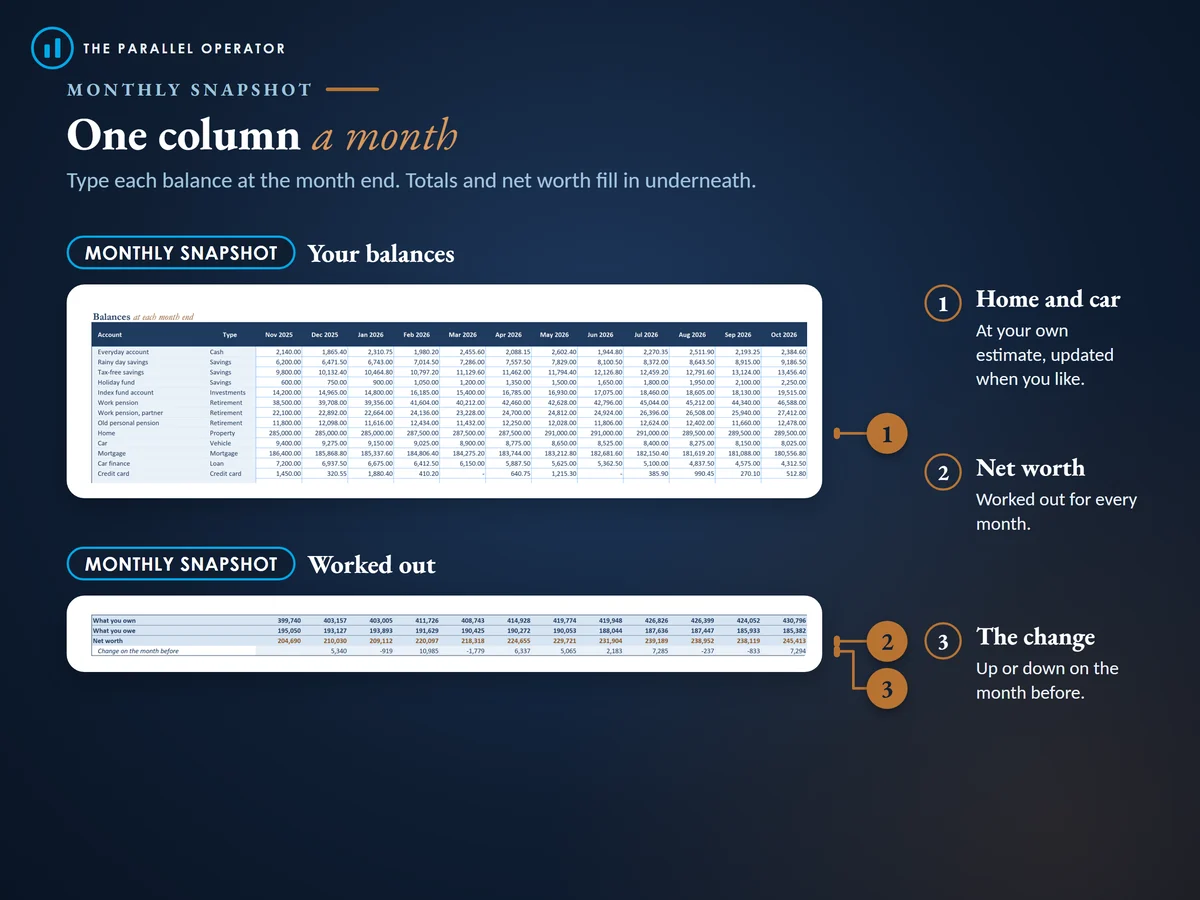
- Monthly snapshotAt each month end, type the balances and read the dashboard
Who it is for
Anyone who wants to see their whole financial picture in one place each month: savings, investments, retirement pots, a home and car against a mortgage, loans and cards. Net worth simply means what you own minus what you owe. Couples can mark each account as theirs, their partner's or joint. It keeps up to 40 accounts over three years, and UK readers get an optional tab for ISA, Lifetime ISA and pension allowances.
Questions
Do I need Microsoft Excel?
No. It comes with a Google Sheets version, which is free with a Google account. The Excel file also opens in the free web version of Excel.
How do I get it?
Straight after payment it is in your library on this site: the Excel file, the PDF guide and the Open me first page with the Google Sheets button.
Does it connect to my bank?
No. You type each balance yourself once a month, so your figures stay in your own file.
How do I value my home or car?
Things with no statement, such as a home or a car, go in at your own estimate, and you can update them whenever you like.
Is this financial advice?
No. The tracker adds up the figures you type. It is not financial advice.

Made by Izhar Shah. I built a brand in the evenings alongside a full-time engineering job, and in its first twelve months it passed £500,000 in sales. I make the sheets I wish I had when I started.
Works in
Instant access in your library after payment. Your own figures, not financial advice.