Your real take-home, then a plan to the next pay day
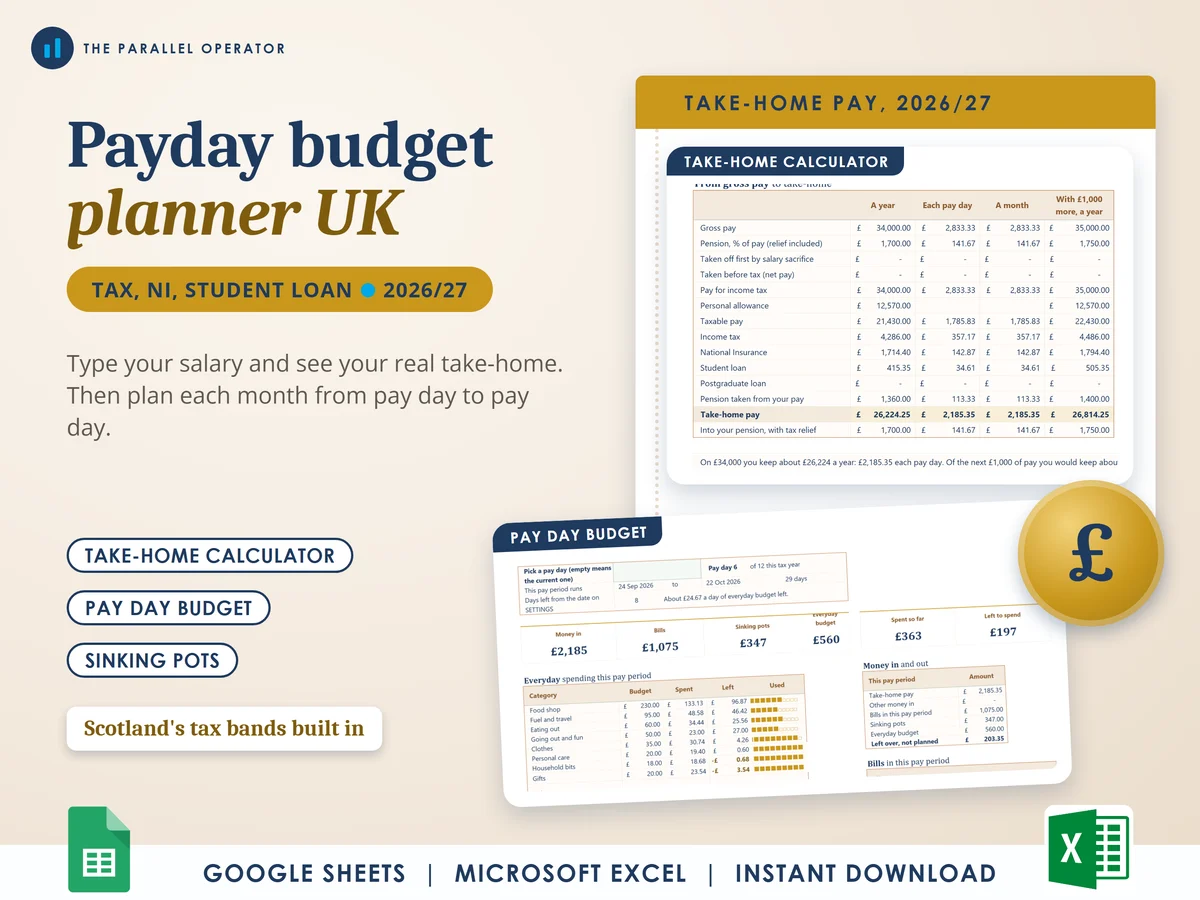
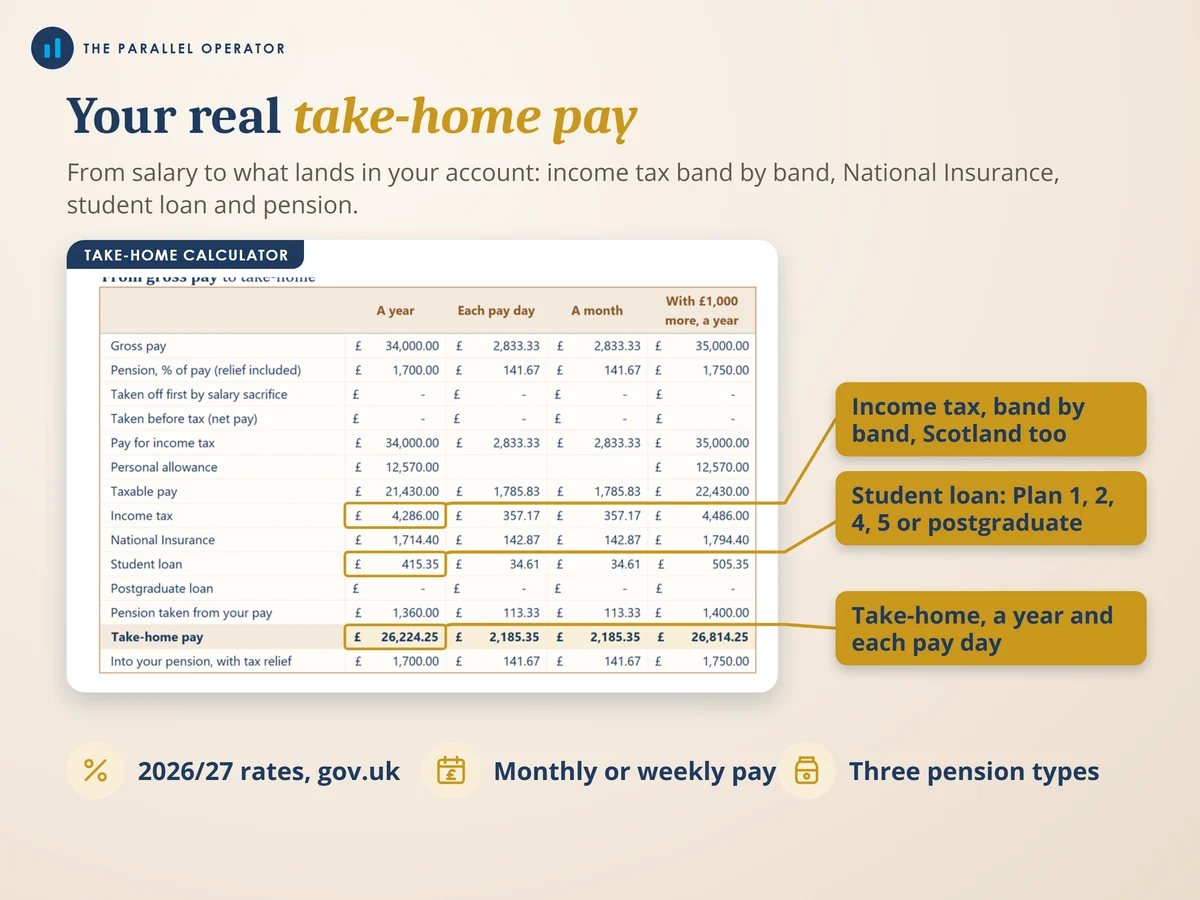
Type your salary and see what actually lands in your account for the 2026/27 tax year, then plan each pay period from one pay day to the next. Excel and Google Sheets.
What you get
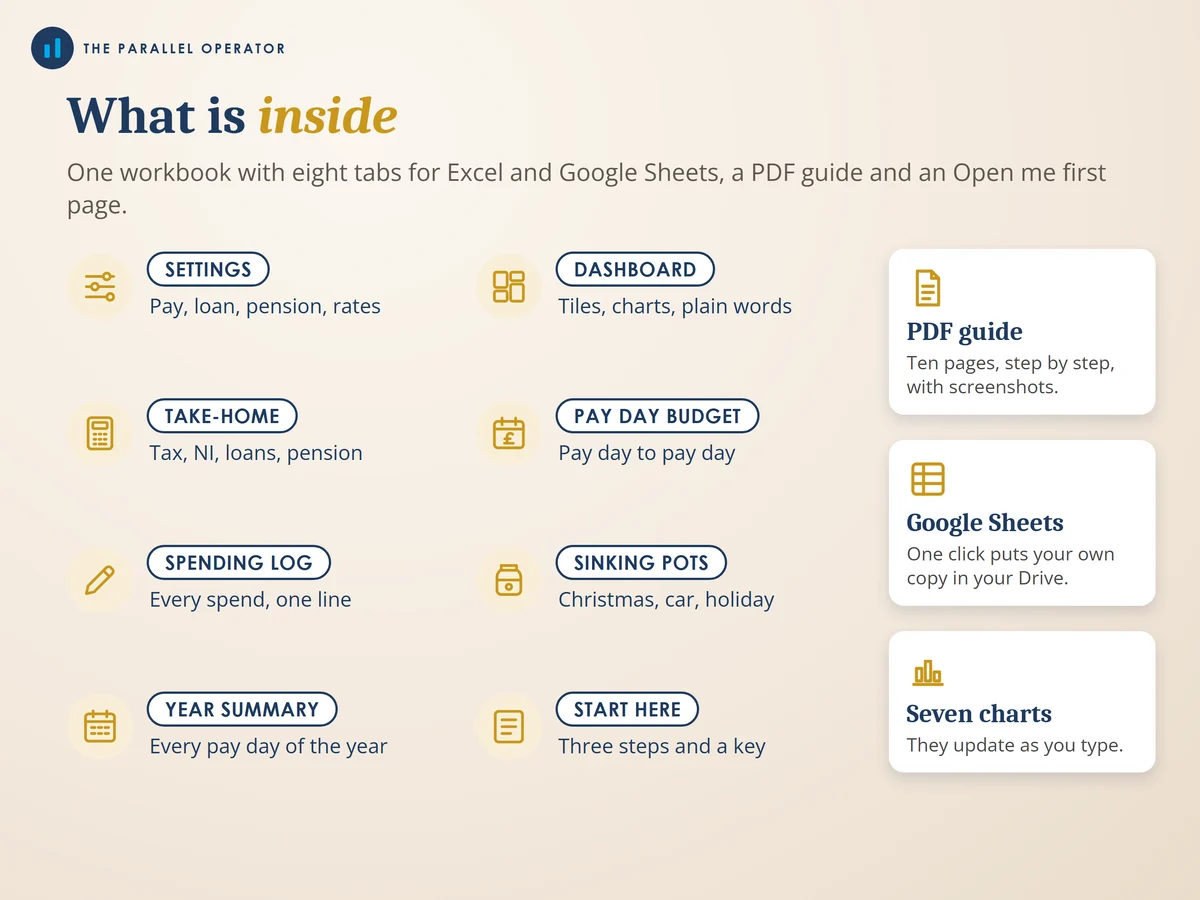
- Excel workbook, 8 tabs and 7 chartsStart here, Settings, Dashboard, Take-home calculator, Pay day budget, Spending log, Sinking pots, Year summary
- Google Sheets versionA make-a-copy link puts it in your own Drive in one click
- 10 page PDF guideYour pay settings, the take-home calculator band by band, the pay day budget, sinking pots and a worked example
- Open me first pageThe Google Sheets button and the three things to do first
Why this one
- Real UK take-homeIncome tax for England, Wales and Northern Ireland or Scotland, National Insurance, Plan 1, 2, 4 and 5 student loans, the postgraduate loan and the personal allowance taper above £100,000.
- Pensions done properlyRelief at source, net pay or salary sacrifice, each taken from your pay the way it really is.
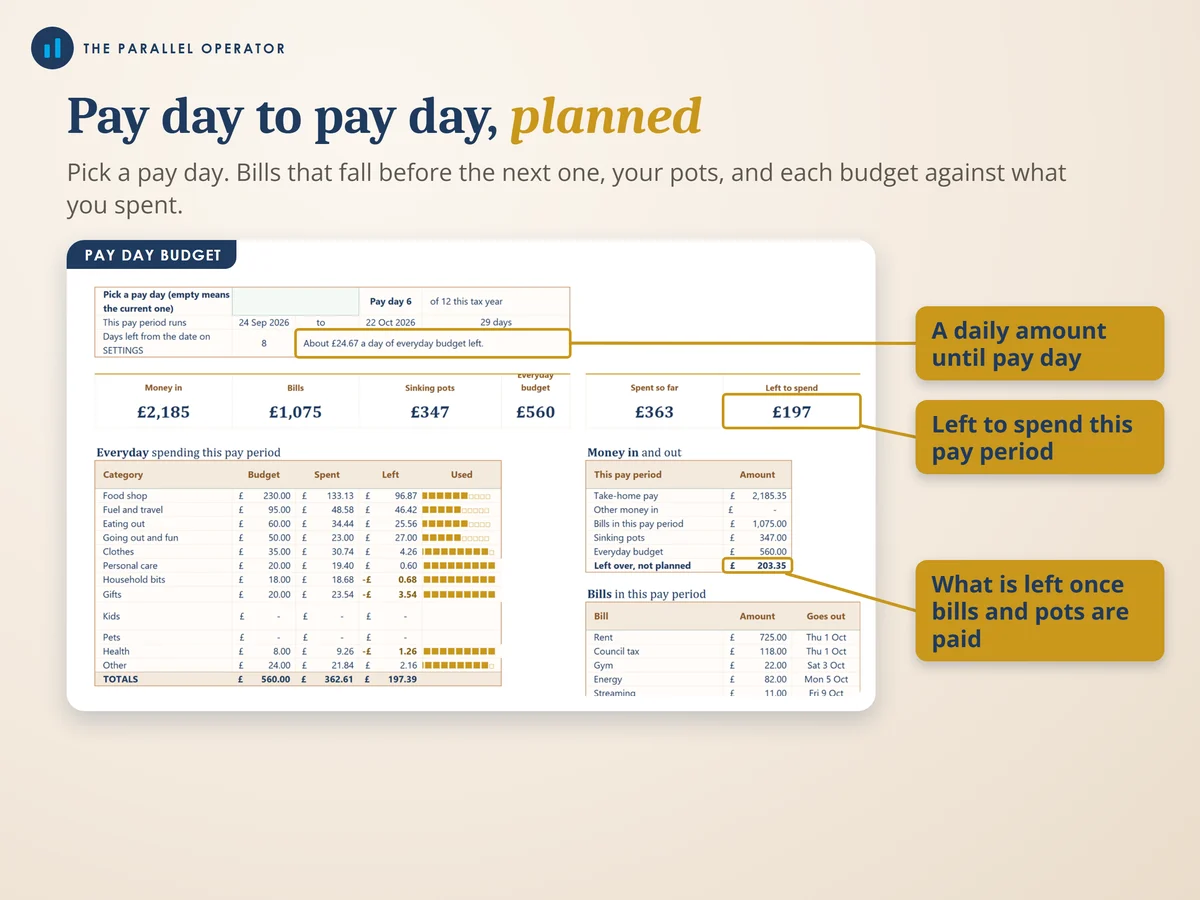
- Pay day to pay dayEach bill has the day it goes out, so each pay period shows only the bills that fall in it, and a daily amount until the next pay day.
- Sinking pots that count pay daysGive a pot a target and a date and it divides what is left by the pay days before then.
- Rates you can updateThe 2026/27 bands and thresholds come from gov.uk, each in its own cell, so you can type next year's rates when they are published.
How it works
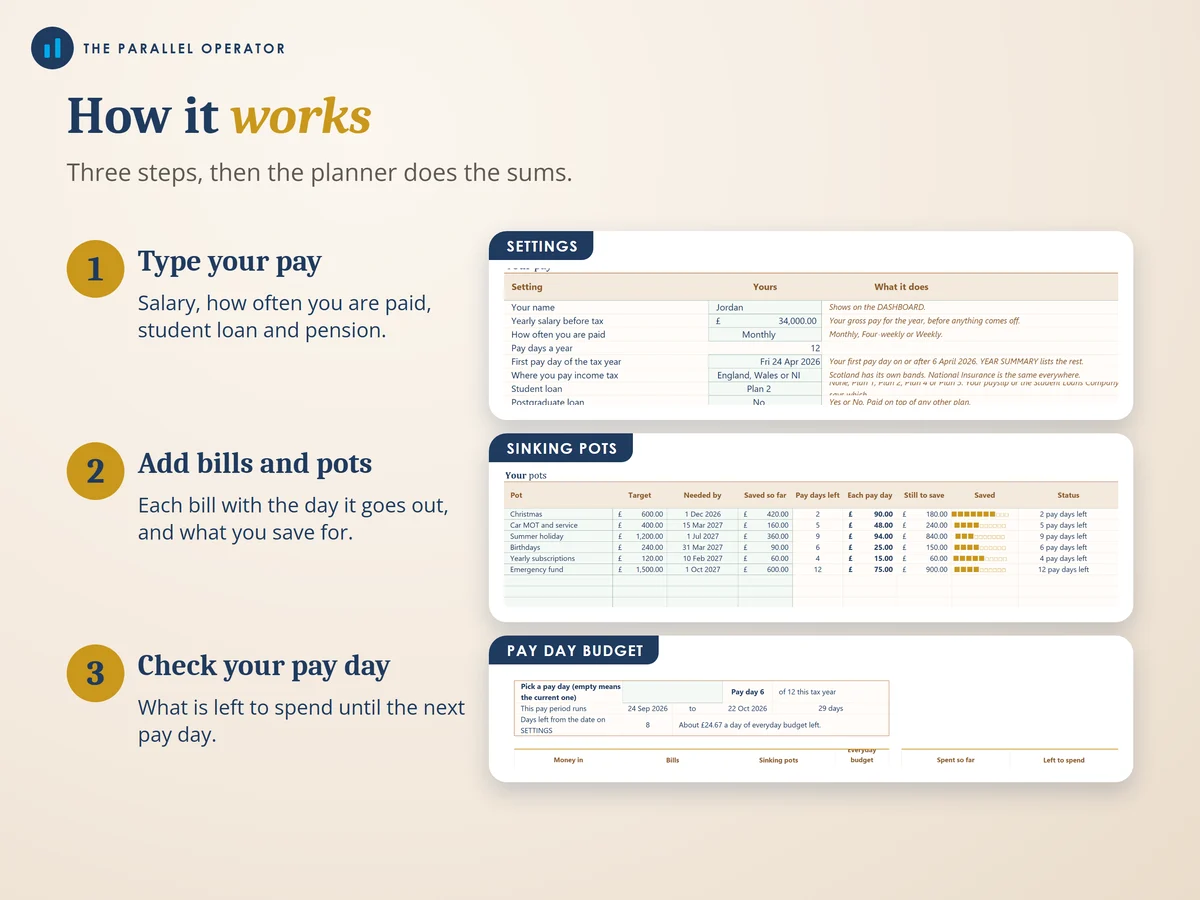
- Type your payOn Settings: your salary, how often you are paid, your student loan plan and your pension
- Add bills and potsEach bill with the day it goes out, and the sinking pots you save towards
- Log your spendingPay day budget shows what is left to spend until your next pay day
Who it is for
Anyone in the UK paid a salary who wants to know their real take-home and make it last from one pay day to the next, whether you are paid monthly, four-weekly or weekly. Take-home means what lands in your account after income tax, National Insurance, student loan and pension come off. A sinking pot is money you put aside a little at a time for a big cost you know is coming.
Questions
Do I need Microsoft Excel?
No. It comes with a Google Sheets version, which is free with a Google account. The Excel file also opens in the free web version of Excel.
How do I get it?
Straight after payment it is in your library on this site: the Excel file, the PDF guide and the Open me first page with the Google Sheets button.
I live in Scotland. Does it work?
Yes. Pick Scotland on Settings and the take-home uses Scotland's income tax bands. National Insurance is the same everywhere in the UK.
I am paid weekly or every four weeks. Is it still for me?
Yes. Choose monthly, four-weekly or weekly on Settings, and the planner lists every pay day of the tax year and plans each pay period.
Is this tax or financial advice?
No. Take-home figures are estimates for a steady salary on tax code 1257L, and your payslip is the final word. It is a planning tool, with no promise of savings.

Made by Izhar Shah. I built a brand in the evenings alongside a full-time engineering job, and in its first twelve months it passed £500,000 in sales. I make the sheets I wish I had when I started.
Works in
Instant access in your library after payment. Take-home figures are estimates, not tax advice.