The price, the rights and the rules, written down
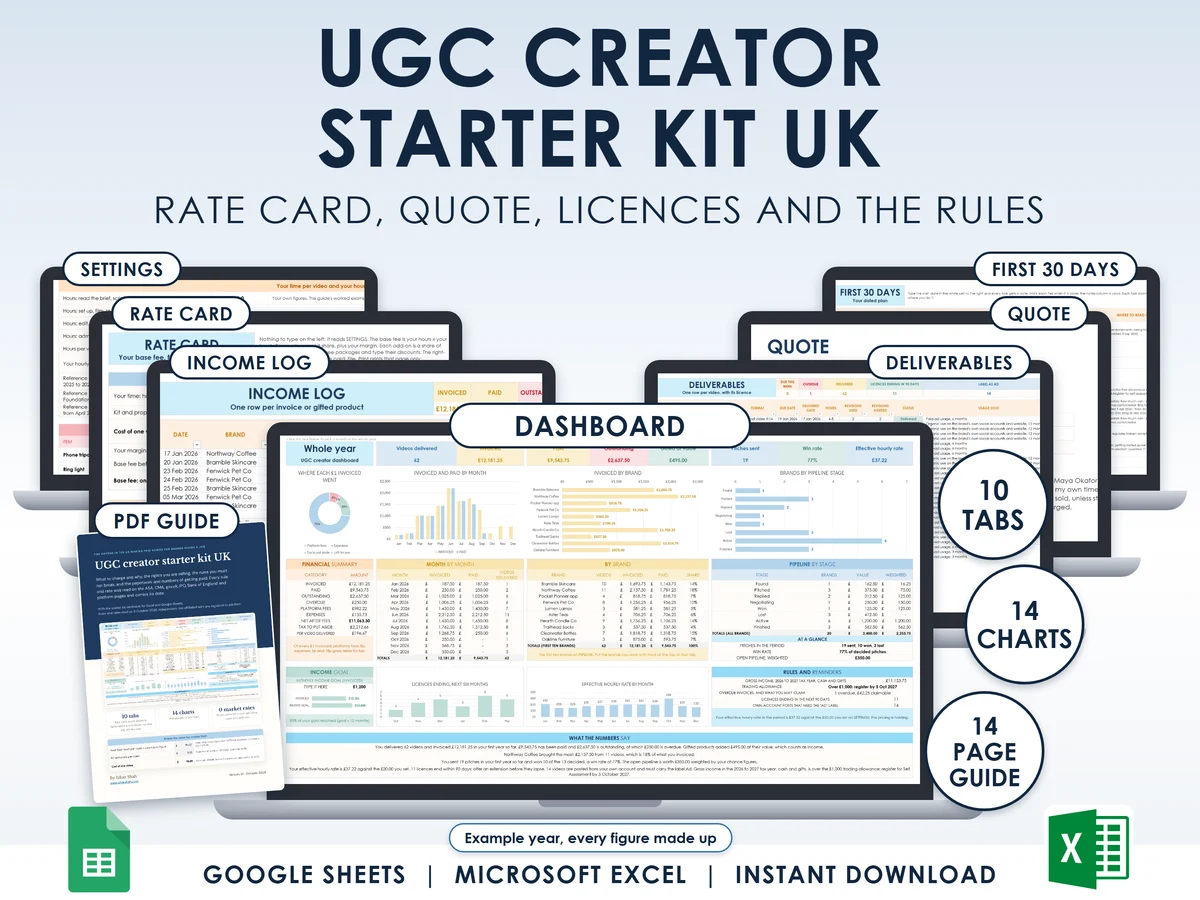
Price a video from your own hours and costs, sell the usage rights on purpose with a licence on every quote, and keep the advertising and tax rules straight. Excel and Google Sheets.
What you get
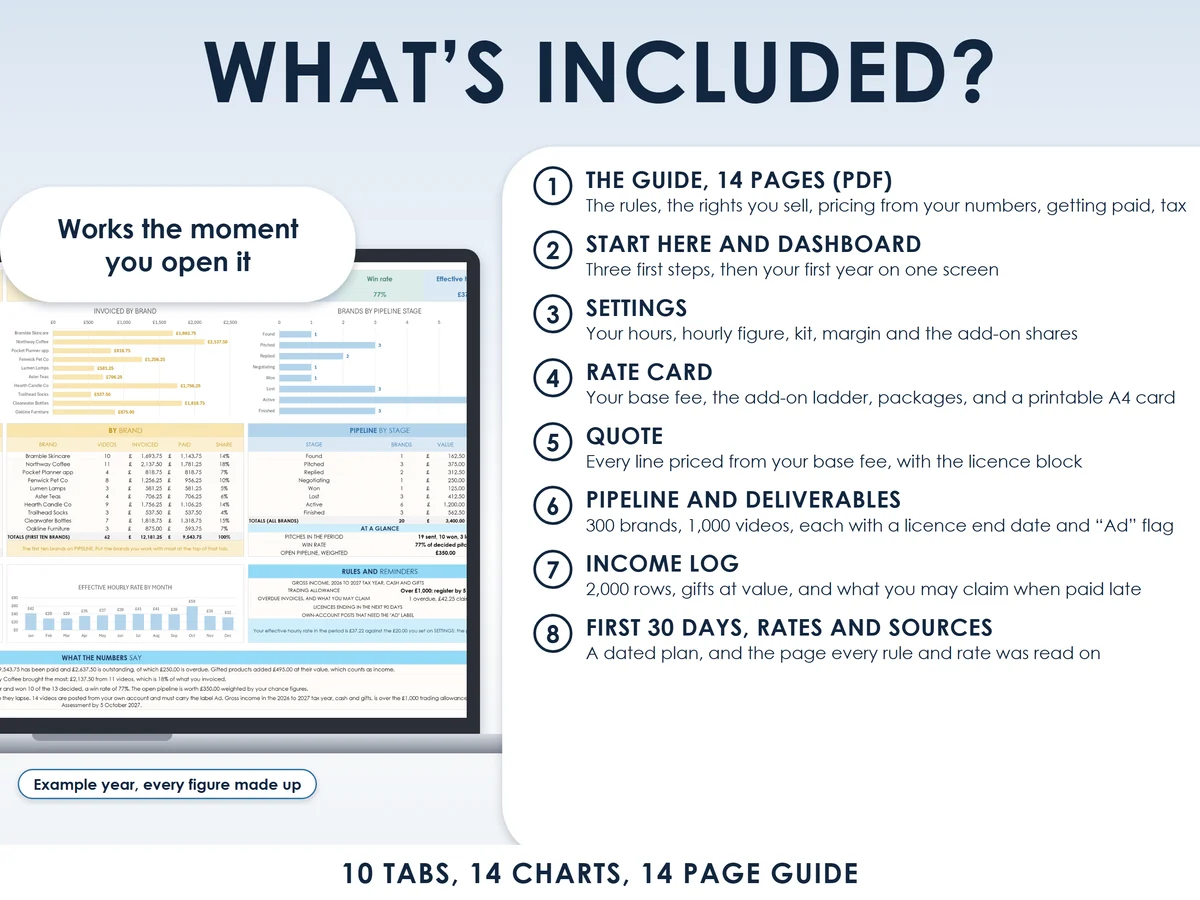
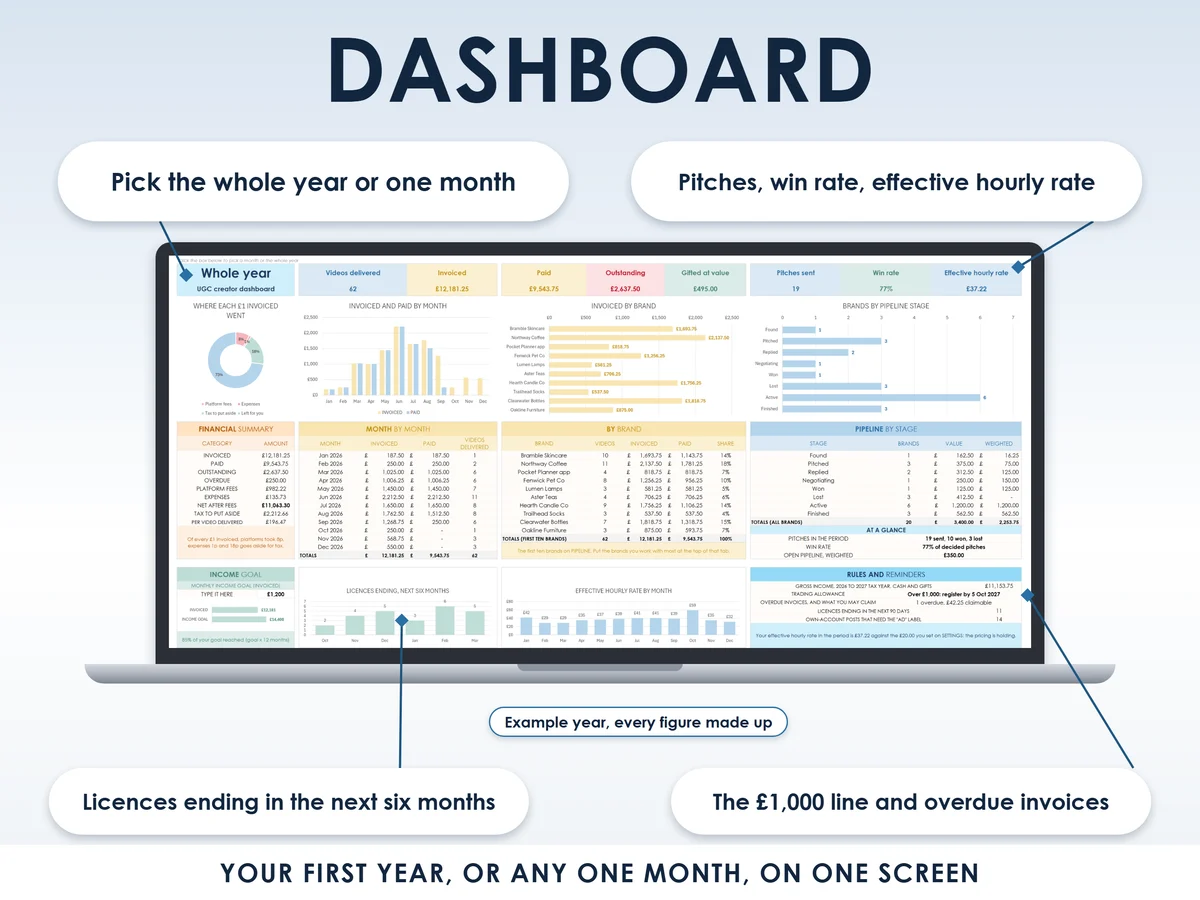
- Excel workbook, 10 tabs and 14 chartsStart here, Dashboard, Settings, Rate card, Quote, Pipeline, Deliverables, Income log, First 30 days, Rates and sources
- Google Sheets versionA make-a-copy link puts it in your own Drive in one click
- 14 page PDF guideWhen your own post is an ad, the licence you sell, pricing from your own numbers, the platforms, getting paid, gifts as income, and seven mistakes
- Open me first pageThe Google Sheets button and the three things to do first
See it working
Why this one
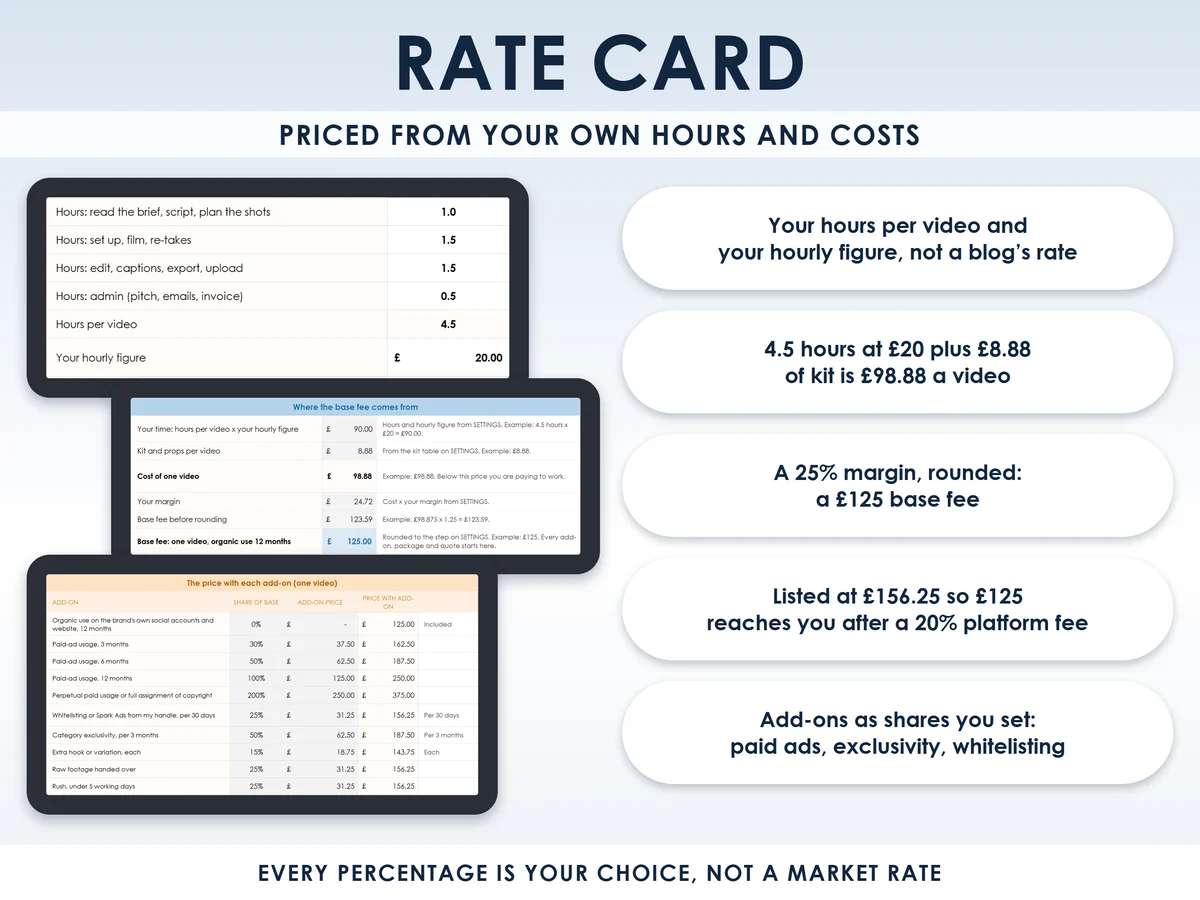
- No made-up market ratesThe base fee comes from your hours, your hourly figure and your kit, then a margin you choose. In the worked example, 4.5 hours at £20 plus £8.88 of kit, plus a 25% margin, rounds to £125.
- Usage rights priced as add-onsPaid-ad usage, exclusivity, whitelisting, extra hooks, raw footage and rush are each a percentage of the base fee that you set, grossed up for a platform's cut.
- The licence on every quoteChannels, territory, duration, exclusivity, copyright and who labels the ad, in words a brand can sign.
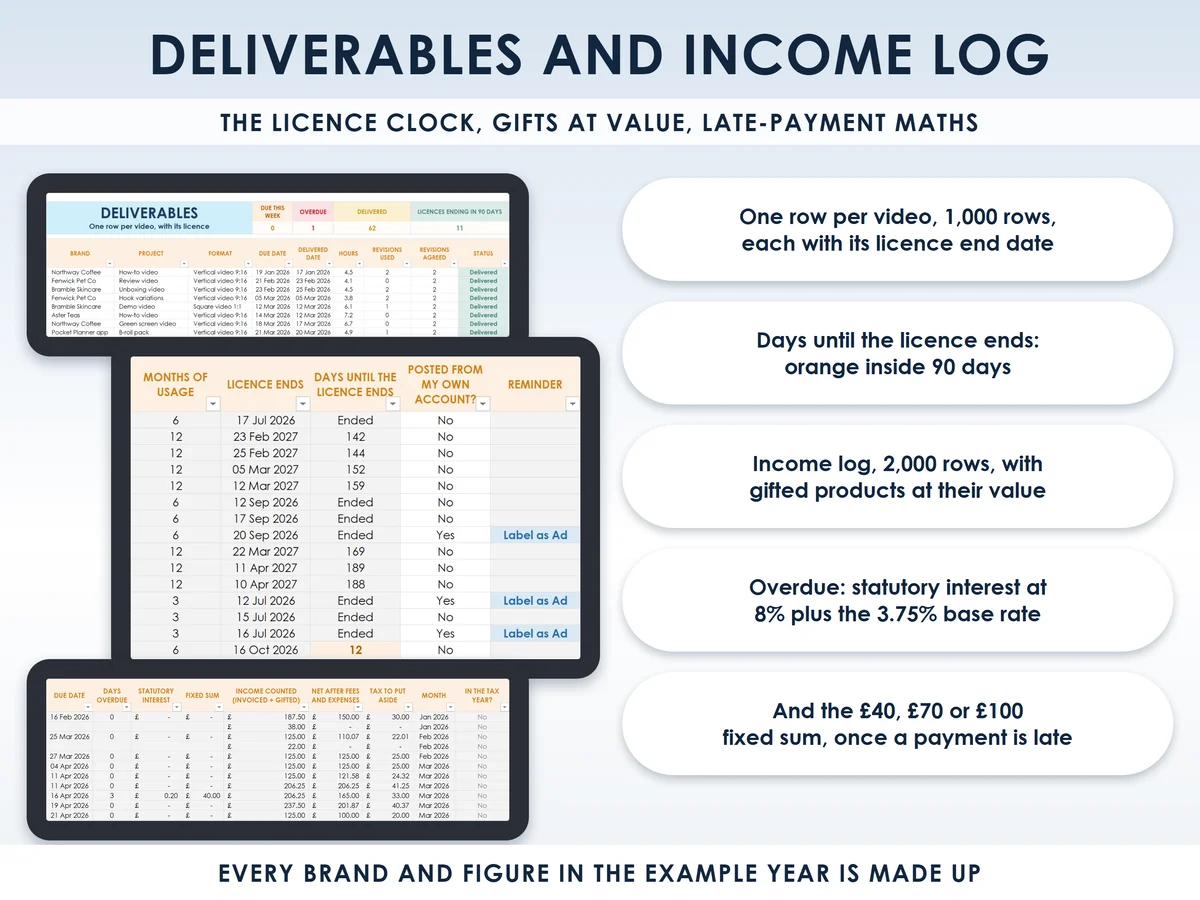
- A clock on every licenceEach video gets a licence end date that turns orange inside 90 days, so you can offer an extension before it lapses.
- Gifts and late payments countedA free product is logged as income at its value, and a late invoice shows the statutory interest and the £40, £70 or £100 fixed sum you may claim.
How it works
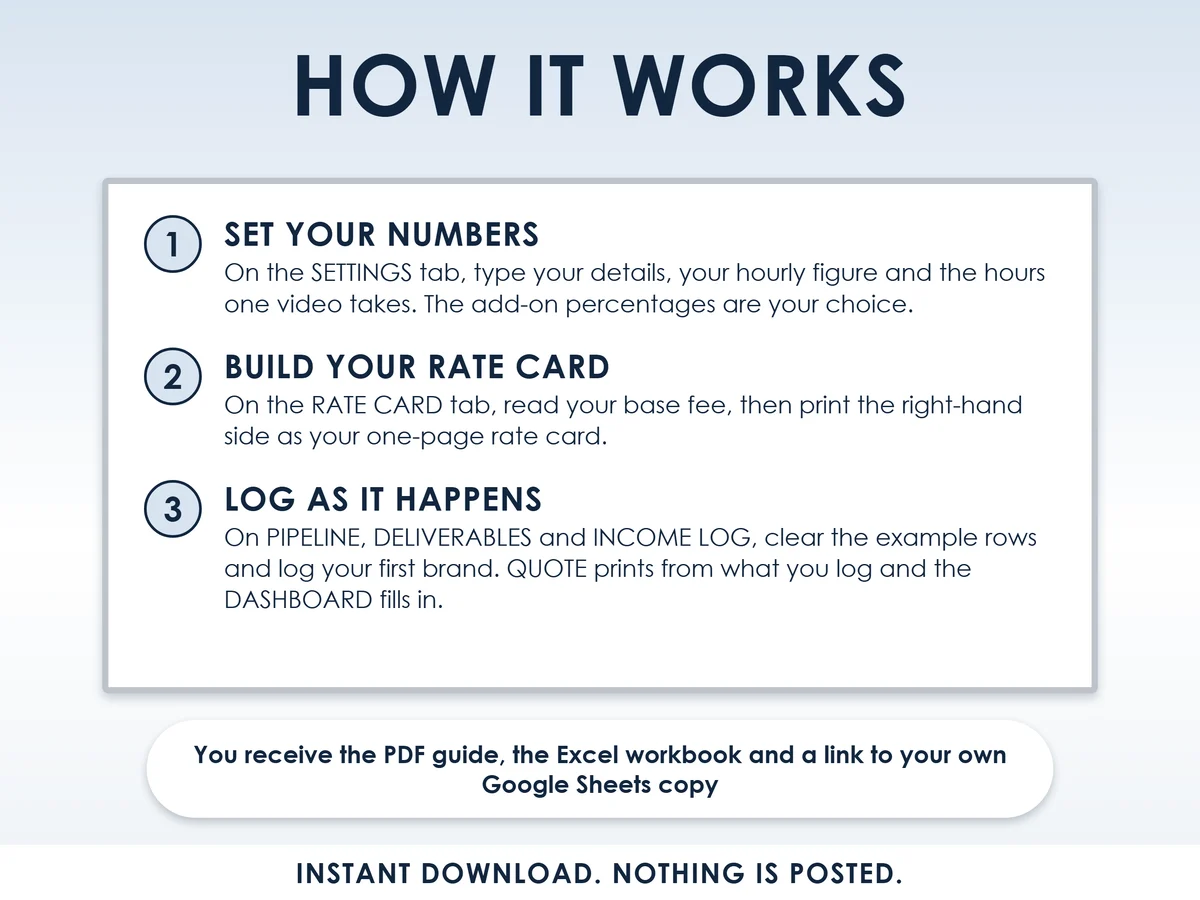
- Set your numbersOn the Settings tab, type your details, your hourly figure and the hours one video takes. The add-on percentages are your choice
- Build your rate cardOn the Rate card tab, read your base fee, then print the right-hand side as your one-page rate card
- Log as it happensOn Pipeline, Deliverables and Income log, clear the example rows and log your first brand. Quote prints from what you log and the Dashboard fills in
Who it is for
Anyone in the UK starting to make UGC, which means user-generated content: short videos brands pay you to make for their social pages and ads. It suits a side hustle next to a job, or your first year of it as your main income. Usage rights are where, and for how long, the brand may use your video, and this kit prices them. It does not teach you to film or build an audience: it is the price, the rights and the paperwork.
Questions
Do I need Microsoft Excel?
No. It comes with a Google Sheets version, which is free with a Google account. The Excel file also opens in the free web version of Excel.
How do I get it?
Straight after payment it is in your library on this site: the Excel file, the PDF guide and the Open me first page with the Google Sheets button.
Does a gifted product count as income?
Yes. A free product in return for content is payment under consumer law and income at its value for HMRC, so the Income log has a gifted column and counts it.
Is this legal or tax advice?
No. It is general information to help you price, record and plan, built on the ASA, CMA and gov.uk rules. Regulators, platforms and HMRC change their rules, so check the live page before you act.
What if a rule or rate changes?
The rules and rates sit in white cells on the Settings tab, so you can update them in one place when they change.

Made by Izhar Shah. I built a brand in the evenings alongside a full-time engineering job, and in its first twelve months it passed £500,000 in sales. I make the sheets I wish I had when I started.
Works in
Instant access in your library after payment. General information to help you price and plan, not legal or tax advice.