A pot for everything, with what to save each month
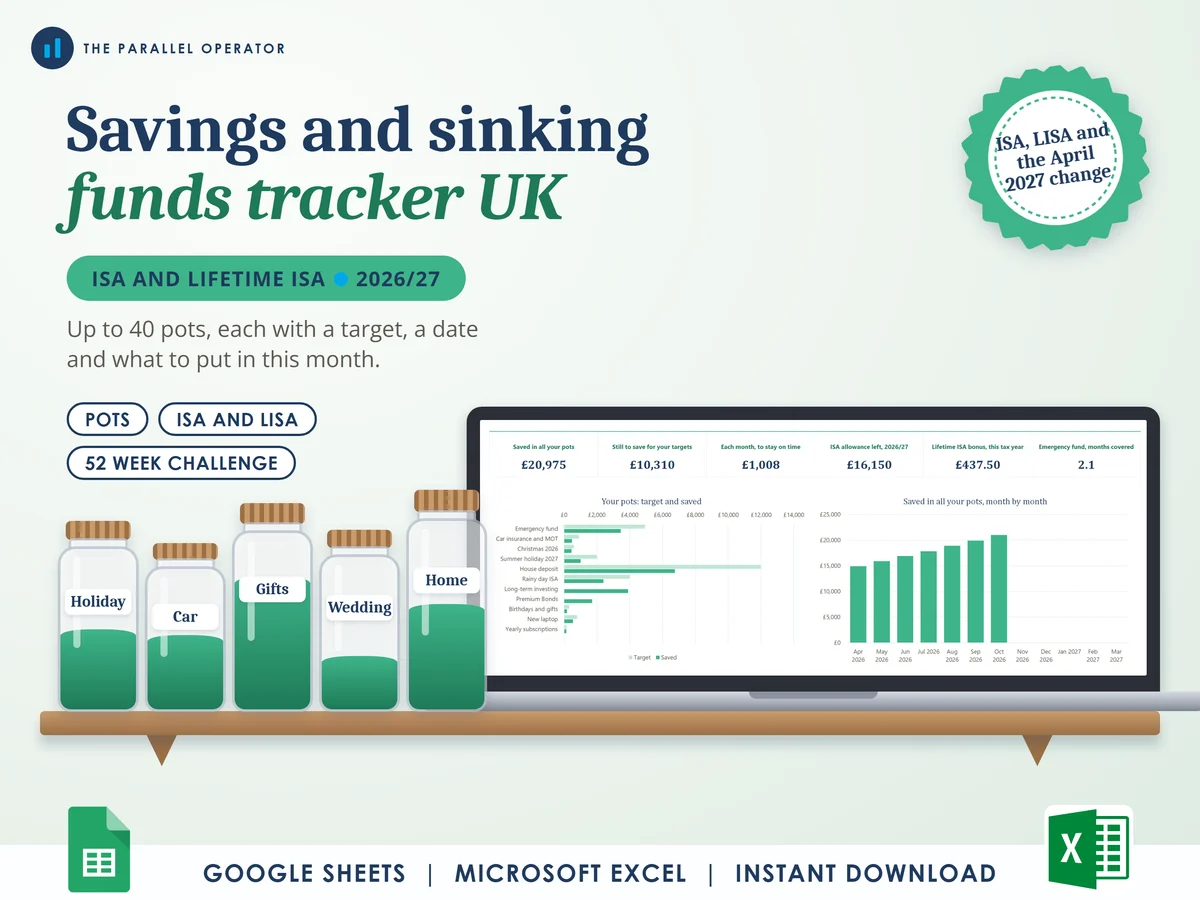
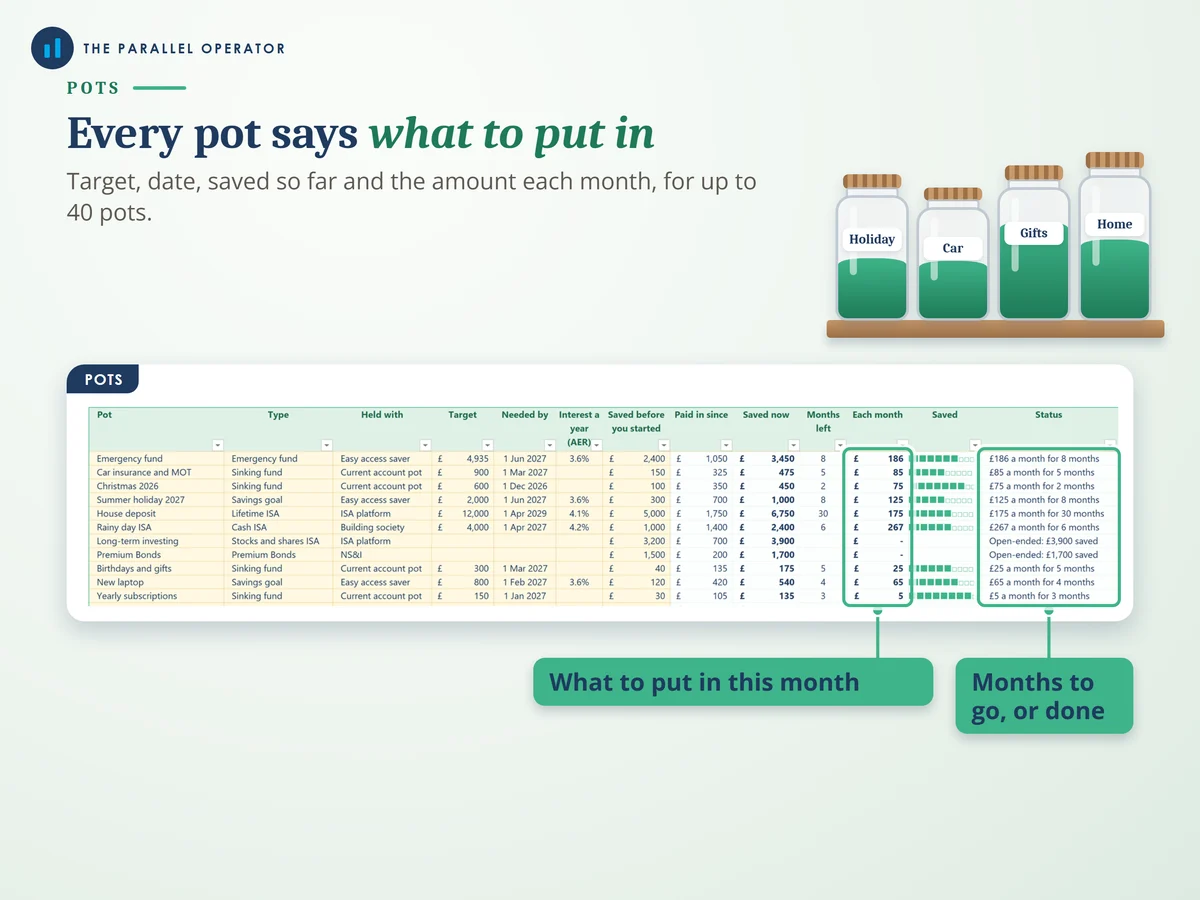
Give each pot a target and a date, and the tracker works out what to put in each month to get there on time. Excel and Google Sheets.
What you get
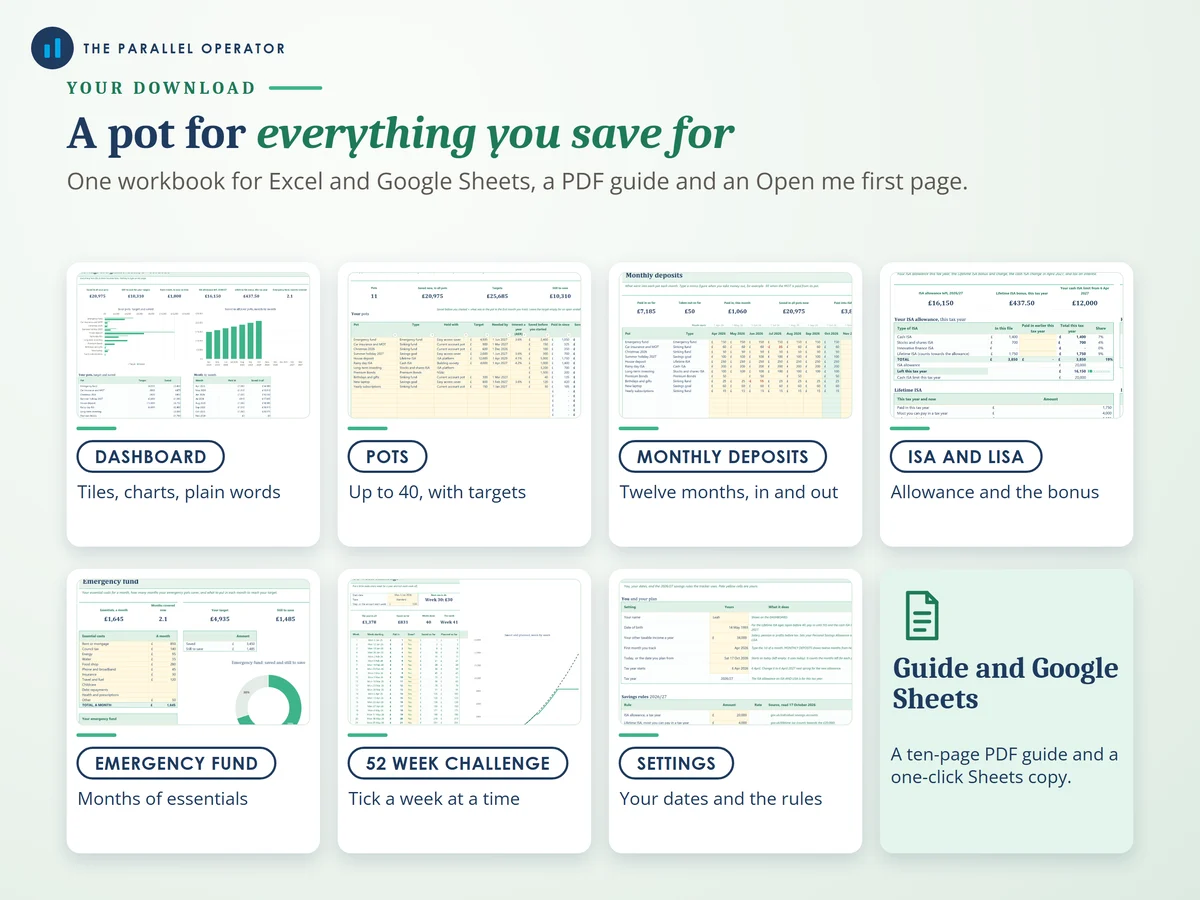
- Excel workbook, 8 tabs and 8 chartsStart here, Settings, Dashboard, Pots, Monthly deposits, ISA and LISA, Emergency fund, 52 week challenge
- Google Sheets versionA make-a-copy link puts it in your own Drive in one click
- 10 page PDF guideEvery tab with screenshots and a worked example, from your pots to the ISA allowance and the emergency fund
- Open me first pageThe Google Sheets button and the three things to do first
Why this one
- What to save, worked outGive a pot a target and a date and it shows what to put in each month to get there on time, and how many months are left.
- UK allowances built inThe £20,000 ISA allowance by tax year, and the Lifetime ISA £4,000 limit, 25% bonus, age rules and 25% withdrawal charge, all from your own payments.
- Ready for the cash ISA changeFrom April 2027 under-65s can put up to £12,000 a year into cash ISAs, inside the same £20,000. The tracker works out your limit from your date of birth.
- Tax on interest, roughlyIt adds up the interest outside ISAs and compares it with your Personal Savings Allowance, so you can see whether tax might be due.
- Where your money is heldTotals by where each pot is held, checked against the £120,000 FSCS protection limit, and the room left in Premium Bonds.
How it works
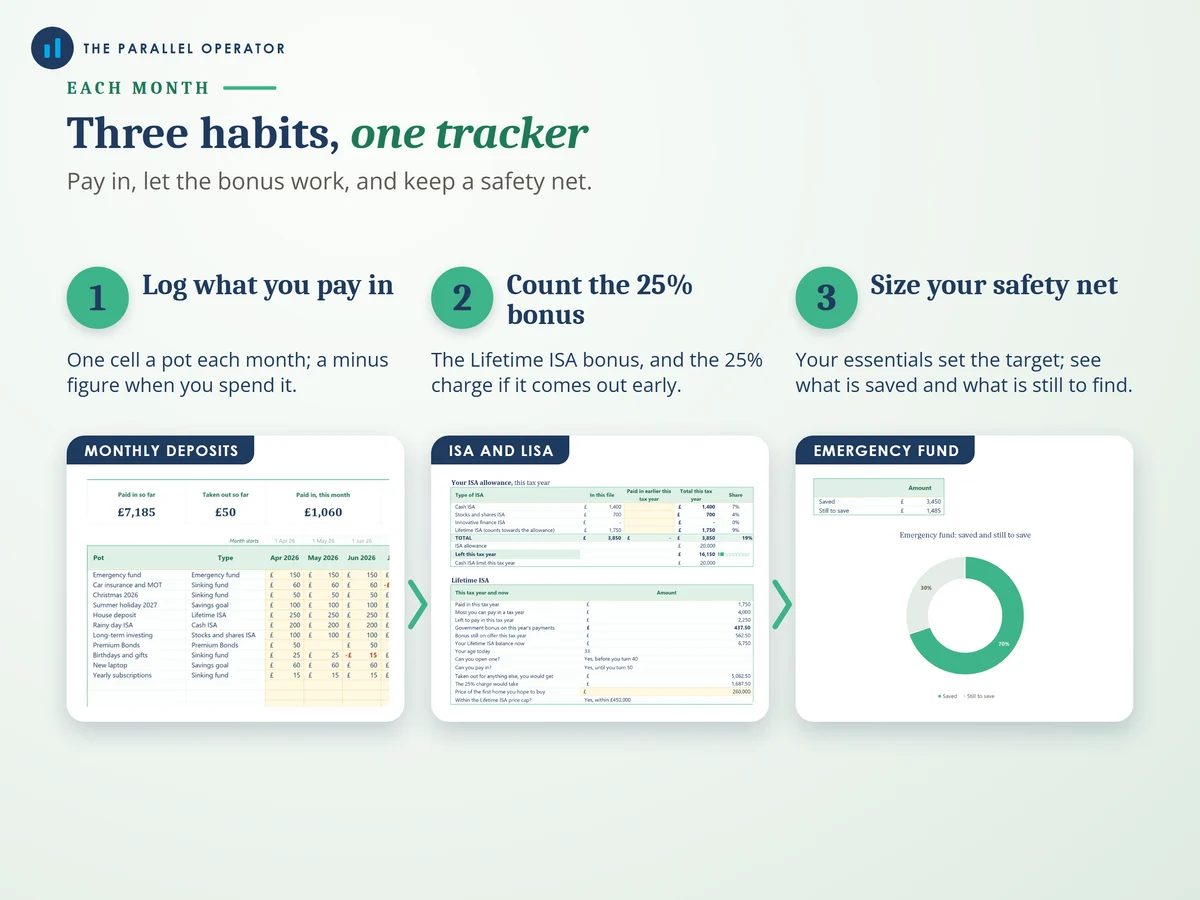
- Set your datesOn Settings, your name, date of birth and the first month you track
- List every potSinking funds, goals, ISAs and Premium Bonds, each with a target, a date and what is in it now
- Log each monthType what went into each pot on Monthly deposits. Pots, ISA and LISA and the Dashboard update themselves
Who it is for
UK savers with more than one thing to save for: sinking funds for the yearly bills, goals like a holiday or a wedding, a first home with a Lifetime ISA, and an emergency fund. A sinking fund is money you put aside a little at a time for a cost you know is coming, like car insurance or Christmas. It is set up for one person, because ISA allowances are per person, so a couple can keep a copy each.
Questions
Do I need Microsoft Excel?
No. It comes with a Google Sheets version, which is free with a Google account. The Excel file also opens in the free web version of Excel.
How do I get it?
Straight after payment it is in your library on this site: the Excel file, the PDF guide and the Open me first page with the Google Sheets button.
What if the ISA rules change?
Every allowance and limit is a cell on the Settings tab. Type the new figure and every tab follows, so the tracker carries on into the next tax year.
Can a couple share one copy?
It is set up for one person, because ISA allowances are per person. A couple can keep a copy each.
Is this financial advice?
No. It is a planning tool to help you save, with no promise of returns. Interest, tax and bonus figures are estimates, and your bank, your ISA provider and HMRC have the real figures.

Made by Izhar Shah. I built a brand in the evenings alongside a full-time engineering job, and in its first twelve months it passed £500,000 in sales. I make the sheets I wish I had when I started.
Works in
Instant access in your library after payment. A planning tool to help you save, not financial advice.