A revision timetable that builds itself from your exam dates
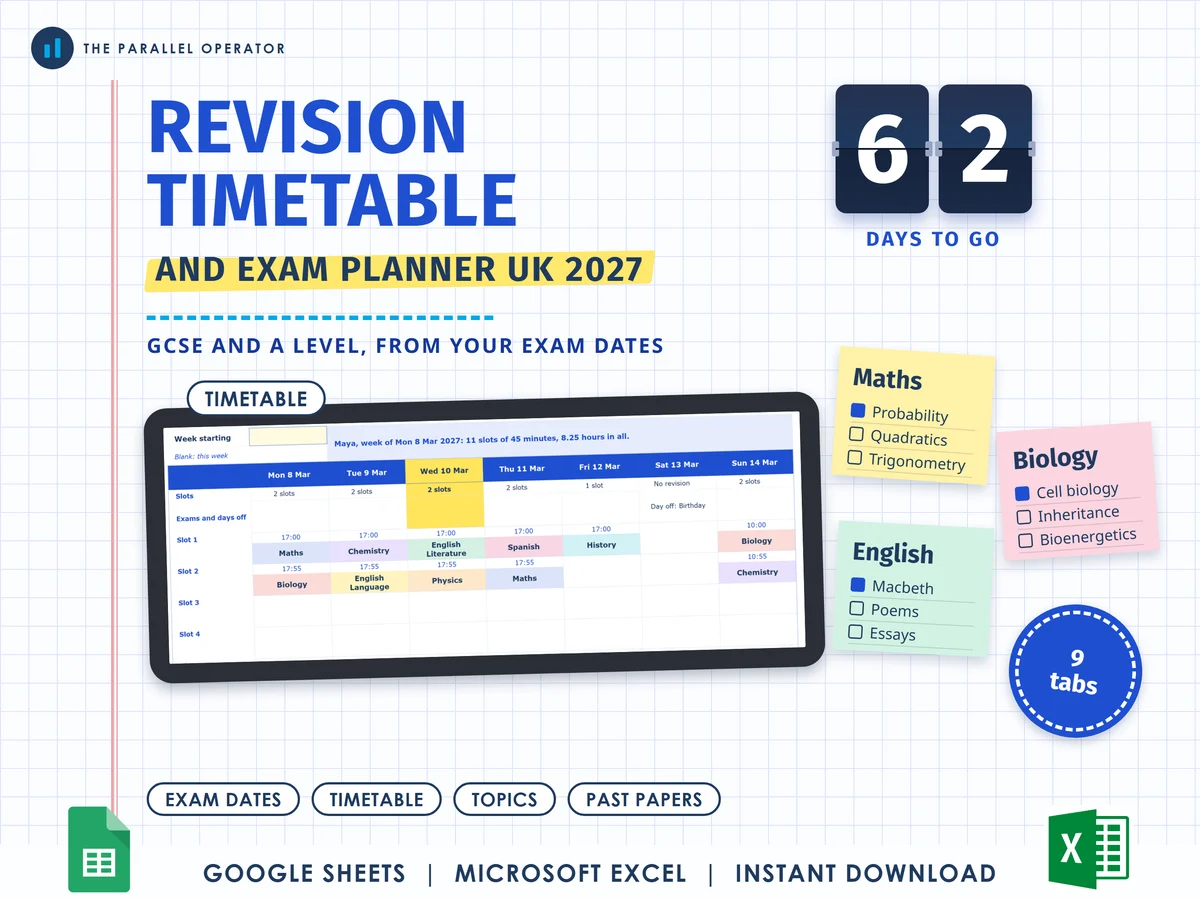
For GCSE and A level exams in 2027: list your subjects, add every paper and say how much time you have each day. Excel and Google Sheets.
What you get
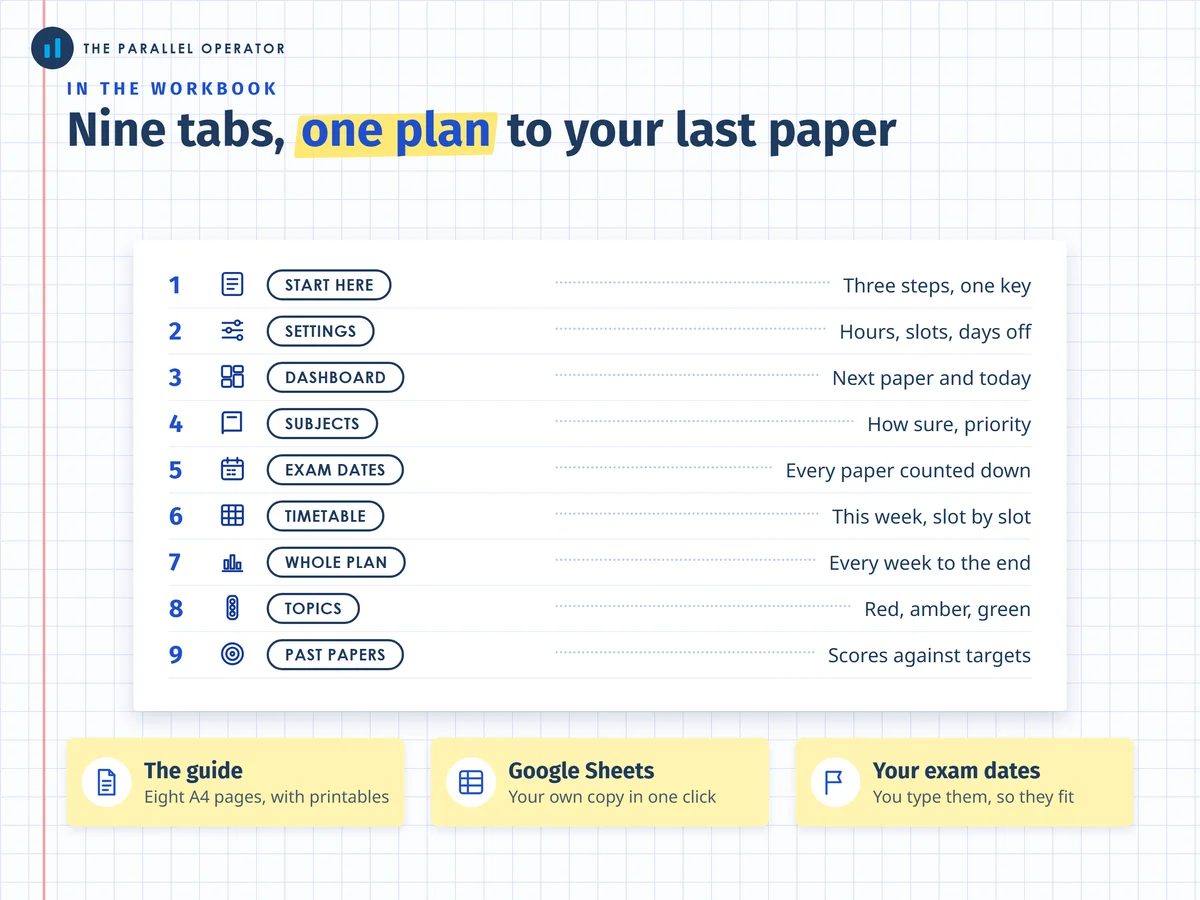
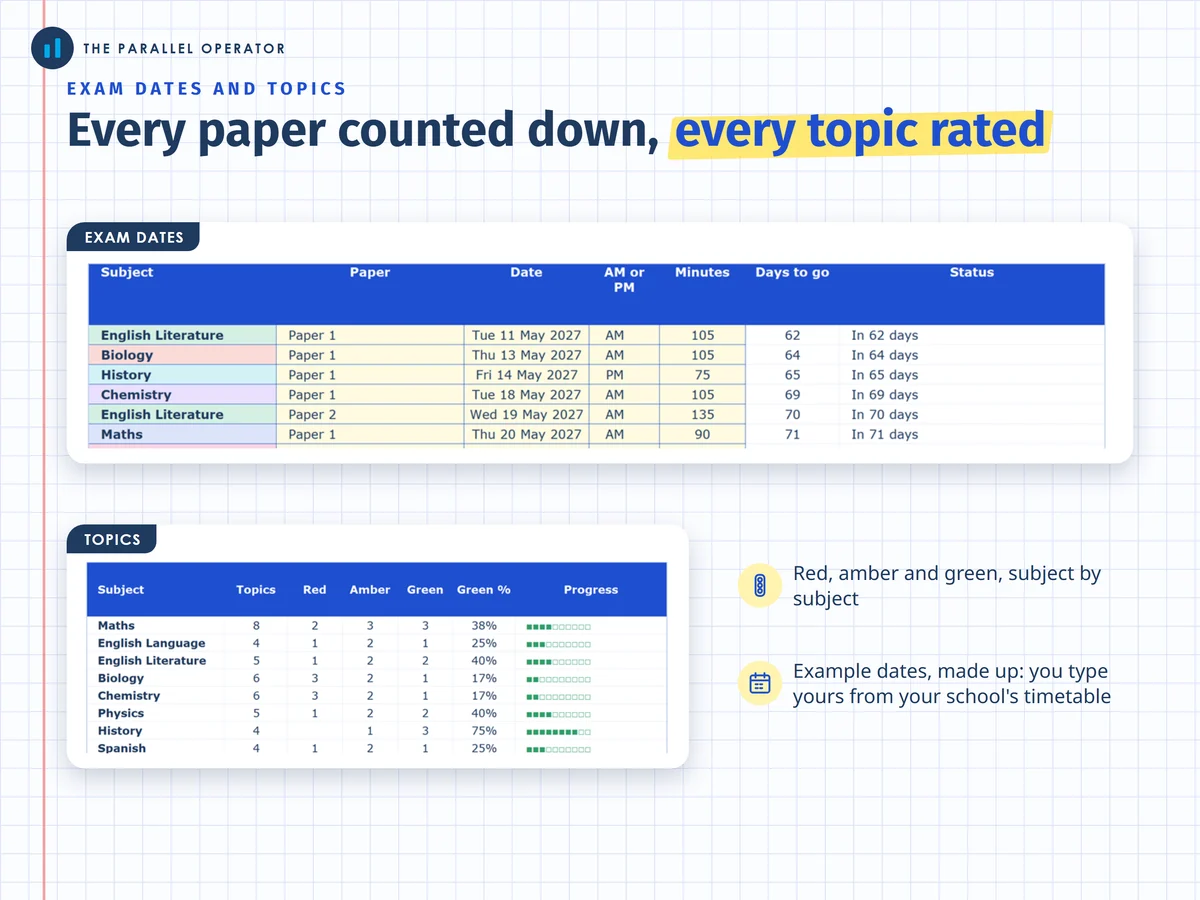
- Excel workbook, 9 tabs and 5 chartsStart here, Settings, Dashboard, Subjects, Exam dates, Timetable, Whole plan, Topics, Past papers
- Google Sheets versionA make-a-copy link puts it in your own Drive in one click
- Guide and printables, eight A4 pagesHow the time is shared, then a blank weekly timetable, a daily plan and a topic checklist to print
- Open me first pageThe Google Sheets button and the three things to do first
Why this one
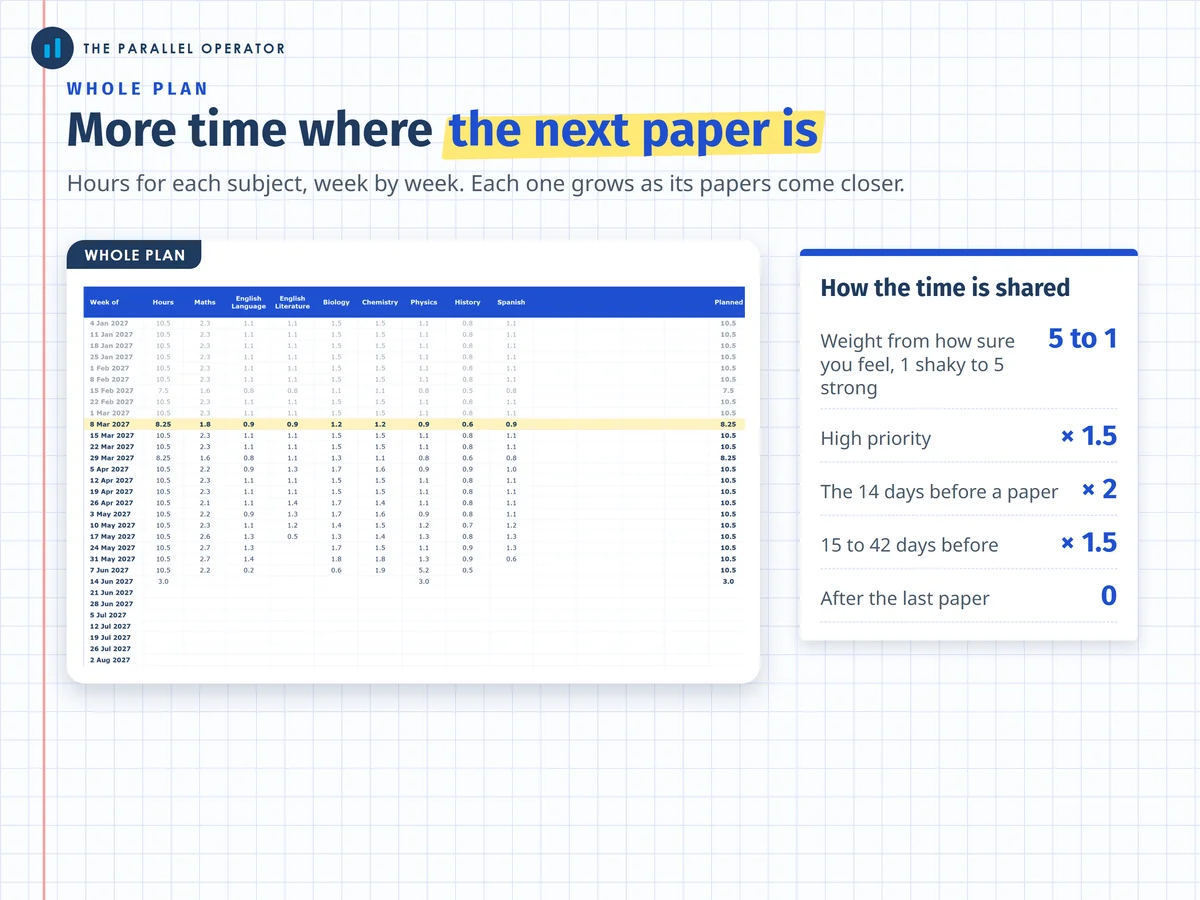
- It works back from your exam datesA subject gets twice its share in the last two weeks before a paper and drops out after its last one, so the timetable changes as the exams come closer.
- Built for UK examsGCSE and A level, with AQA, Pearson Edexcel, OCR, WJEC Eduqas and CCEA in a list. You type your own dates, so it fits your school's timetable.
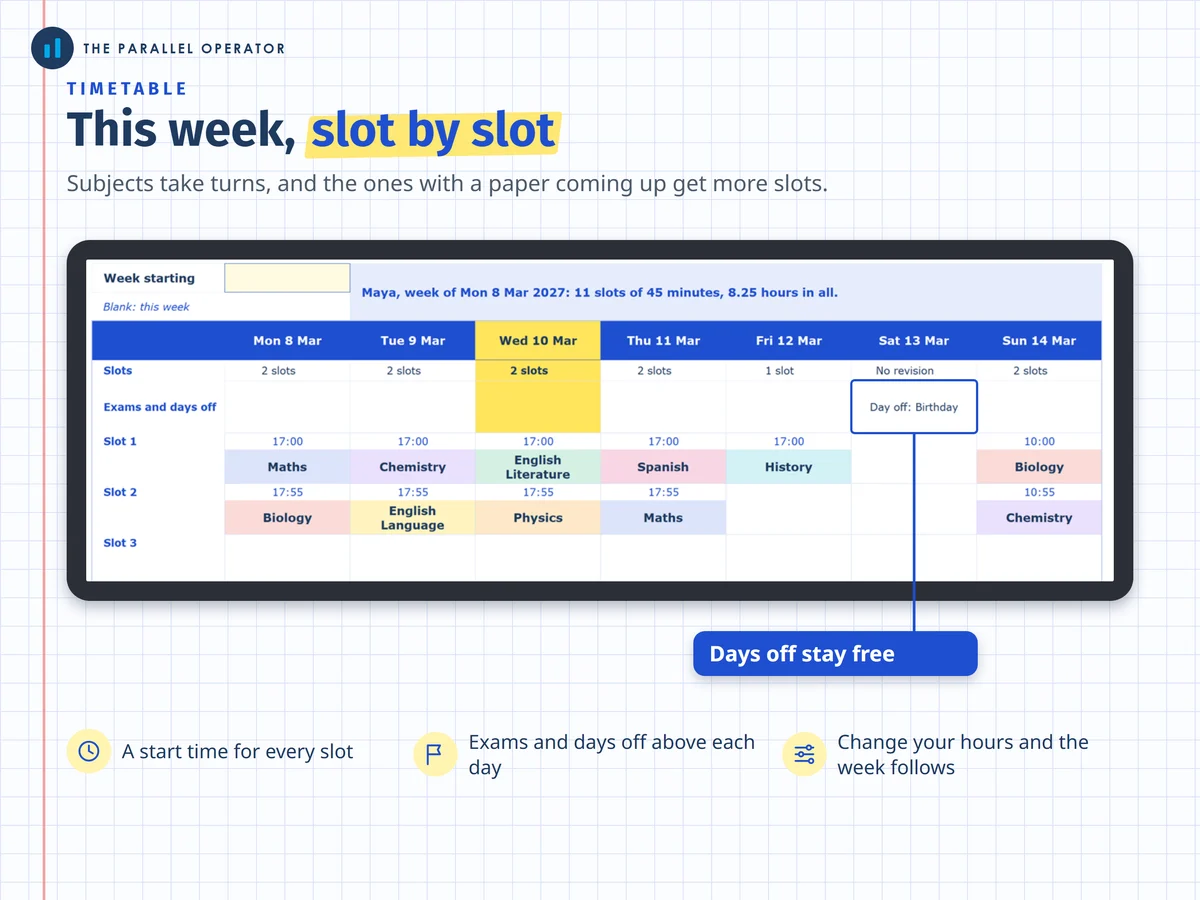
- Subjects take turnsEach slot goes to the subject furthest behind its share, so a day mixes subjects instead of spending a whole evening on one.
- Real life fits inDays off, a shorter Friday, longer weekends: the plan follows the hours you give it.
- You can see the rulesThe weights sit on Settings, so you or a parent can change them.
How it works
- Set your hoursOn Settings, type when you start and the hours you have each day
- Add subjects and papersOn Subjects and Exam dates, your subjects and every paper from your school's timetable
- Open the timetableThis week is filled in, slot by slot, ready to print
Who it is for
GCSE and A level students sitting exams in 2027, and parents helping them plan. It also works for any exams with dates you can type. An exam board is the body that sets and marks your papers, such as AQA or OCR, and your school's exam timetable gives every date.
Questions
Do I need Microsoft Excel?
No. It comes with a Google Sheets version, which is free with a Google account. The Excel file also opens in the free web version of Excel.
How do I get it?
Straight after payment it is in your library on this site: the Excel file, the guide and printables PDF, and the Open me first page with the Google Sheets button.
Are the 2027 exam dates built in?
No. You type your own dates from your school's timetable, because the exam boards set the 2027 timetables. Check every date and time with your school.
Does it work for other exams?
Yes. It works for any exams with dates you can type.
Will it improve my results?
It is a planning tool: it shares out the time you give it and makes no promise about results. Your teachers know your subjects best, so ask them what to revise first.

Made by Izhar Shah. I built a brand in the evenings alongside a full-time engineering job, and in its first twelve months it passed £500,000 in sales. I make the sheets I wish I had when I started.
Works in
Instant access in your library after payment. Exam dates are yours to type, so check them with your school.