Every fee, what you keep, what to put aside
Built for UK sellers for the 2026/27 tax year, and for anyone selling alongside a full-time job. Excel and Google Sheets.
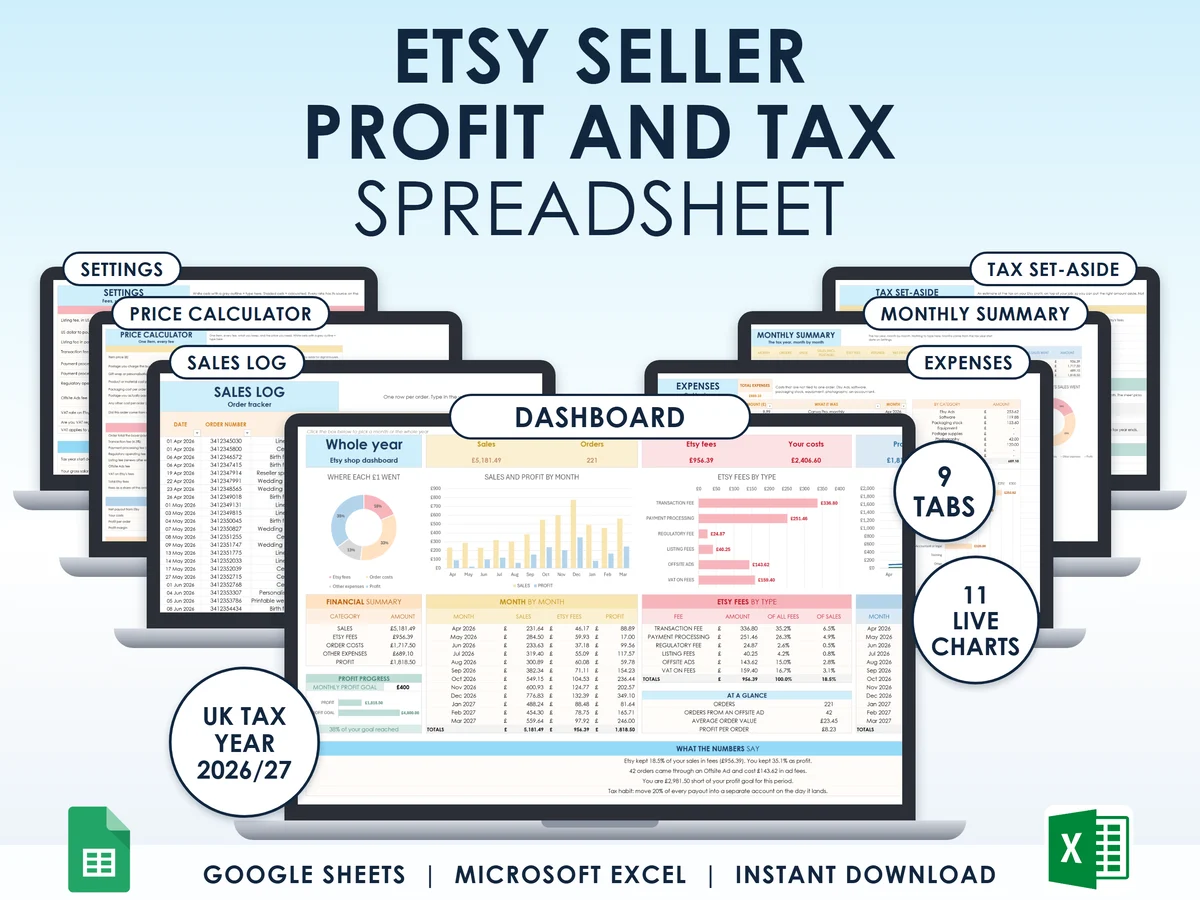
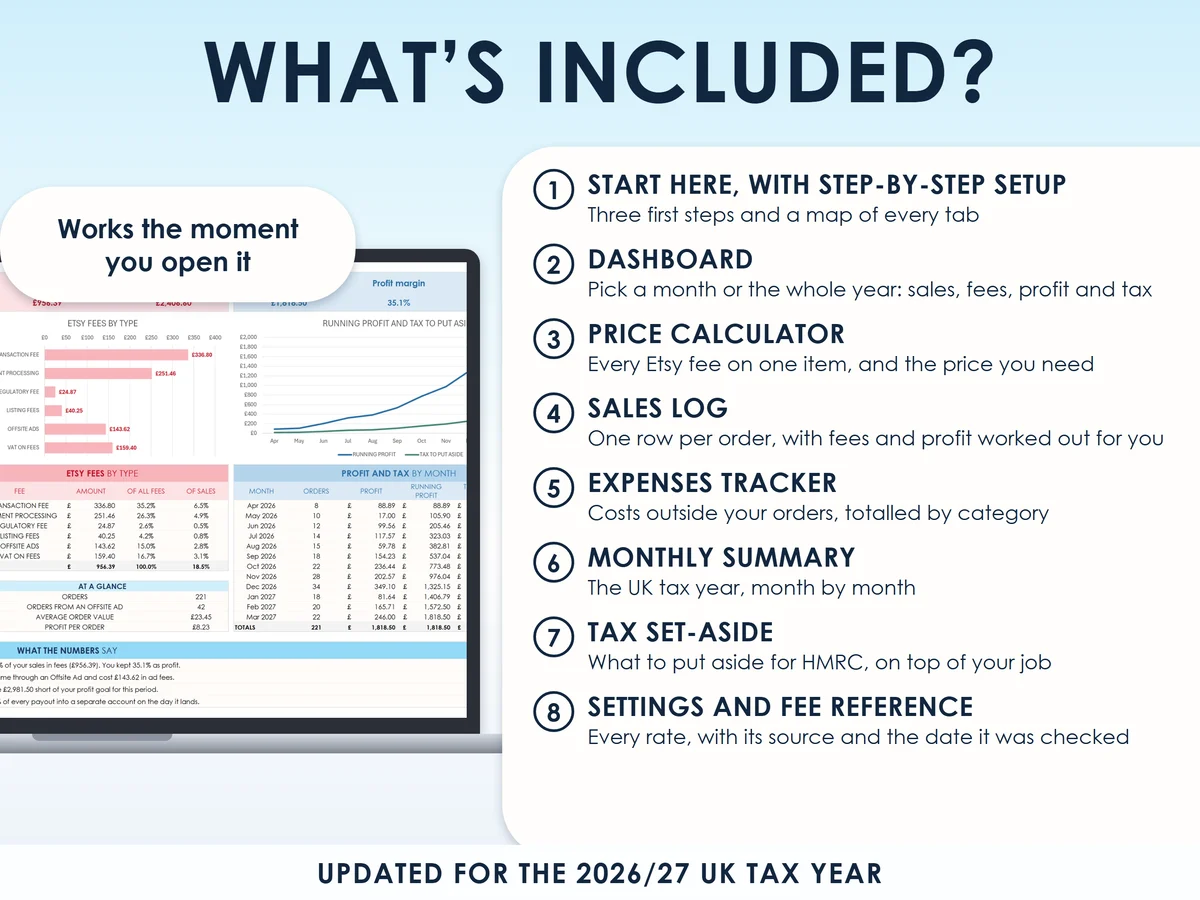
What you get
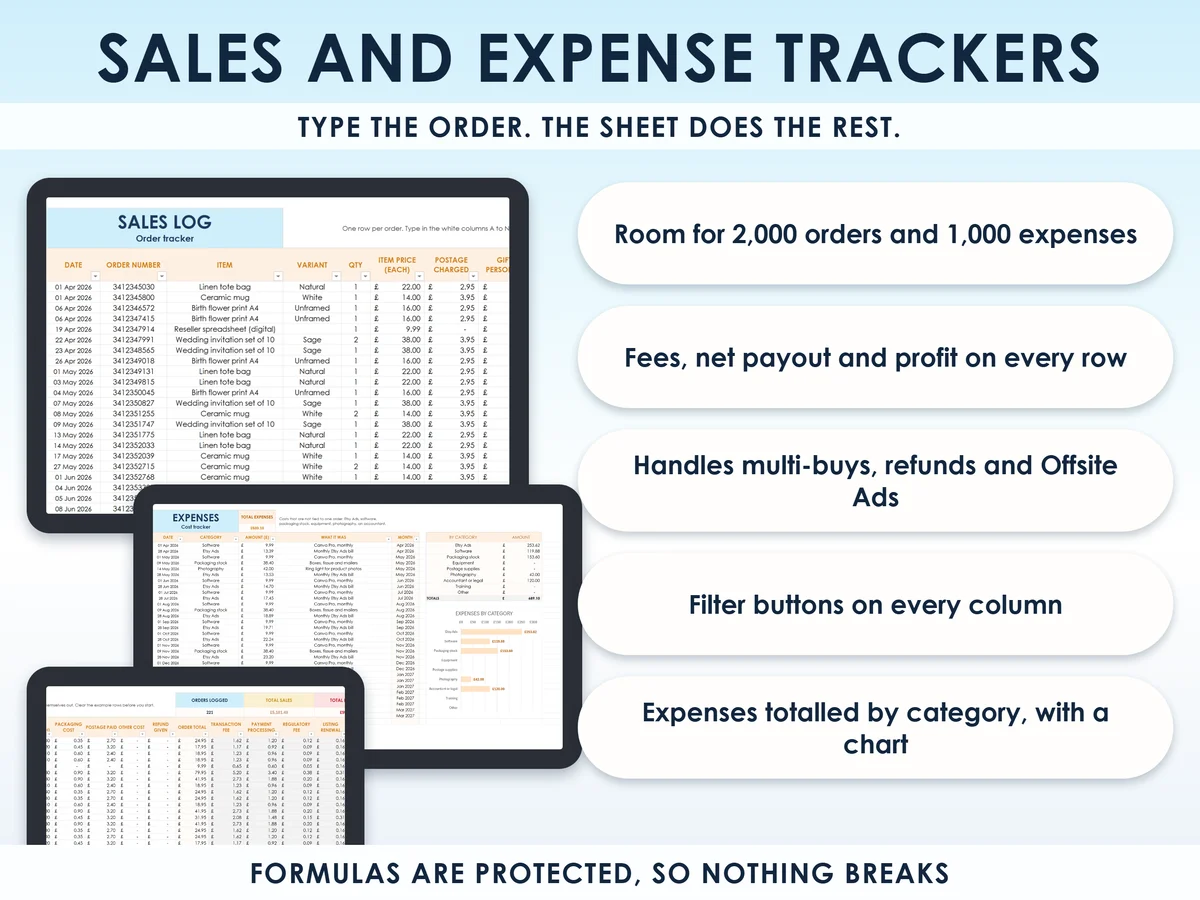
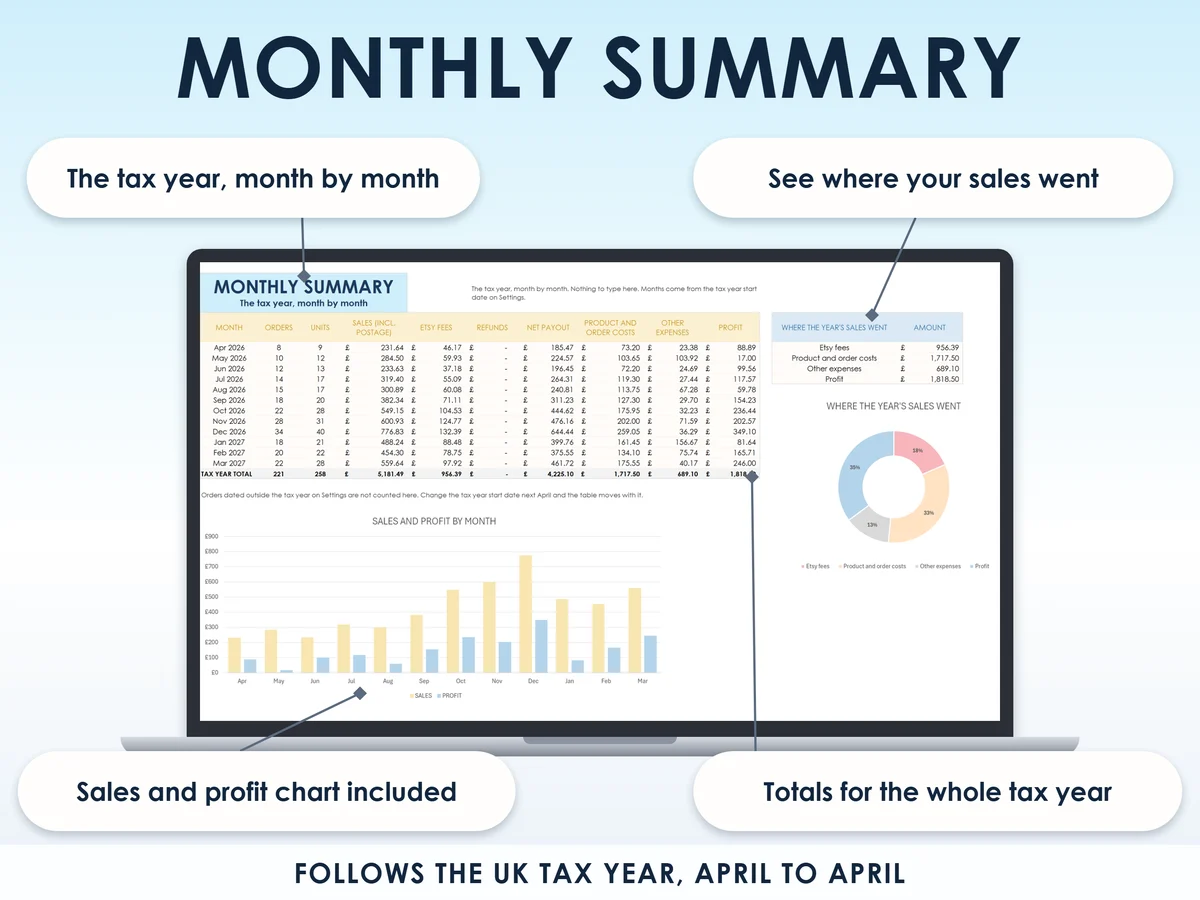
- Excel workbook, 9 tabs and 11 chartsStart here, Dashboard, Settings, Price calculator, Sales log, Expenses, Monthly summary, Tax set-aside, Fee reference
- Google Sheets versionA make-a-copy link puts it in your own Drive in one click
- 13 page PDF guideEvery tab explained with screenshots, plus the tax side when you sell alongside a job
- Open me first pageThe Google Sheets button and the three things to do first, so the sheet is right for you in five minutes
See it working
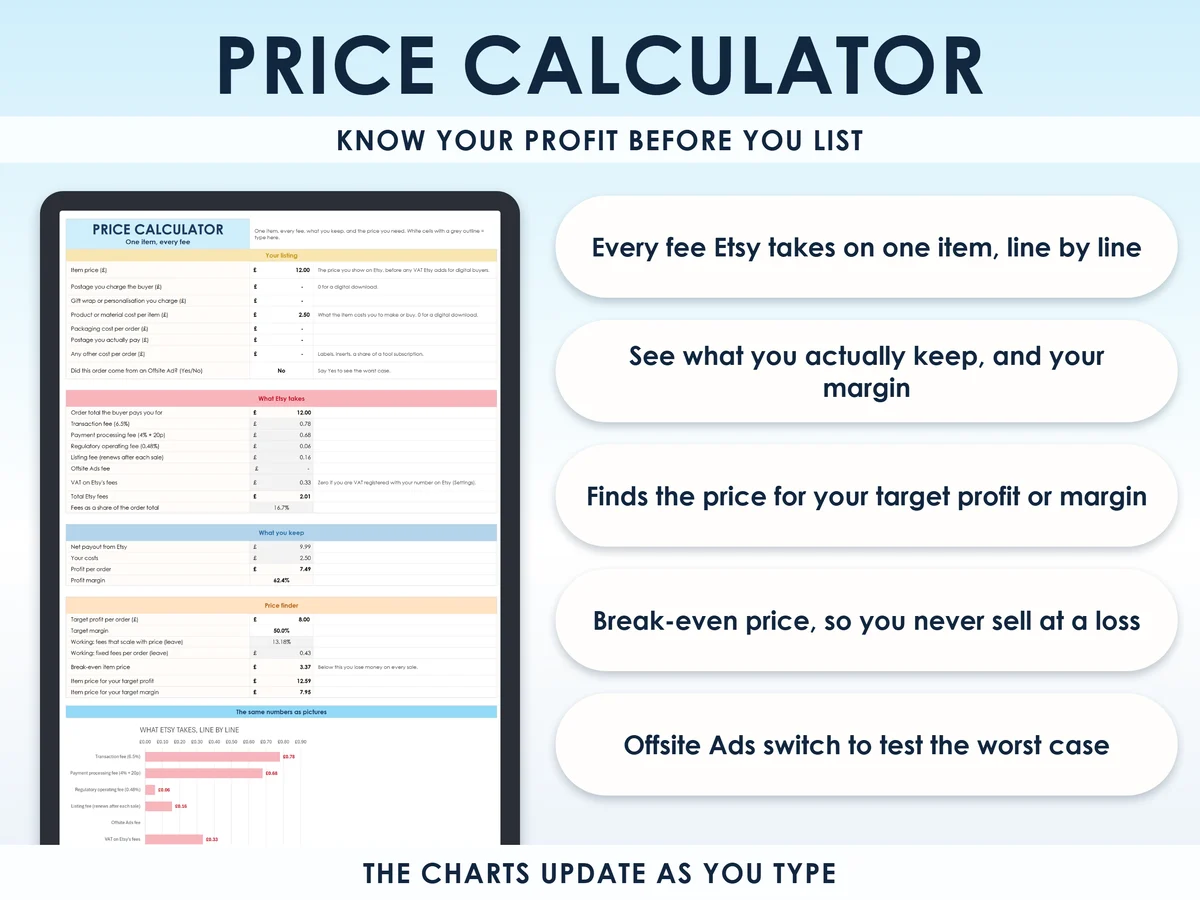
What Etsy really takes from a £12 sale
| Transaction fee, 6.5% | £0.78 |
| Payment processing, 4% + 20p | £0.68 |
| Regulatory operating fee, 0.48% | £0.06 |
| Listing renewal, $0.20 | £0.16 |
| VAT on those fees, 20% | £0.33 |
| Total Etsy fees, 16.7% | £2.01 |
| You receive | £9.99 |
Through an Offsite Ad the same sale costs £4.17 in fees, or 34.7%. The sheet shows both, on every order.
Why this one
- All seven fees, not threeListing, transaction, payment processing, the regulatory fee, Offsite Ads, VAT on fees and Etsy Ads. Most calculators miss the processing fee, the regulatory fee or the VAT.
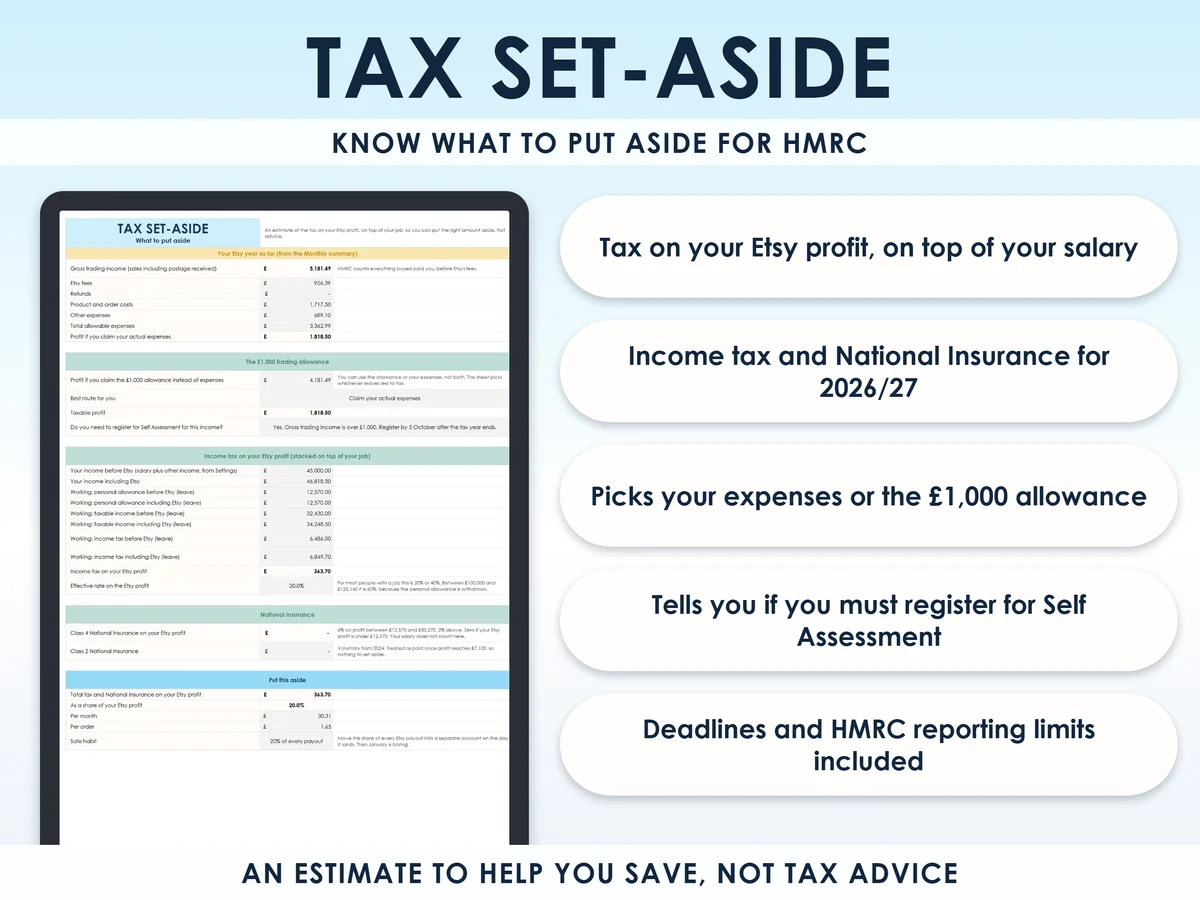
- UK tax, not US2026/27 bands, Class 2 and Class 4 National Insurance, the £1,000 trading allowance and the 5 October registration deadline.
- Salary awareType your salary once and the set-aside uses your real rate, so you put aside the right amount.
- Tells you where you standWhether Etsy will report your sales to HMRC, and where you are with Making Tax Digital.
- Alive from the first minuteThree example orders are already in, so the dashboard and charts work the moment you open it.
How it works
- Type your salary and the dollar to pound rateTwo cells on Settings. Etsy charges its listing fee in dollars, so the sheet converts it. Put 0 if you have no job income
- Log each order in the white columnsFees, payout, costs and profit fill in on every row. Room for 2,000 orders
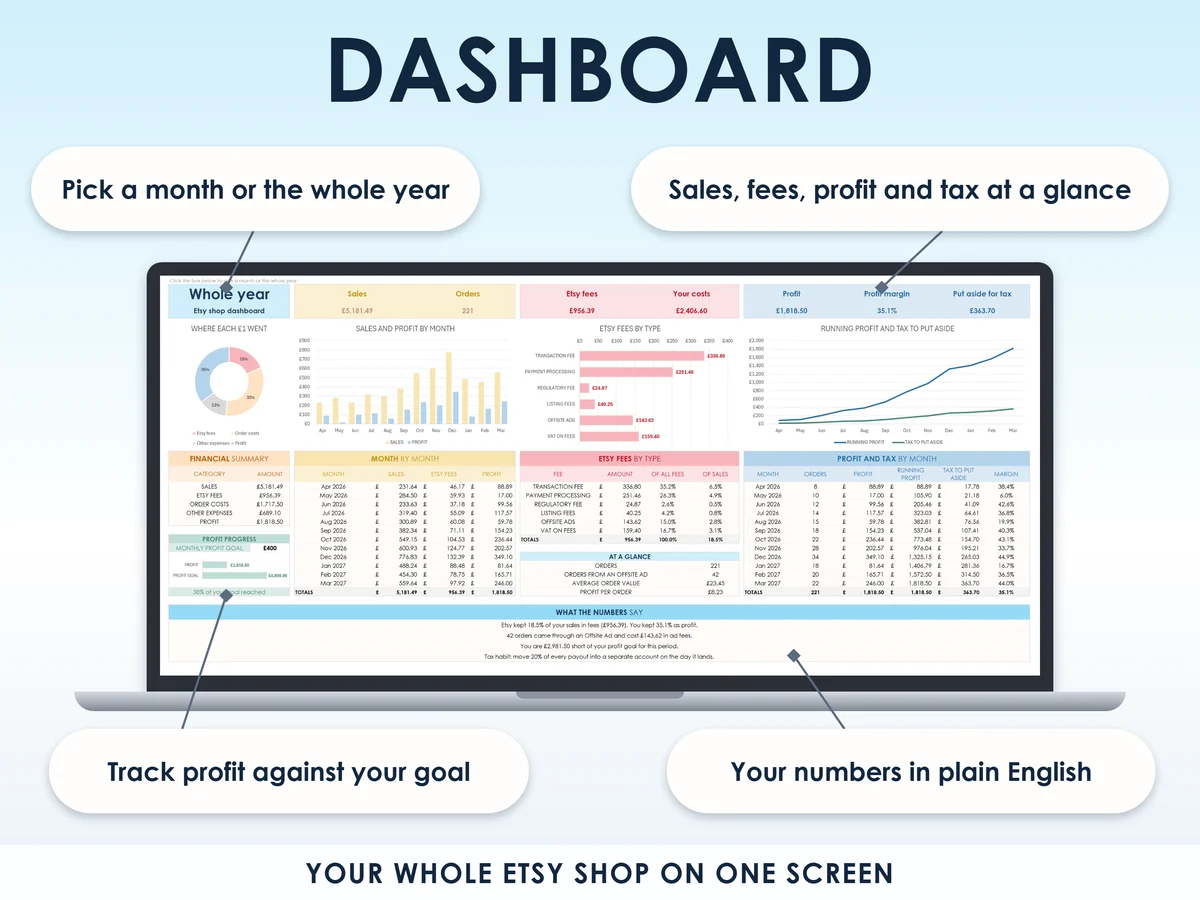
- Read the tabs that do the restDashboard for the month or the year, Tax set-aside for what to move on payout day
Who it is for
Anyone in the UK selling on Etsy, physical or digital items, as a side hustle next to a job or as your main income. If you sell in your own name rather than through a limited company, HMRC treats you as a sole trader, so the tax side is built for you. Most small sellers are not VAT registered. If you are, there is one switch for it on Settings.
Questions
Do I need Microsoft Excel?
No. It comes with a Google Sheets version, which is free with a Google account. The Excel file also opens in the free web version of Excel.
How do I get it?
Straight after payment it is in your library on this site: the Excel file, the PDF guide and the Open me first page with the Google Sheets button.
I don't have a job. Is it still for me?
Yes. Put 0 as your salary and the tax set-aside works from your Etsy profit alone.
I live in Scotland. Does it work?
Fees, payouts and profit work anywhere in the UK. The tax estimate uses the bands for England, Wales and Northern Ireland, and Scotland's income tax bands are different.
What if Etsy changes a fee?
Every fee and rate sits on the Settings tab. Change one cell and every tab follows, so the sheet keeps up when Etsy or HMRC change a number.

Made by Izhar Shah. I built a brand in the evenings alongside a full-time engineering job, and in its first twelve months it passed £500,000 in sales. I make the sheets I wish I had when I started.
Works in
Instant access in your library after payment. Tax figures are estimates to help you set money aside, not advice.