Two incomes, one plan, a fair split
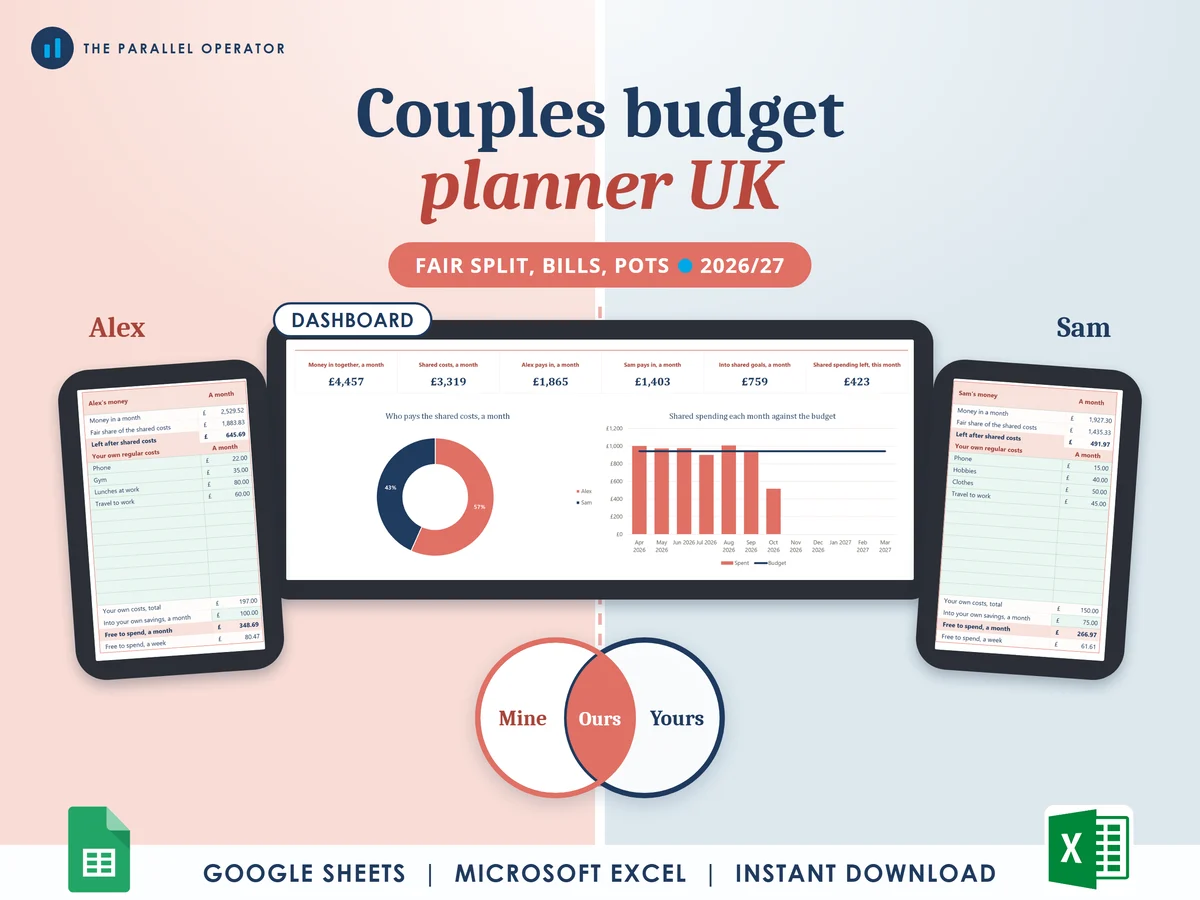
Work out each 2026/27 take-home pay, share the bills fairly, see what each of you pays into the joint account, and keep money of your own. Excel and Google Sheets.
What you get
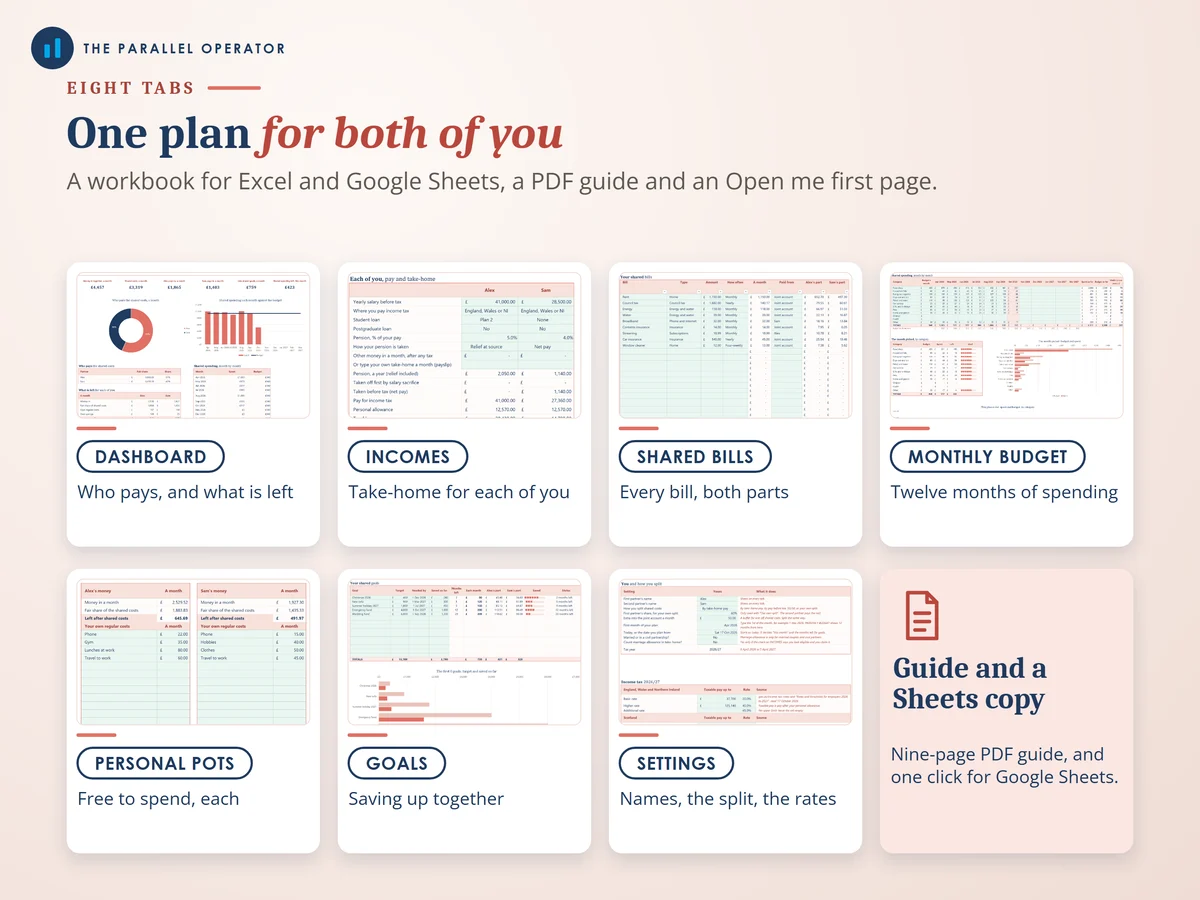
- Excel workbook, 8 tabs and 9 chartsStart here, Settings, Dashboard, Incomes, Shared bills, Monthly budget, Personal pots, Goals
- Google Sheets versionA make-a-copy link puts it in your own Drive in one click
- 9 page PDF guideEvery tab explained, the four ways to split, the marriage allowance check and a worked example
- Open me first pageThe Google Sheets button and the three things to do first
Why this one
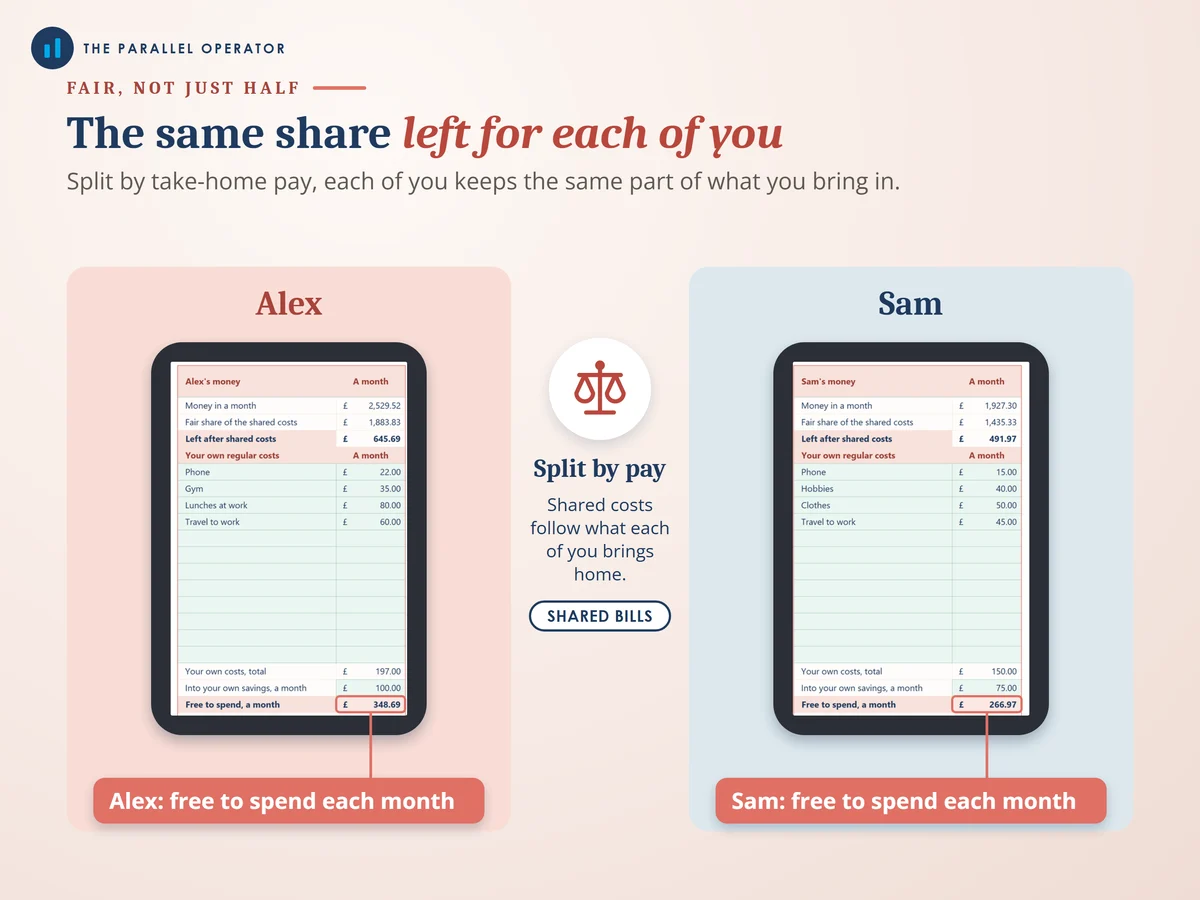
- A fair split from real take-home payType each salary, pension and student loan plan. It works out the 2026/27 take-home pay, then shares the bills in the same proportion.
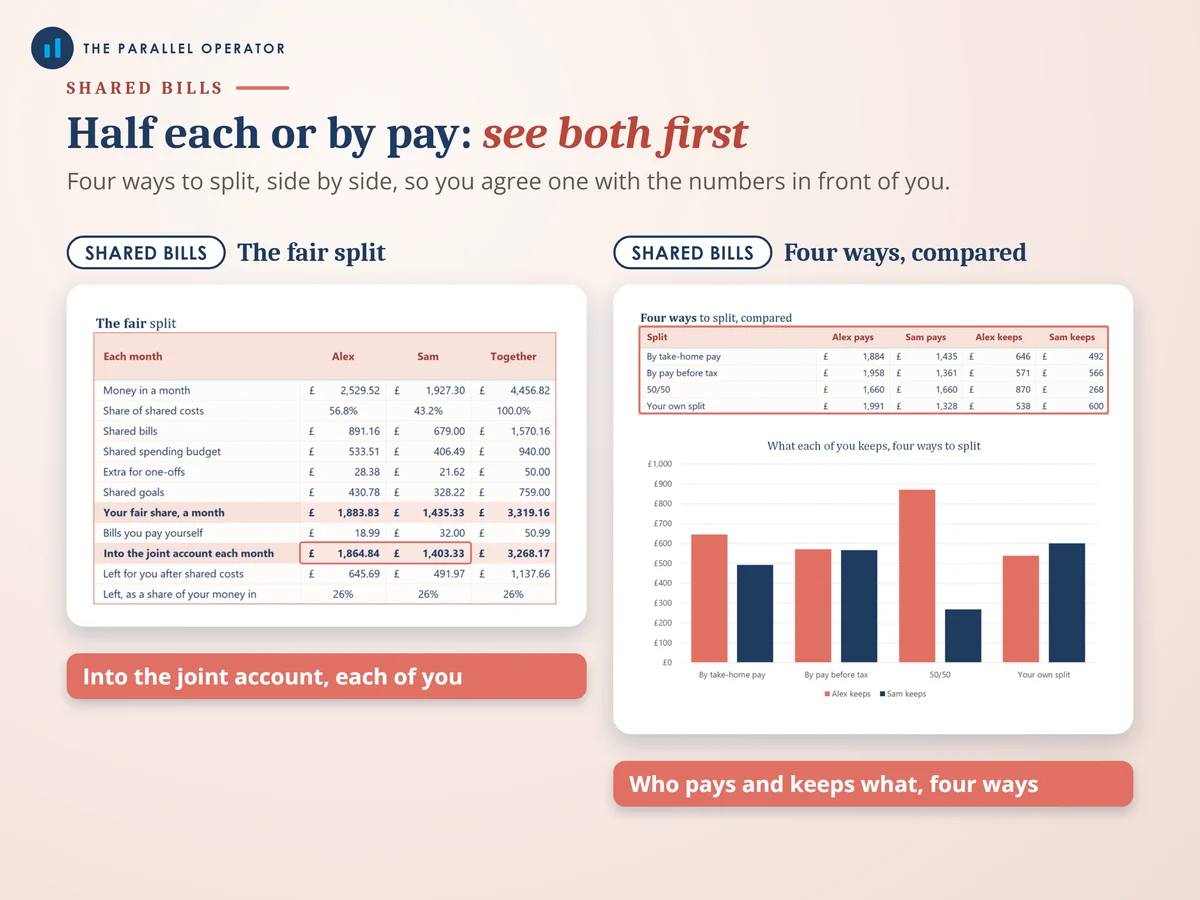
- Four ways to split, side by sideBy take-home pay, by pay before tax, 50/50 or your own percentage, with what each of you would keep under each one.
- The joint account sum, doneEach fair share, less any shared bill one of you pays directly, is what each of you pays in each month.
- A marriage allowance checkIf you are married or in a civil partnership, it checks the conditions and shows the £1,260 transfer and the tax it could save, up to £252 a year.
- Money of your ownPersonal pots shows what each of you has free to spend once the shared costs, your own costs and your own savings are covered.
How it works
- Both names and how you splitOn Settings, type both names and pick a split: by take-home pay, by pay before tax, 50/50 or your own percentage
- Each salaryOn Incomes, each salary, pension and student loan plan. The 2026/27 take-home pay is worked out for you
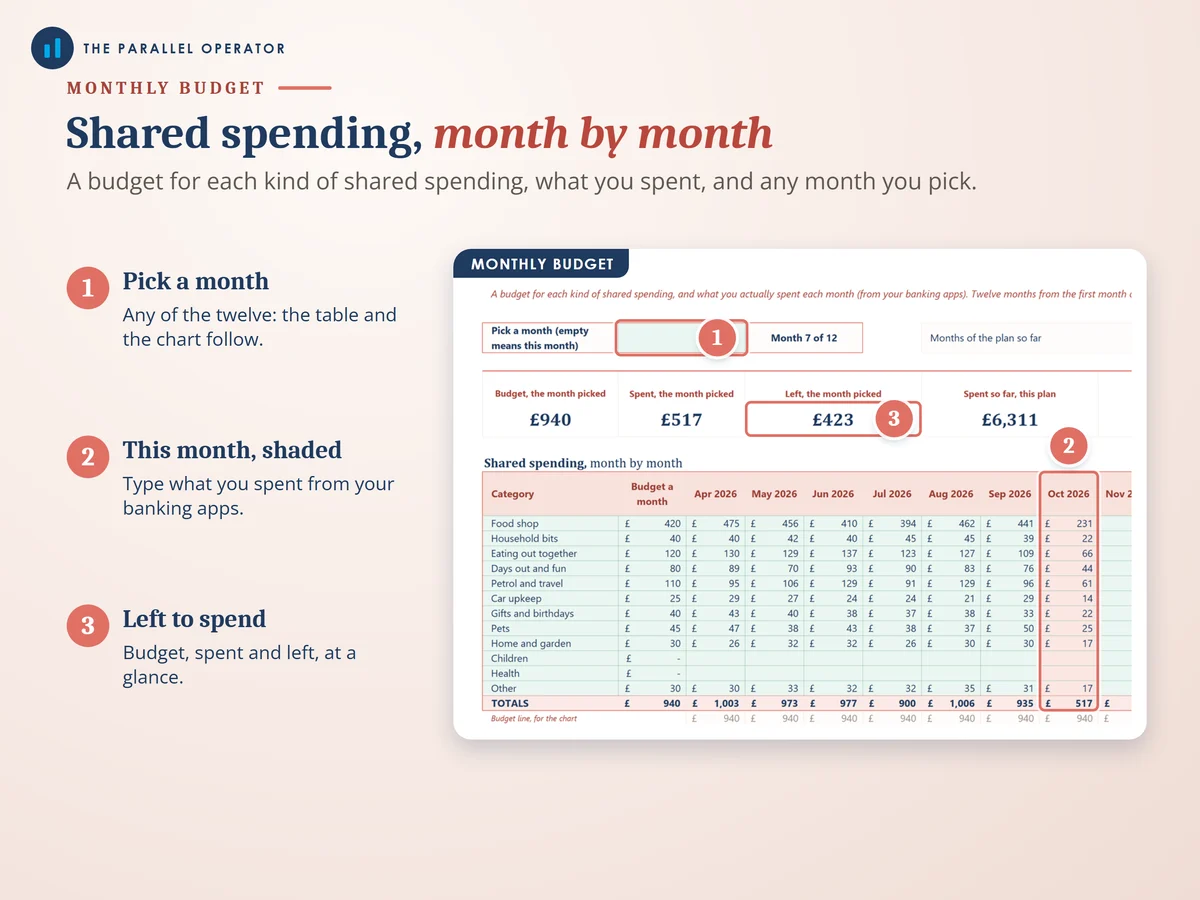
- What you shareOn Shared bills, Monthly budget and Goals. The joint account amounts and the Dashboard fill in by themselves
Who it is for
UK couples who share a home and its bills, married or not, with a joint account or without one. It suits a couple moving in together who want the money side agreed before the first bills arrive, and any couple where one of you earns more than the other. Take-home pay means what reaches your bank account after income tax, National Insurance, pension and any student loan.
Questions
Do I need Microsoft Excel?
No. It comes with a Google Sheets version, which is free with a Google account. The Excel file also opens in the free web version of Excel.
How do we get it?
Straight after payment it is in your library on this site: the Excel file, the PDF guide and the Open me first page with the Google Sheets button.
Is splitting 50/50 not fairer?
It can be, and 50/50 is one of the four ways. The planner puts all four side by side with what each of you would keep, so you can agree on one with the numbers in front of you.
We live in Scotland. Does it work?
Yes. The Incomes tab works out income tax band by band for England, Wales and Northern Ireland, or for Scotland.
Is this financial advice?
No. Take-home pay and the marriage allowance saving are estimates to help you plan. Your payslip and HMRC have the real figures. Every rate is a cell on Settings you can update.

Made by Izhar Shah. I built a brand in the evenings alongside a full-time engineering job, and in its first twelve months it passed £500,000 in sales. I make the sheets I wish I had when I started.
Works in
Instant access in your library after payment. Take-home pay and the marriage allowance saving are estimates to help you plan, not financial or tax advice.