Every gift, the food, the trips and next year's pot
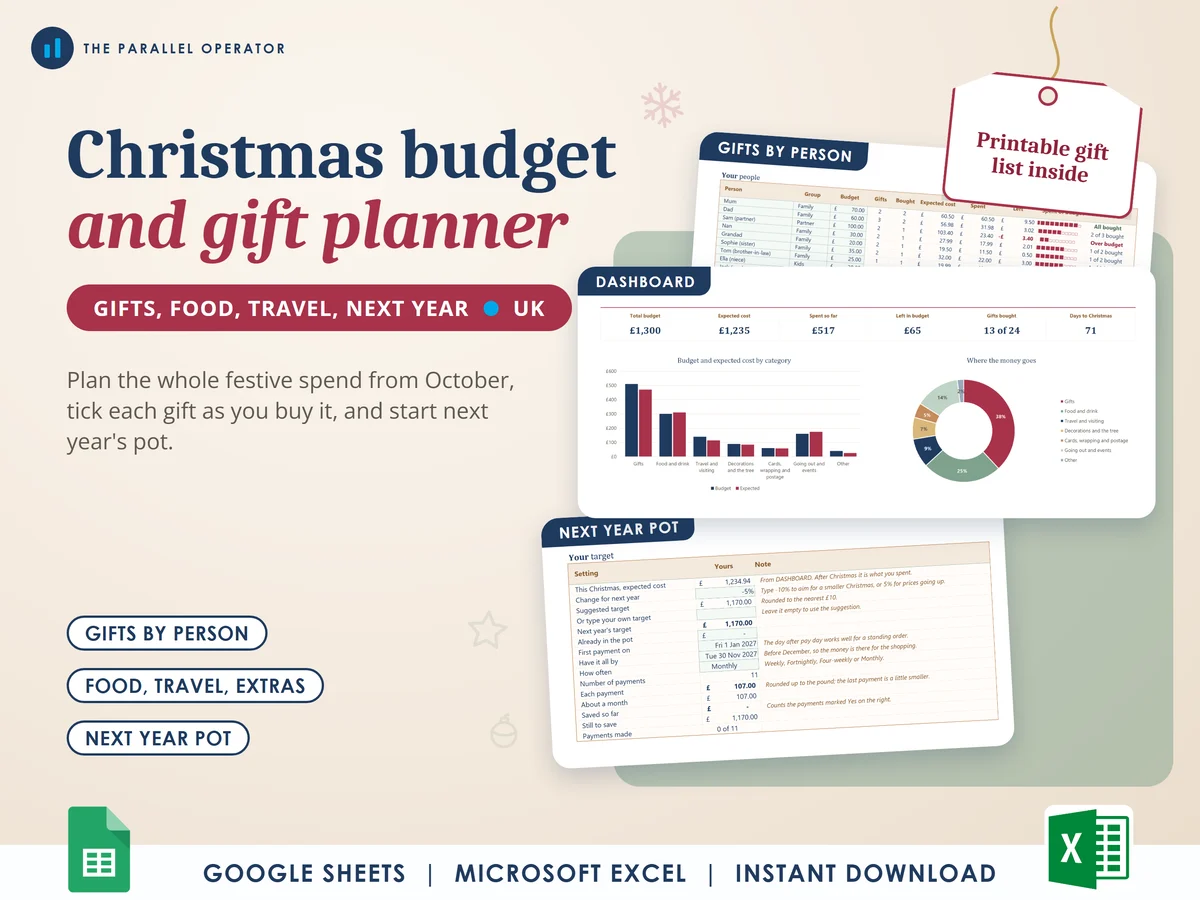
Plan the whole of Christmas in one place: every gift against a budget for each person, the food shop, the trips to family, the tree, the cards and the nights out. Excel and Google Sheets.
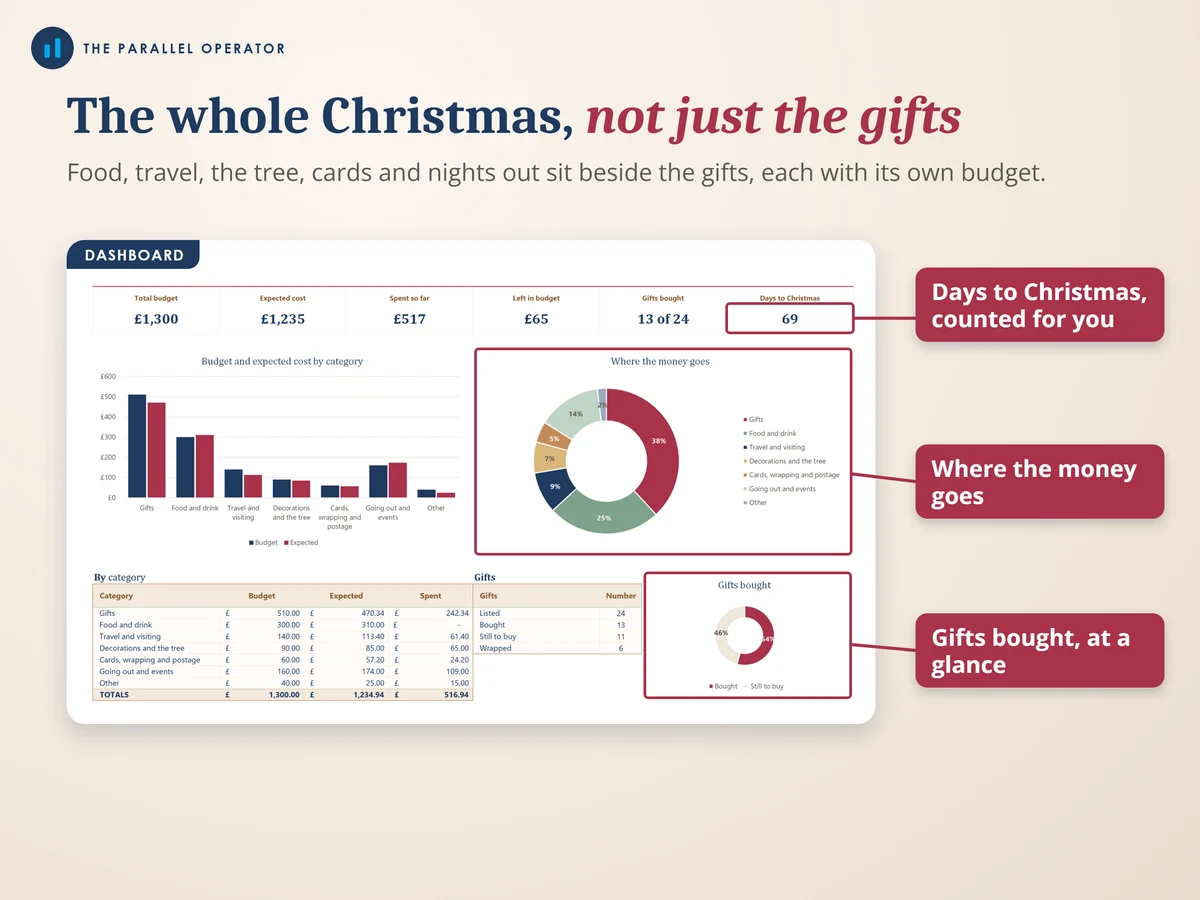
What you get
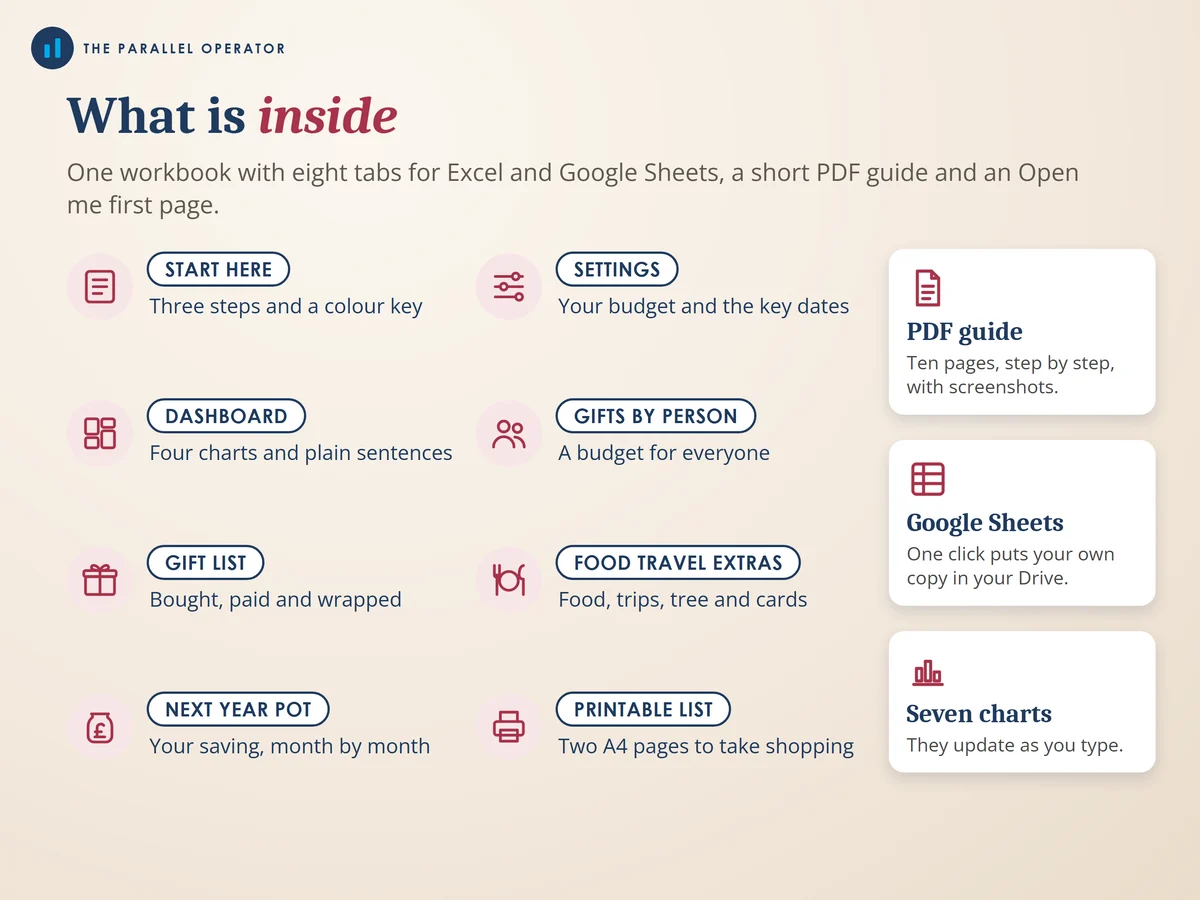
- Excel workbook, 8 tabs and 7 chartsStart here, Settings, Dashboard, Gifts by person, Gift list, Food travel extras, Next year pot, Printable list
- Google Sheets versionA make-a-copy link puts it in your own Drive in one click
- 10 page PDF guideThe budget, gifts by person, the gift list, food, travel and extras, the dashboard, next year's pot and a simple Christmas timeline
- Open me first pageThe Google Sheets button and the three things to do first
Why this one
- The whole Christmas, not just the presentsFood and drink, travel and visiting, decorations and the tree, cards, wrapping and postage, going out and events: each has its own budget beside the gifts.
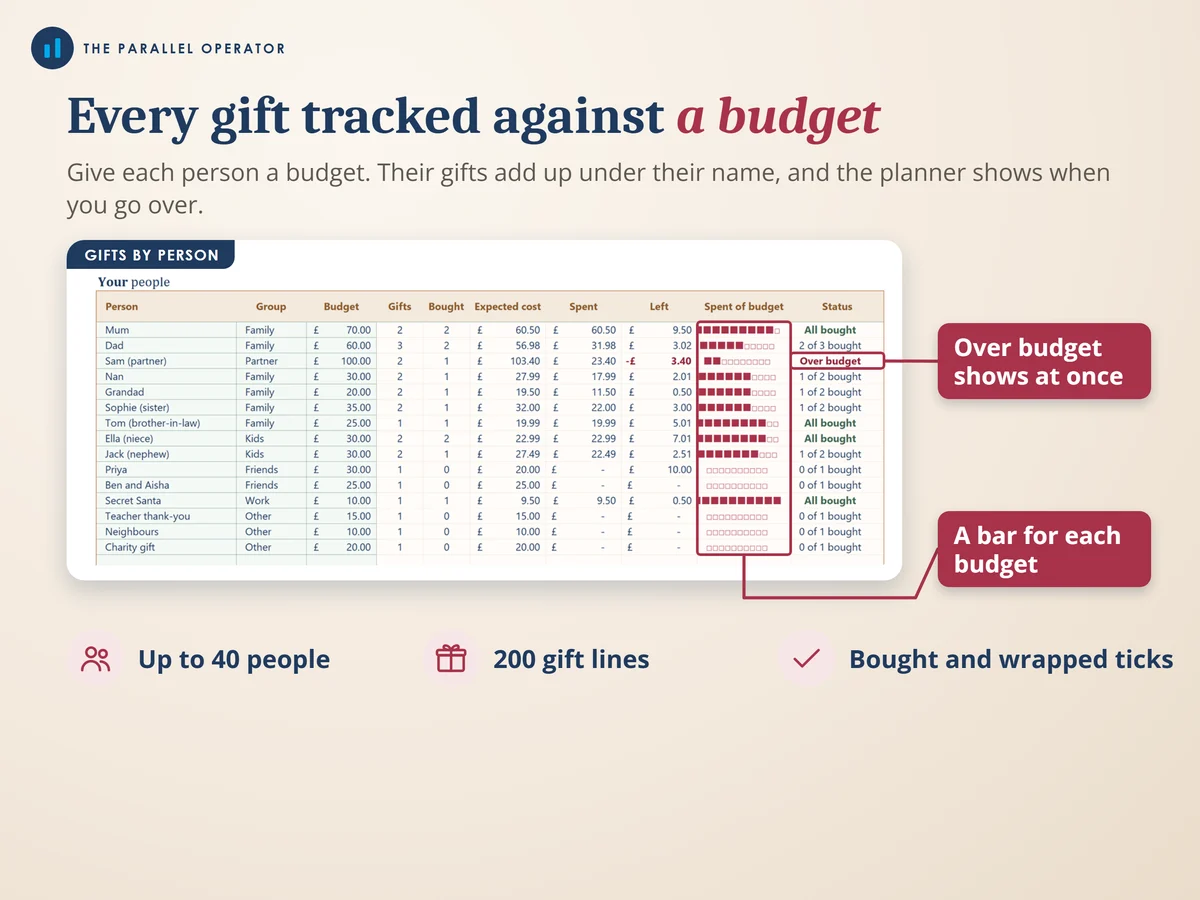
- A budget for every personGifts add up under each name, for up to 40 people, so you see at once who is over and who still needs something.
- What to set aside from each pay dayTell it how many pay days are left and how much is already put aside, and it splits the rest.
- Next year starts in JanuaryAfter Christmas it turns this year's total into next year's target and a regular payment, weekly, fortnightly, four-weekly or monthly.
- A list to take shoppingThe gift list prints on two A4 pages with tick boxes, straight from the workbook.
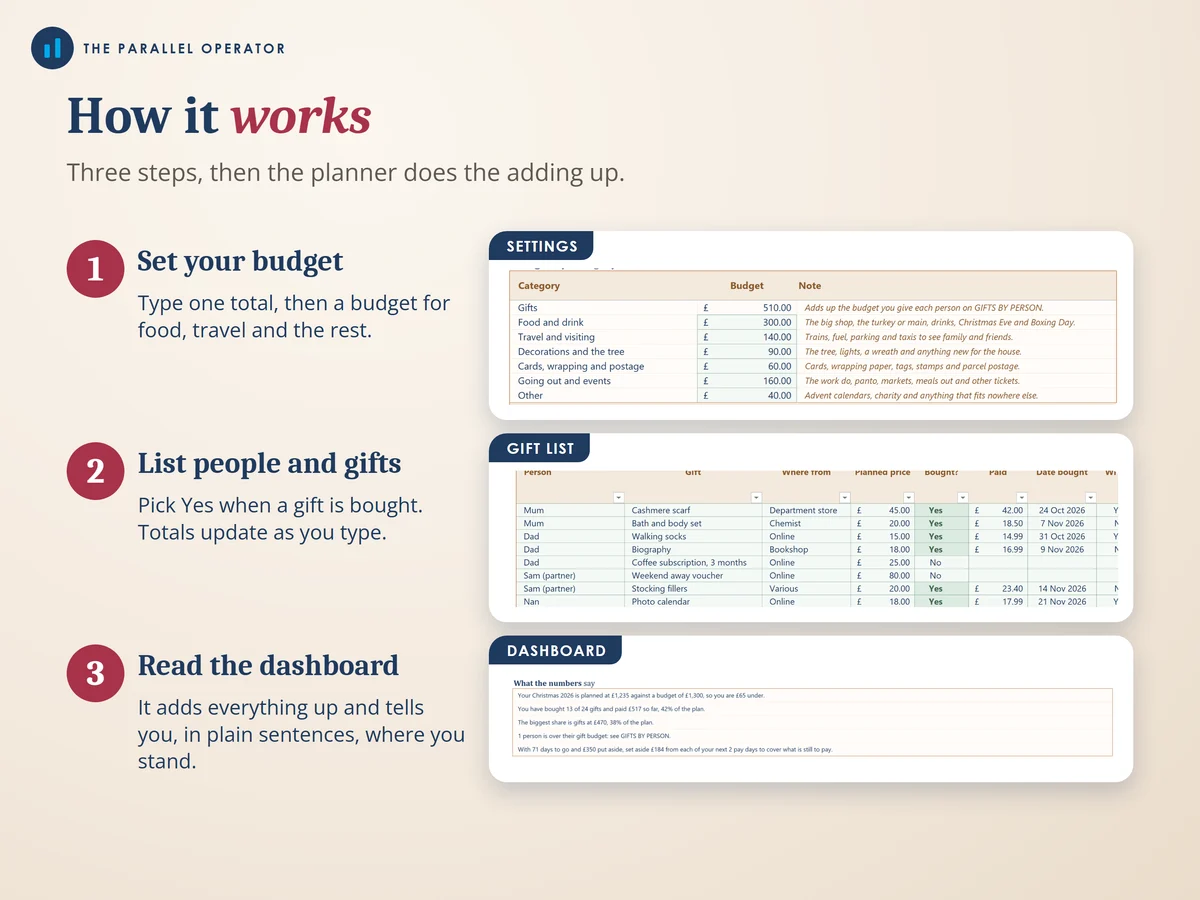
How it works
- Set your budgetOn Settings, your total budget, a budget for each kind of spending and the pay days left before Christmas
- List people and giftsEveryone you buy for on Gifts by person, with a budget each, then each gift on Gift list. Pick Yes under Bought when you have it
- Add the rest and read the dashboardThe food, trips, tree and cards on Food travel extras. The Dashboard fills in by itself
Who it is for
Anyone in the UK who wants Christmas planned and paid for without a January shock: families, couples, and anyone buying for a long list of people. You do not need to be good with spreadsheets. You type a few budgets and names, and the planner does the adding up.
Questions
Do I need Microsoft Excel?
No. It comes with a Google Sheets version, which is free with a Google account. The Excel file also opens in the free web version of Excel.
How do I get it?
Straight after payment it is in your library on this site: the Excel file, the PDF guide and the Open me first page with the Google Sheets button.
Can I use it again next Christmas?
Yes. Change the Christmas year on Settings and the planner is ready for next Christmas too, with the Next year pot already counting.
How many people and gifts does it hold?
Up to 40 people, 200 gifts and 120 food, travel and extra items in six categories.
Is this financial advice?
No. It is a planning tool to help you budget, and there is no promise of savings. Every person, shop and amount in the examples is made up.

Made by Izhar Shah. I built a brand in the evenings alongside a full-time engineering job, and in its first twelve months it passed £500,000 in sales. I make the sheets I wish I had when I started.
Works in
Instant access in your library after payment. A planning tool to help you budget, not financial advice.