Log income and expenses, and see the tax on top of your salary
For anyone in the UK earning money beside a job, built for the 2026/27 tax year. Type your salary once and know what to put aside each month. Excel and Google Sheets.
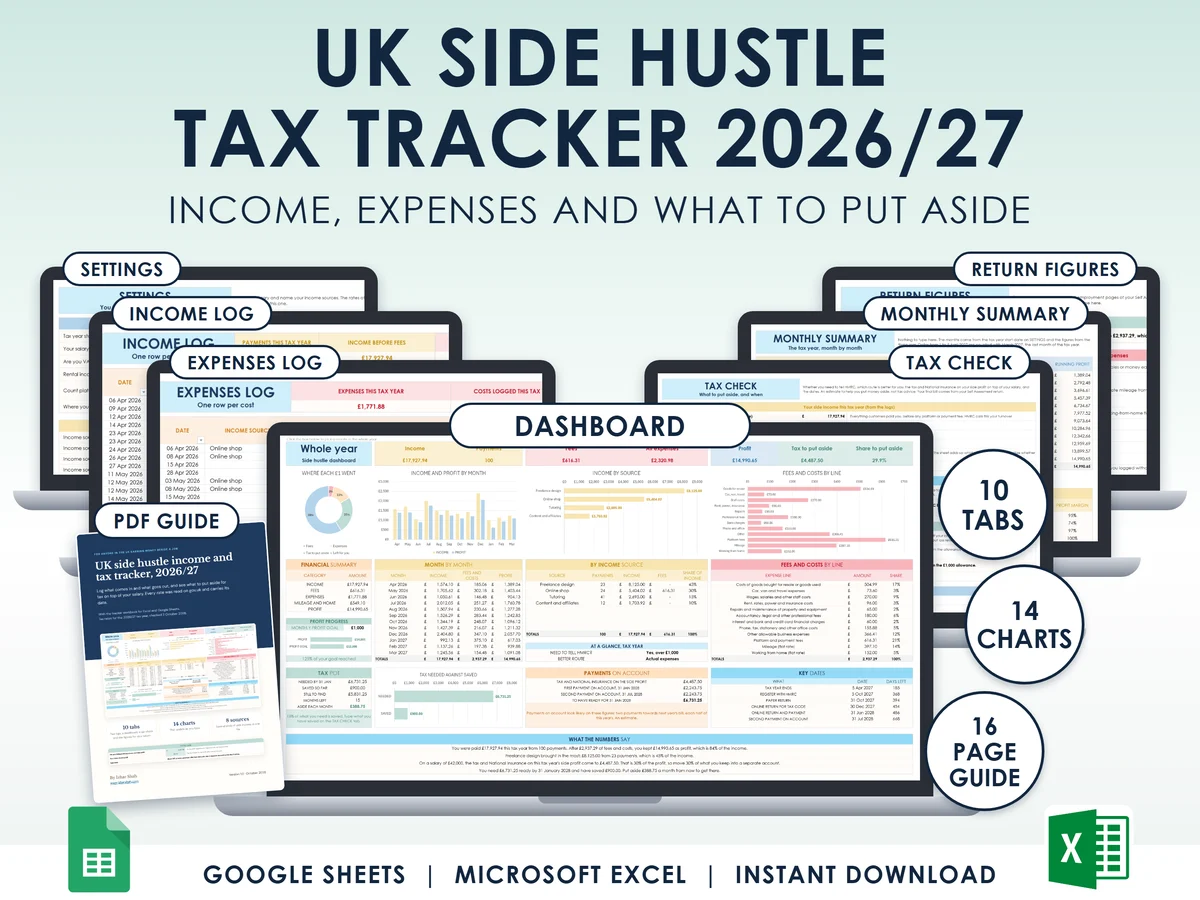
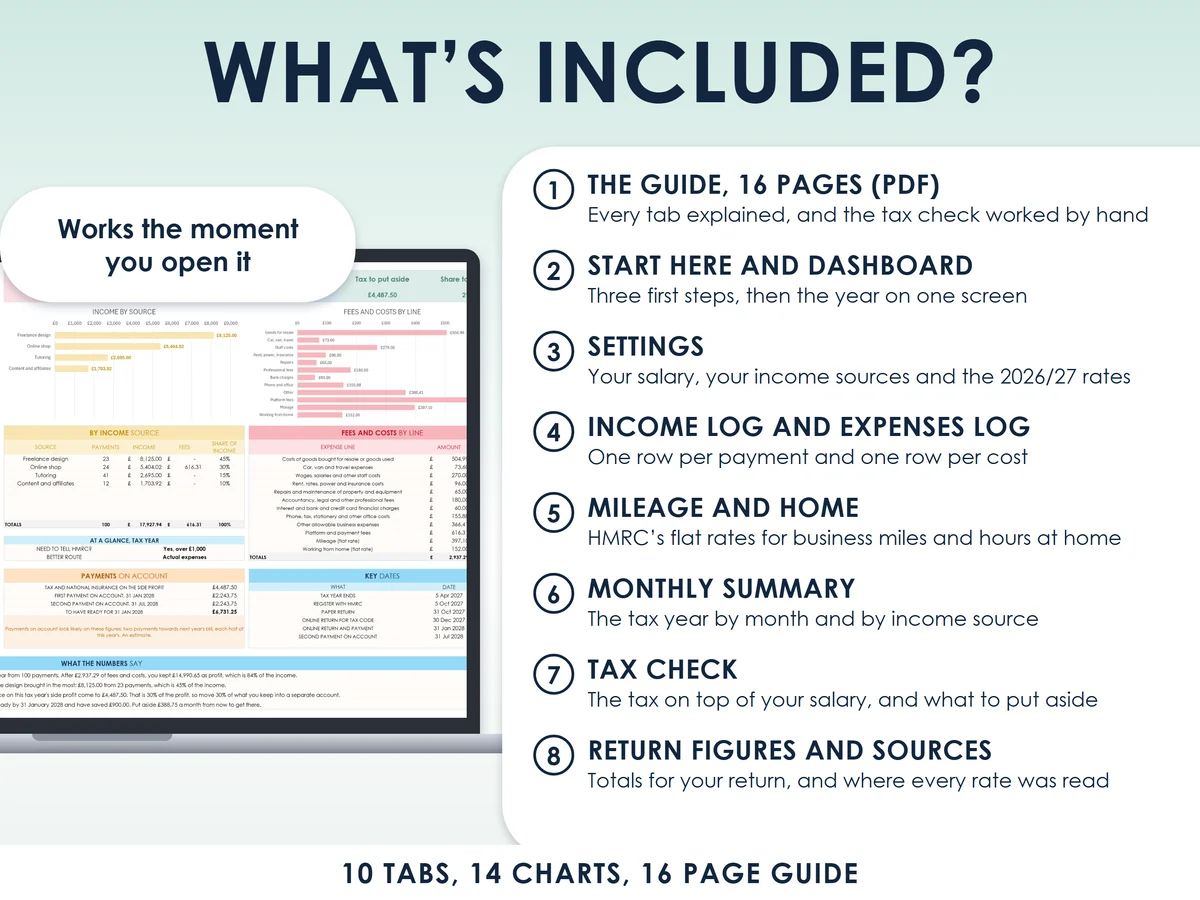
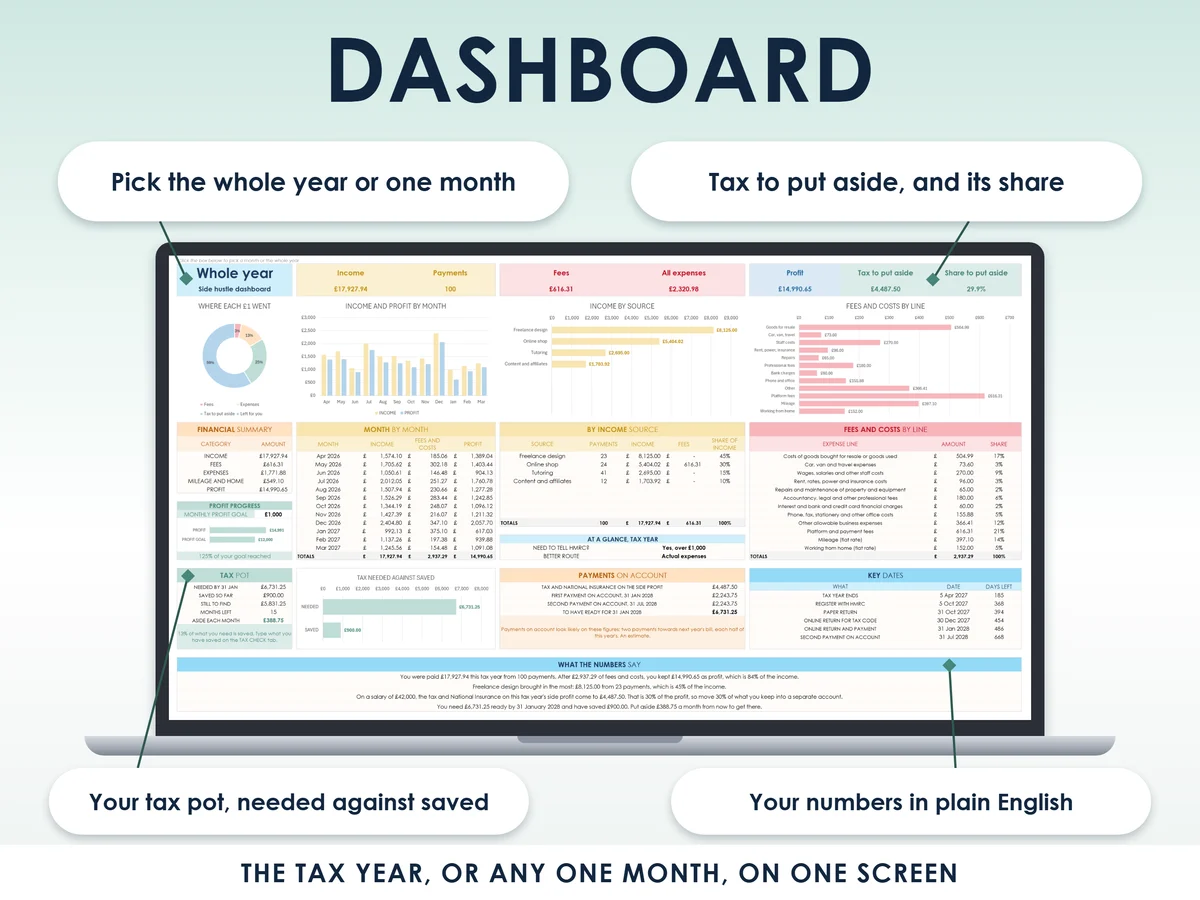
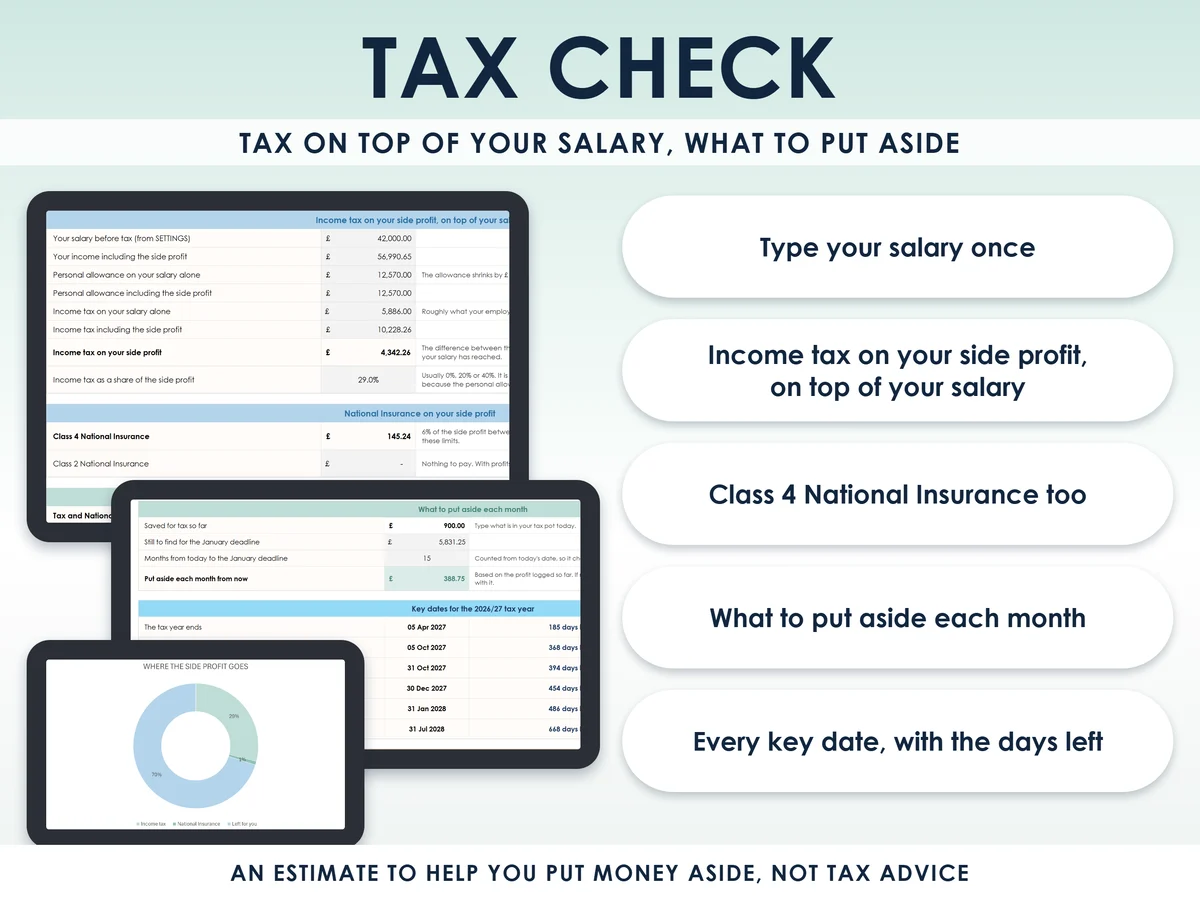
What you get
- Excel workbook, 10 tabs and 14 chartsStart here, Dashboard, Settings, Income log, Expenses log, Mileage and home, Monthly summary, Tax check, Return figures, Rates and sources
- Google Sheets versionA make-a-copy link puts it in your own Drive in one click
- 16 page PDF guideEvery tab explained with screenshots, the tax check worked by hand, payments on account in plain words, the dates, and what to keep
- Open me first pageThe Google Sheets button and the three things to do first
See it working
Why this one
- It knows your salarySide profit is taxed on top of what you already earn, so it works out the tax on your salary plus your side profit, not on the profit alone.
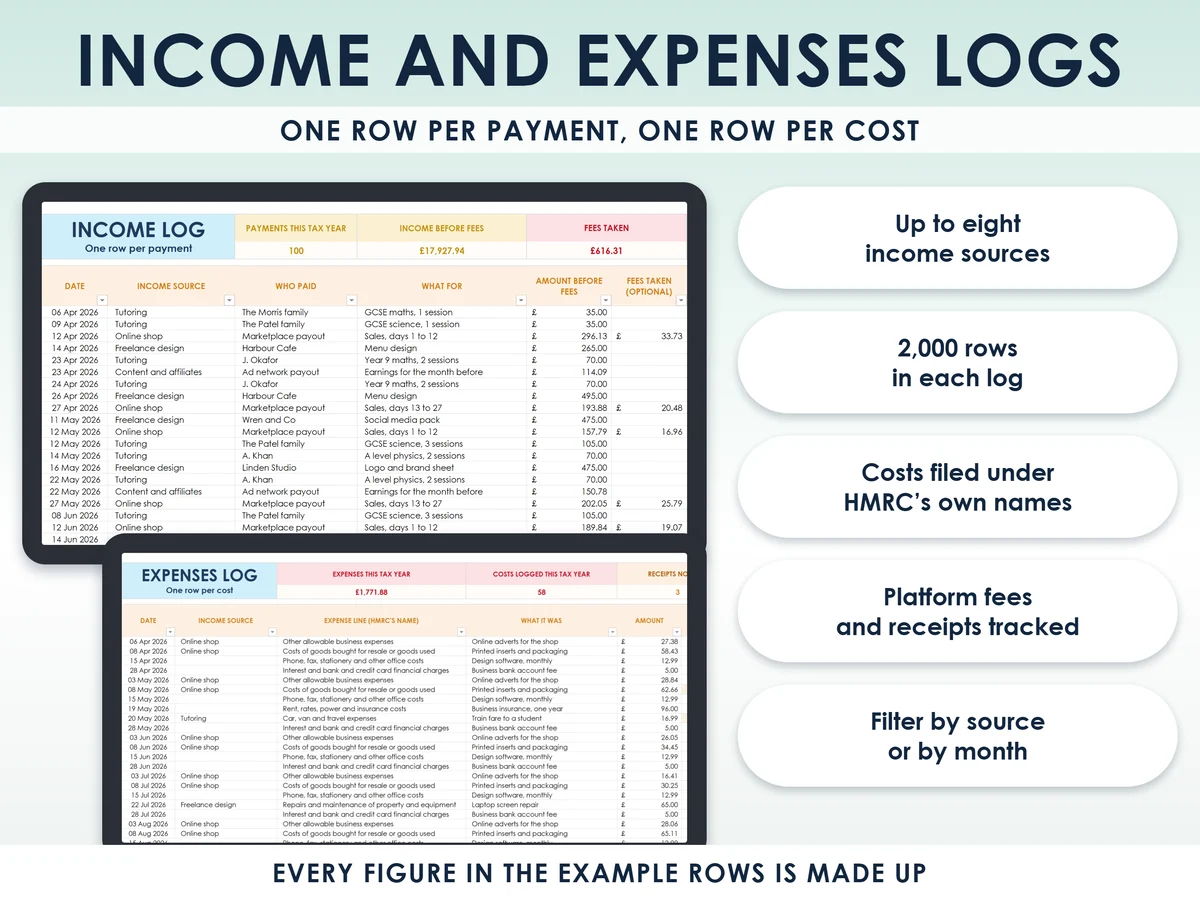
- HMRC's own namesCosts are logged under the expense lines of the self-employment pages, so the Return figures tab reads straight across to your return.
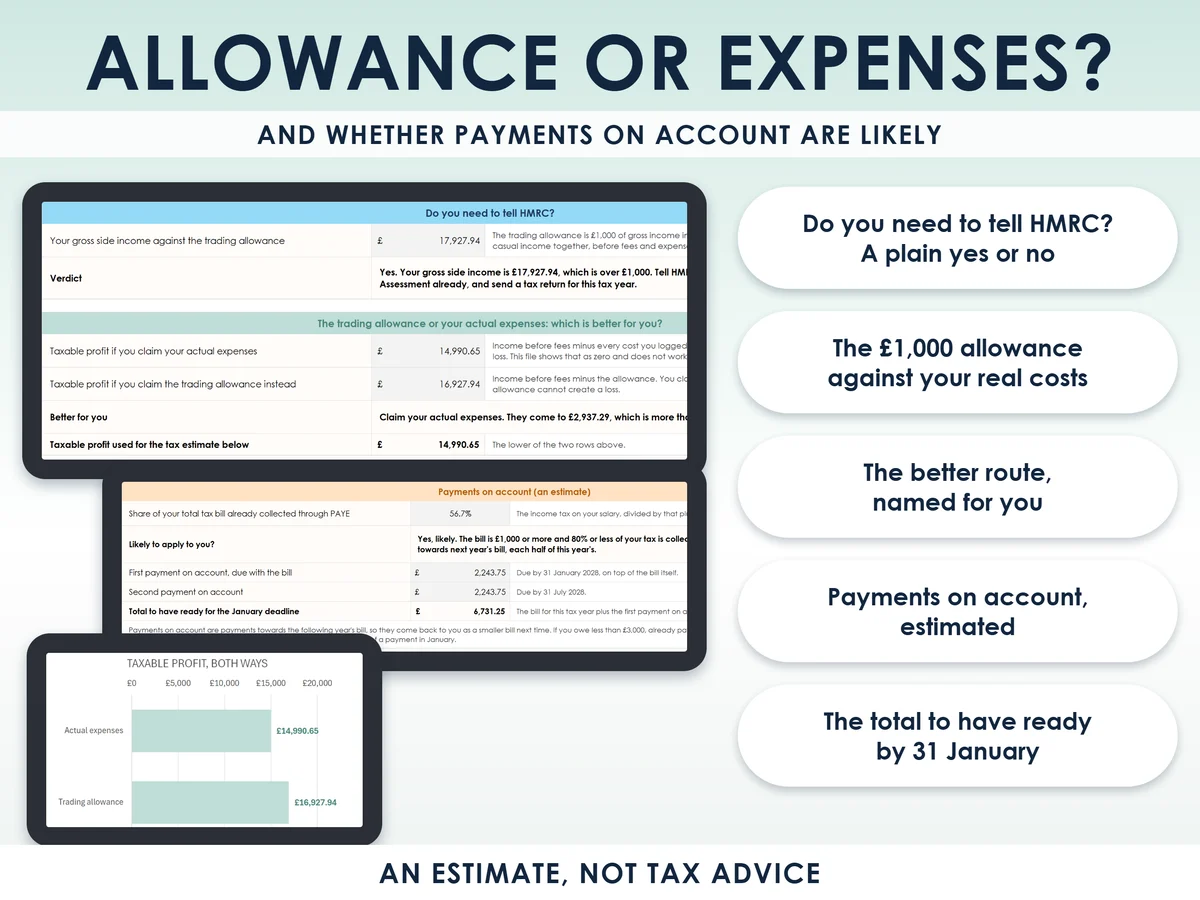
- Allowance or expensesIt compares the £1,000 trading allowance with your real costs and names the better route.
- Payments on account, estimatedIt shows whether they are likely to apply and the total to have ready for the 31 January deadline.
- Alive from the first minuteA made-up example year is already in, four income sources and 100 payments, so the dashboard and all 14 charts work the moment you open it.
How it works
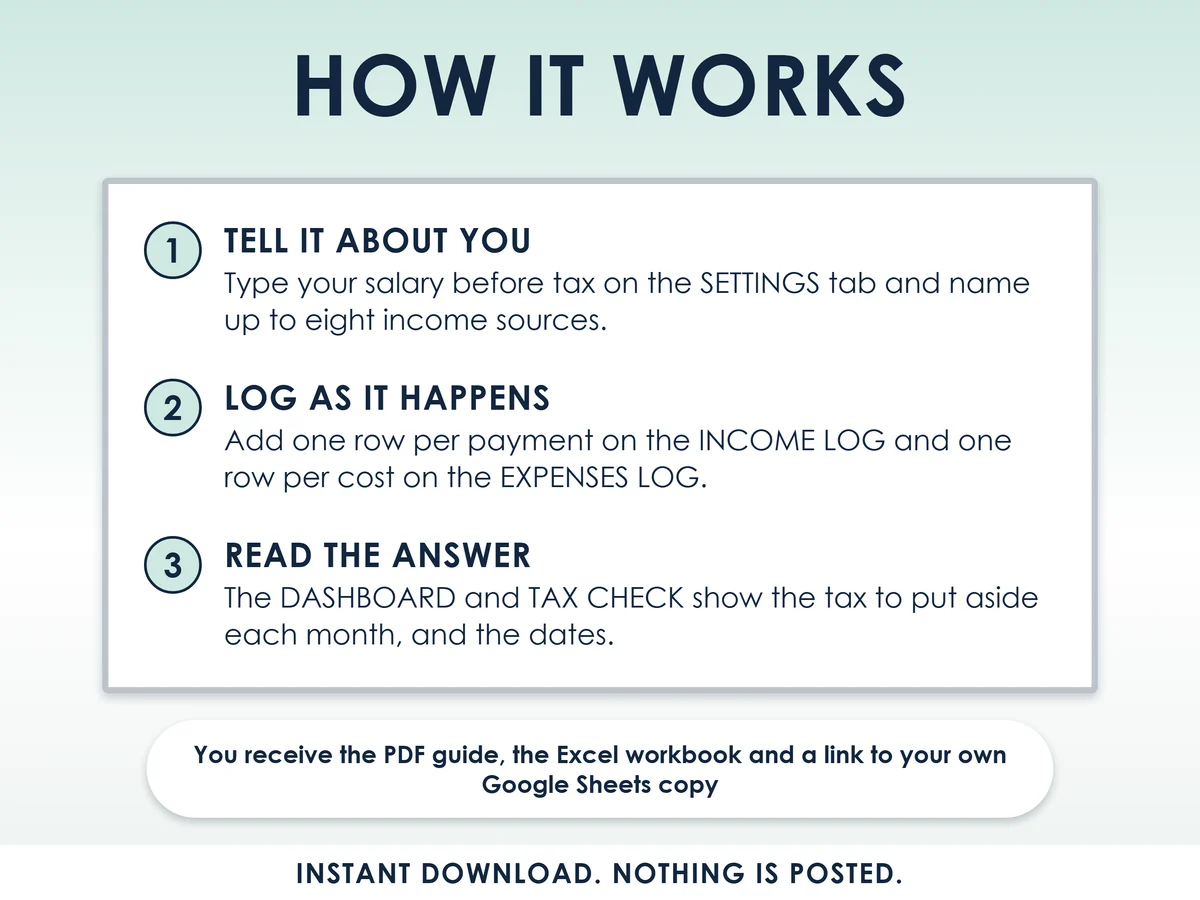
- Type your salary and name your income sourcesOn the Settings tab, up to eight sources. Type 0 if you have no job
- Log as it happensOne row per payment and one row per cost, 2,000 rows each, with mileage and working from home at HMRC flat rates
- Read what to put aside, and the datesThe Dashboard and the Tax check show the tax on your side profit and what to move into your tax pot each month
Who it is for
Anyone in the UK earning money beside a job: freelancing, tutoring, selling online, content or deliveries. It also suits someone with no job, who types 0 for the salary. If you earn in your own name rather than through a limited company, HMRC treats you as a sole trader, and that is who this is built for. It assumes your salary is taxed through PAYE, the way an employer takes tax from your pay before it reaches you. It is not for limited companies or partnerships.
Questions
Do I need Microsoft Excel?
No. It comes with a Google Sheets version, which is free with a Google account. The Excel file also opens in the free web version of Excel.
How do I get it?
Straight after payment it is in your library on this site: the Excel file, the 16 page PDF guide and the Open me first page with the Google Sheets button.
I do not have a job. Is it still for me?
Yes. Type 0 as your salary and the tax check works from your side profit alone.
I live in Scotland. Does it work?
Income, costs and profit work anywhere in the UK. The tax estimate uses the income tax bands for England, Wales and Northern Ireland. Scotland has its own bands, so the estimate is approximate there.
Is this tax advice?
No. It is an estimate to help you put money aside, and it does not file anything with HMRC. Your final bill comes from your Self Assessment return. Every rate sits on the Settings tab, so a change is one cell.

Made by Izhar Shah. I built a brand in the evenings alongside a full-time engineering job, and in its first twelve months it passed £500,000 in sales. I make the sheets I wish I had when I started.
Works in
Instant access in your library after payment. Estimates to help you put money aside, not tax advice.