Your day rate from what you cost an employer, a quote and invoice that print, and who owes you what
For anyone in the UK taking a first freelance client beside a job. Work out your rate, quote it, invoice it, log the hours and the money, and see what you may claim when a client pays late. Excel and Google Sheets.
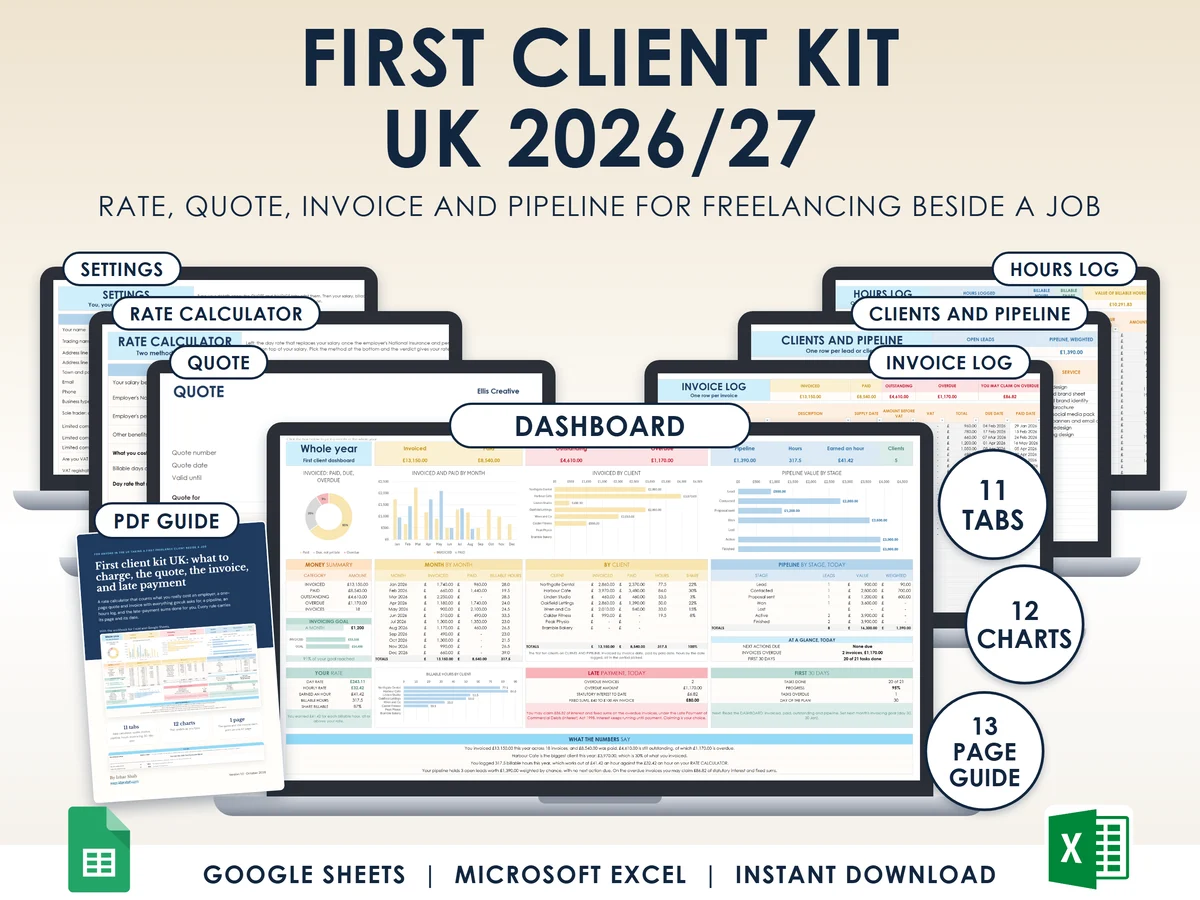
What you get
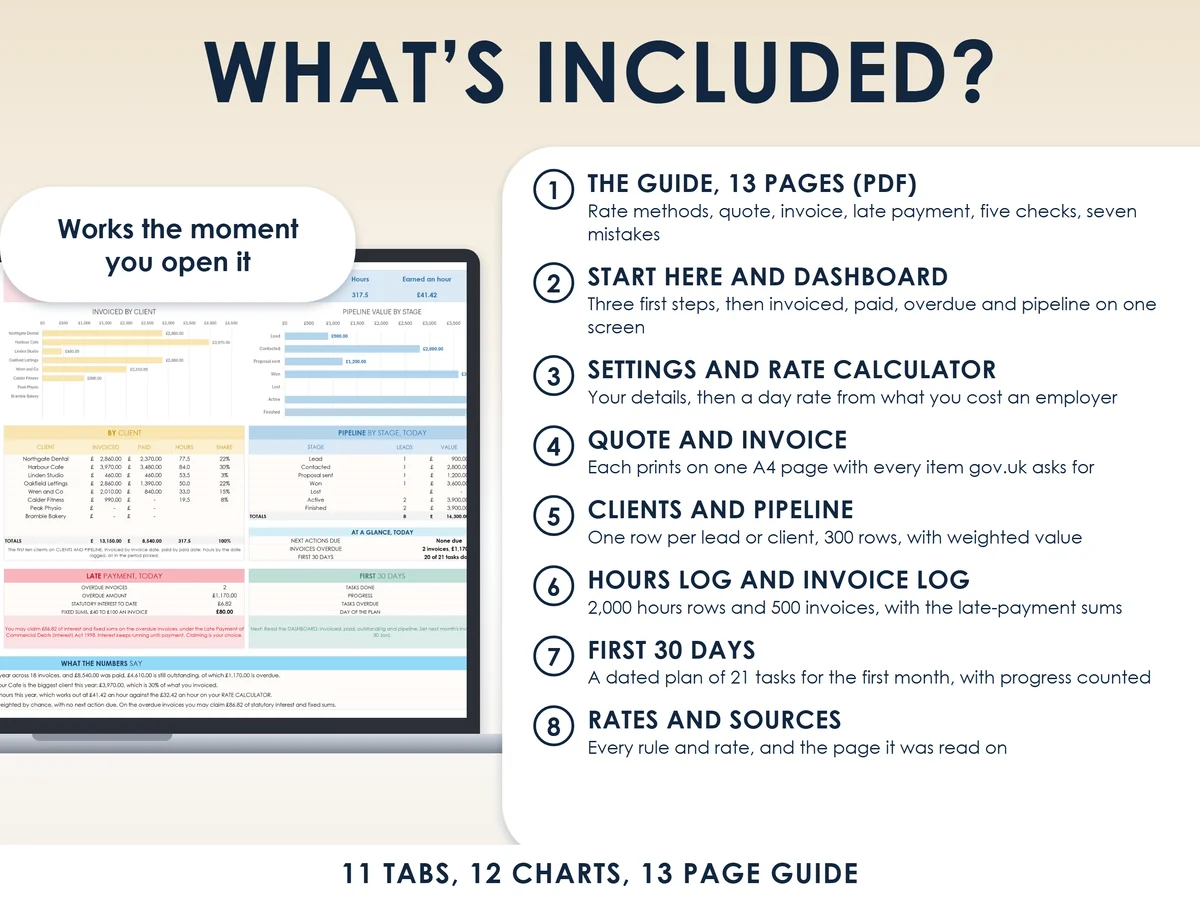
- Excel workbook, 11 tabs and 12 chartsStart here, Dashboard, Settings, Rate calculator, Quote, Invoice, Clients and pipeline, Hours log, Invoice log, First 30 days, Rates and sources
- Google Sheets versionA make-a-copy link puts it in your own Drive in one click
- 13 page PDF guideThe two rate methods worked by hand, the quote and the deposit, what an invoice must include, when a client pays late, five checks before you start, and seven mistakes
- Open me first pageThe Google Sheets button and the three things to do first
See it working
Why this one
- Your rate from what you cost an employerA £35,000 salary costs an employer £40,362.80 once National Insurance and pension are added, which is £201.81 a day at 200 billable days.
- Two ways to set a rateReplace a salary, or start from the income you want with the tax on it estimated, then read your day rate and hourly rate.
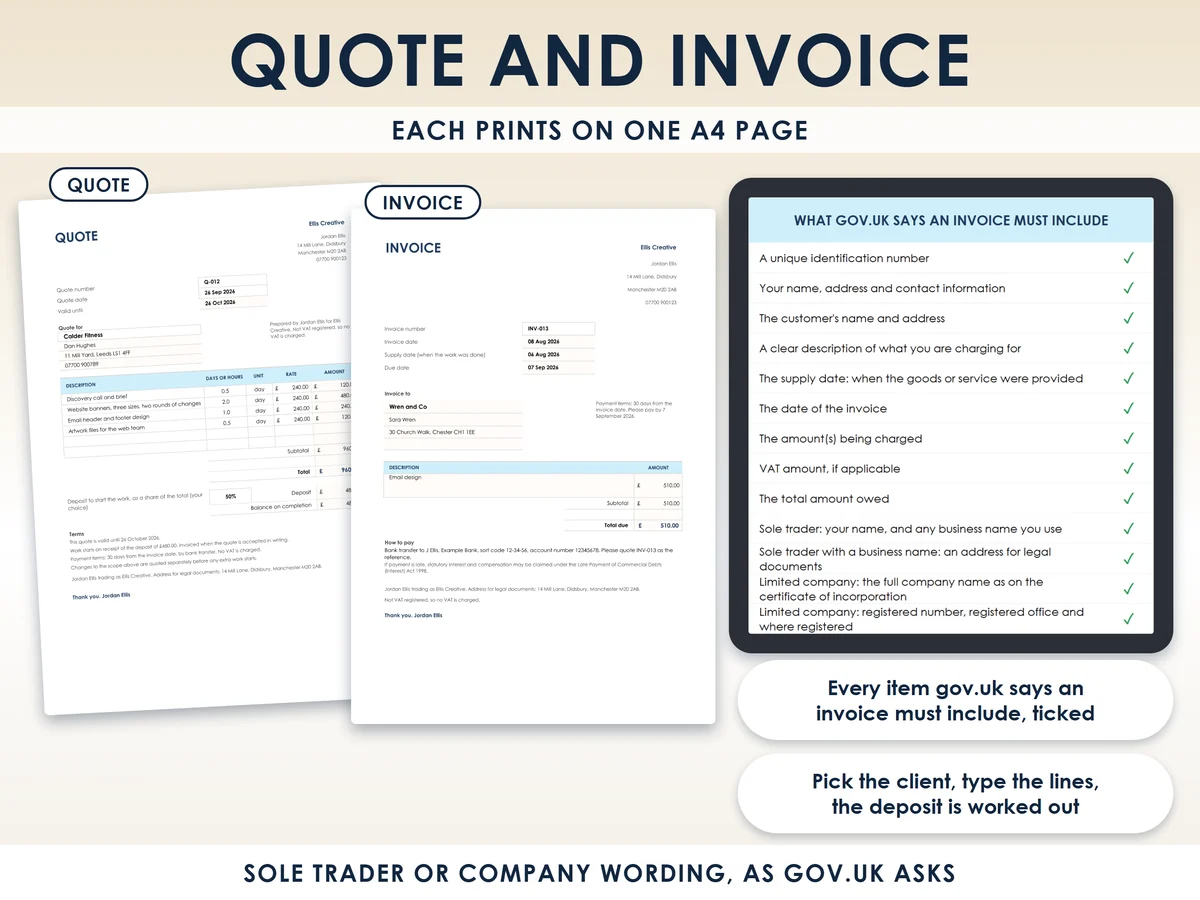
- Every invoice item gov.uk asks forThe invoice ticks each one, with the sole trader or company wording printed on the page.
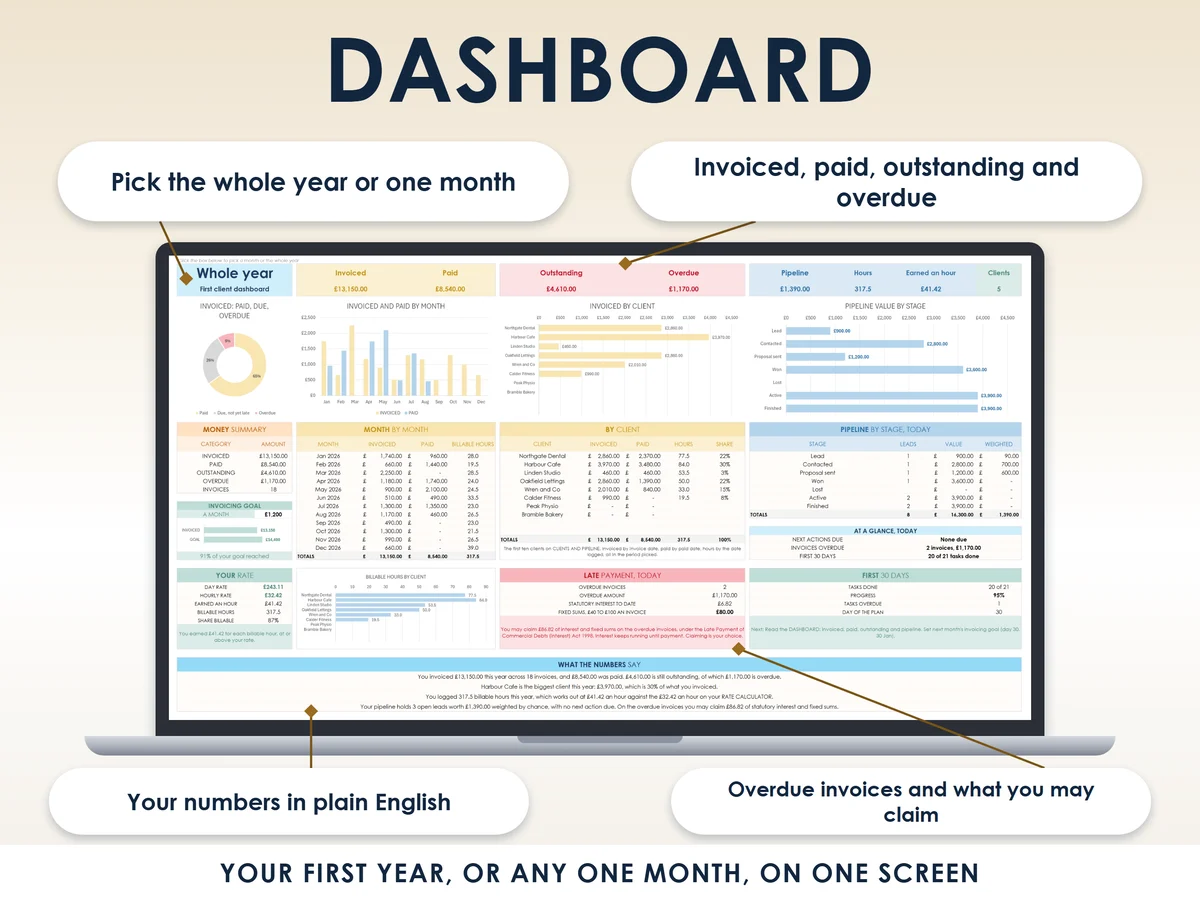
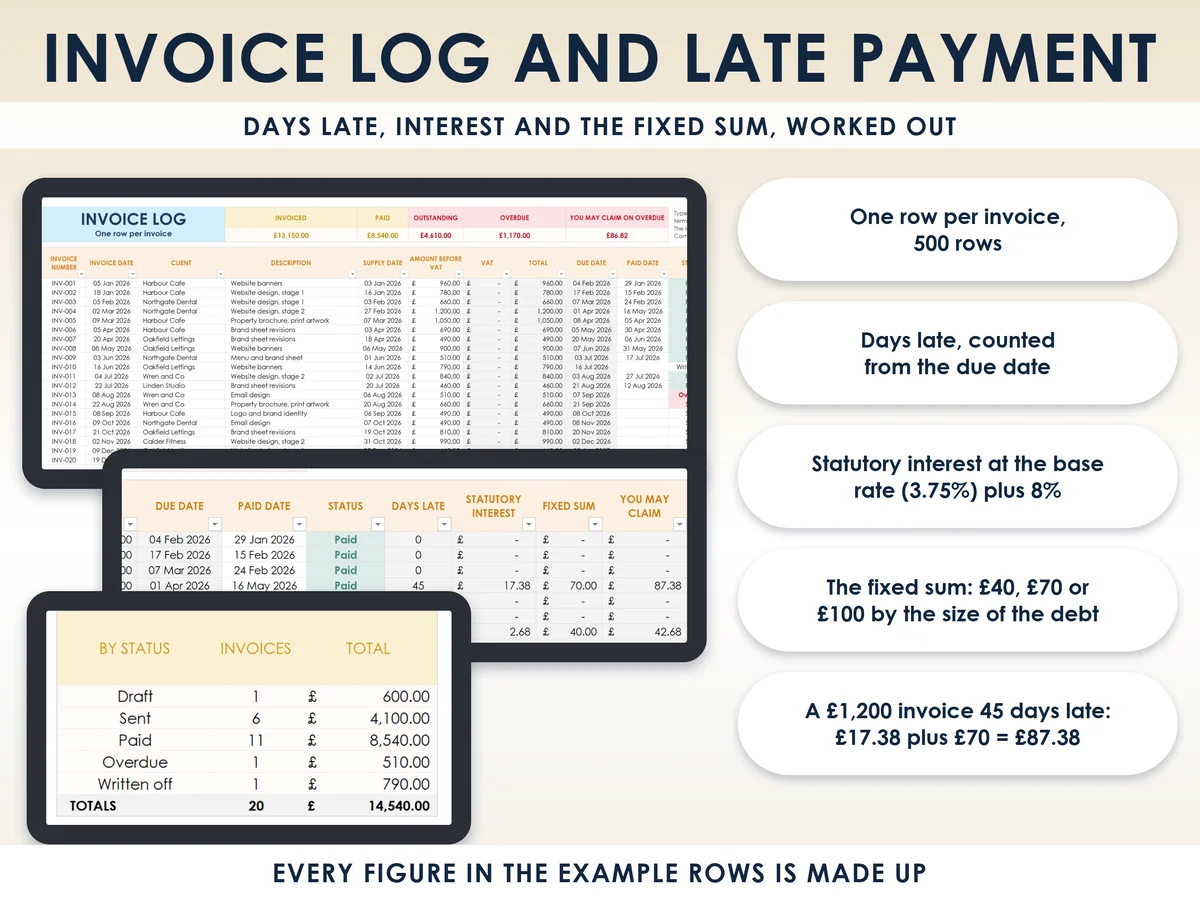
- The late payment maths built inInterest at the Bank of England base rate plus 8%, and the £40, £70 or £100 fixed sum. A £1,200 invoice 45 days late carries £87.38.
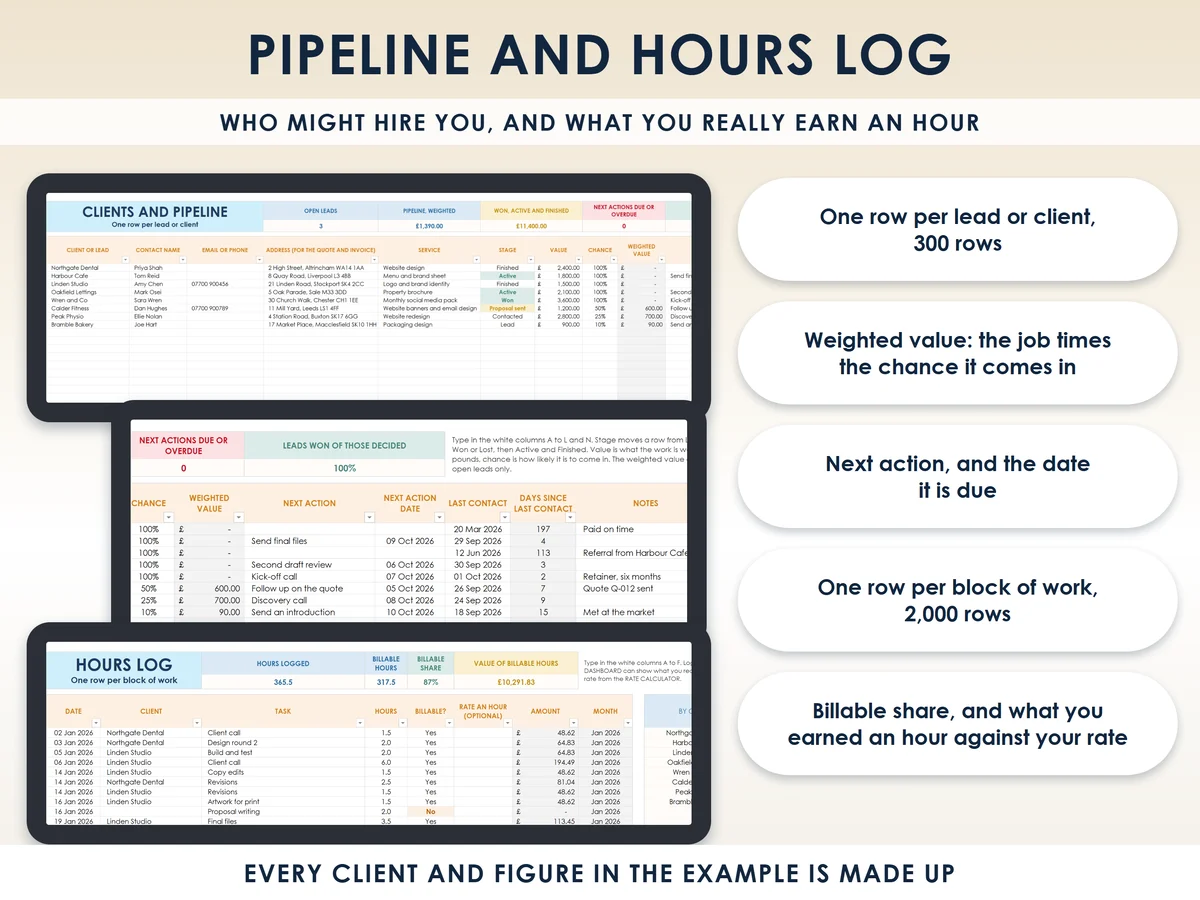
- Alive from the first minuteA made-up freelancer with clients, hours and invoices is included, so all 12 charts work from the start.
How it works
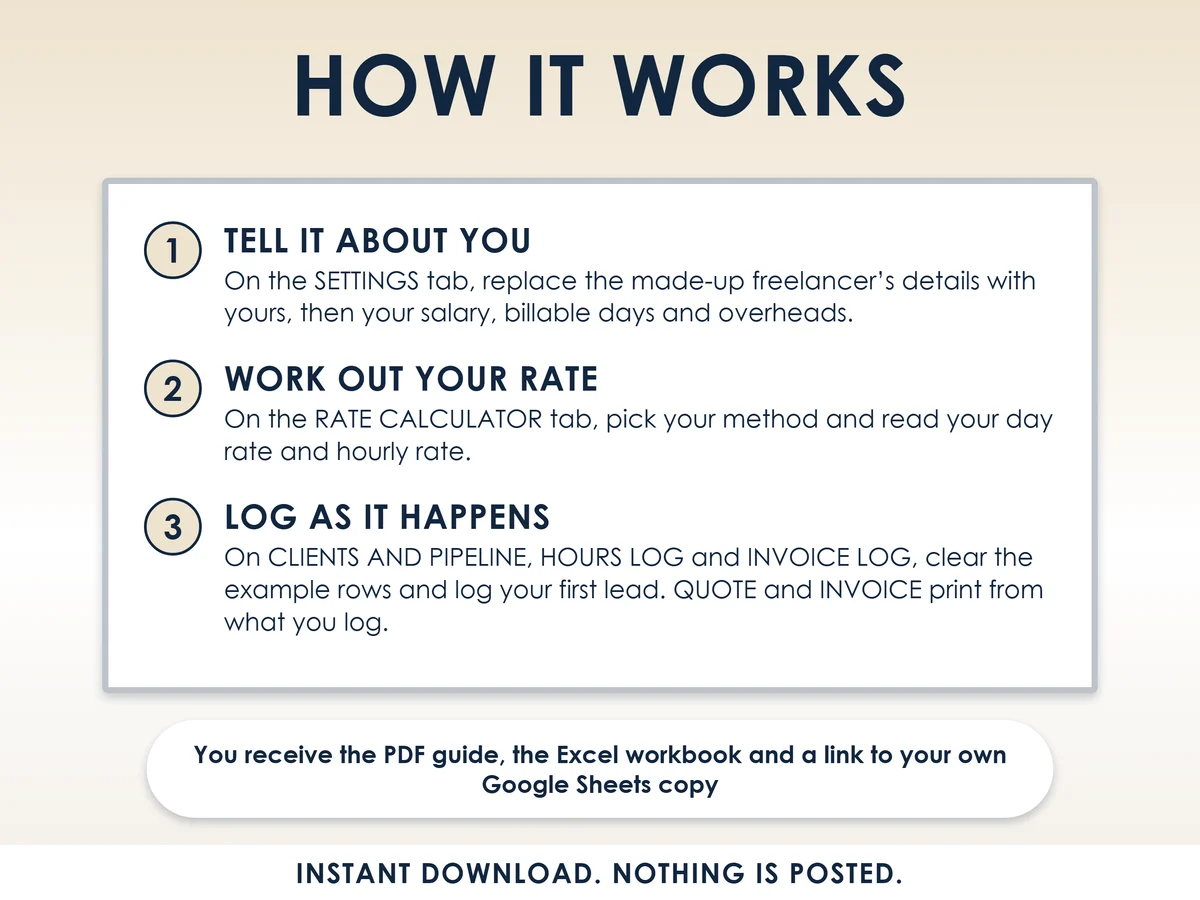
- Tell it about youOn the Settings tab, replace the made-up freelancer's details with yours, then your salary, billable days and overheads
- Work out your rateOn the Rate calculator, pick your method and read your day rate and hourly rate
- Log as it happensOn Clients and pipeline, Hours log and Invoice log, clear the example rows and log your first lead. Quote and Invoice print from what you log
Who it is for
Anyone in the UK taking a first freelance client next to a job, or in their first year of freelancing, as a side hustle or as your main income. Freelance here means selling your time and skills to clients, either as a sole trader, which means working in your own name rather than through a limited company, or through your own small company. It is for services, not for selling products, and it does not file a tax return.
Questions
Do I need Microsoft Excel?
No. It comes with a Google Sheets version, which is free with a Google account. The Excel file also opens in the free web version of Excel.
How do I get it?
Straight after payment it is in your library on this site: the Excel file, the 13 page PDF guide and the Open me first page with the Google Sheets button.
Does it work if I trade through a limited company?
Yes. The quote and invoice print the sole trader or company wording that gov.uk asks for.
Can I really charge a client for paying late?
Between businesses, UK late payment law lets you claim statutory interest at the base rate plus 8% and a fixed sum of £40, £70 or £100. The Invoice log works it out for every overdue invoice, and claiming is your choice. General information, not legal advice.
What if a rate or rule changes?
Every rule and rate sits in a white cell, and the Rates and sources tab names the page each one came from. Change the cell and every tab follows.

Made by Izhar Shah. I built a brand in the evenings alongside a full-time engineering job, and in its first twelve months it passed £500,000 in sales. I make the sheets I wish I had when I started.
Works in
Instant access in your library after payment. Estimates to help you plan, not legal or tax advice.