Every bill and subscription, and the day it leaves
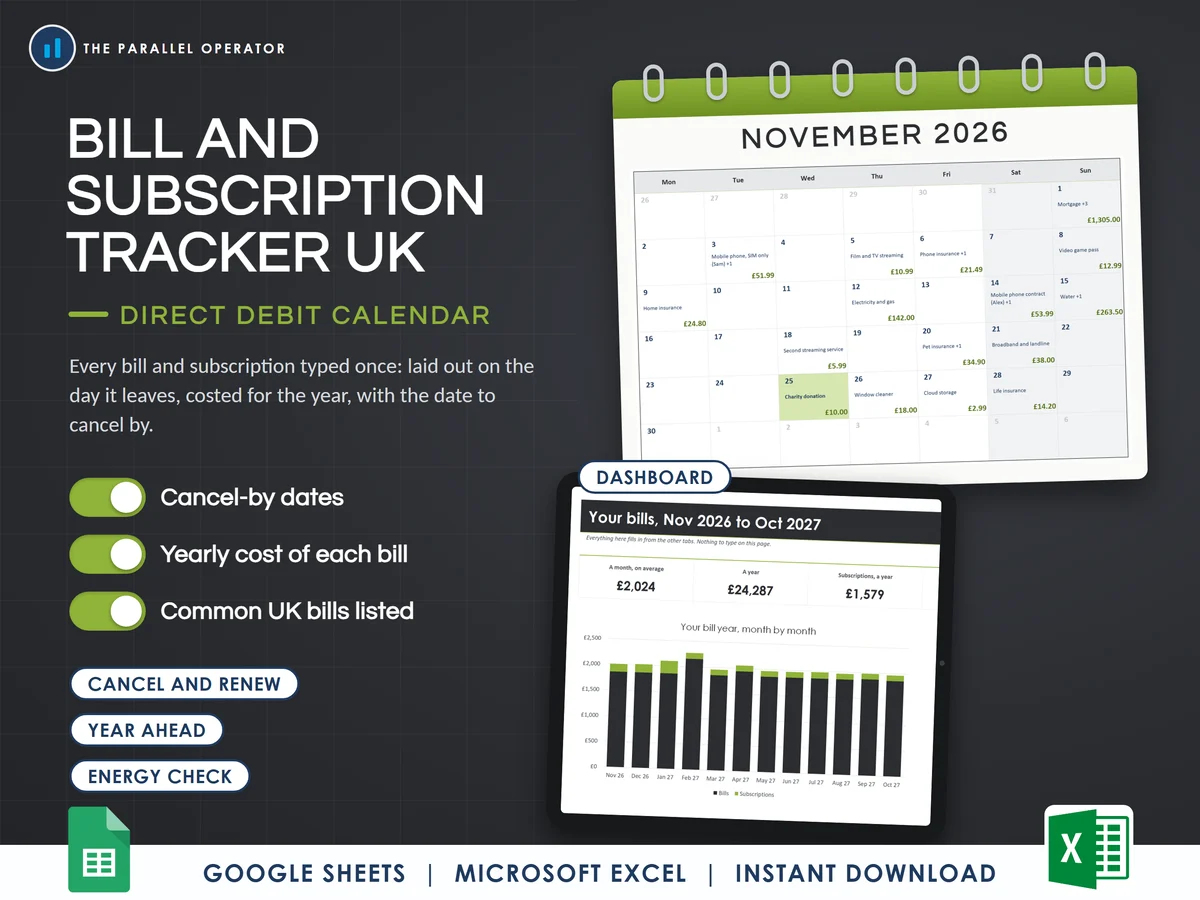
Every bill and subscription in one place, typed once, laid out on the day it leaves, costed for the year, with the date to cancel by. Excel and Google Sheets.
What you get
- Excel workbook, 8 tabs and 6 chartsStart here, Settings, Dashboard, Bills and subscriptions, Direct debit calendar, Year ahead, Cancel and renew, Energy check
- Google Sheets versionA make-a-copy link puts it in your own Drive in one click
- 9 page PDF guideSetting up, your bills, the calendar, cancel-by dates, the energy check and a five minute monthly routine, with a worked example
- Open me first pageThe Google Sheets button and the three things to do first
Why this one
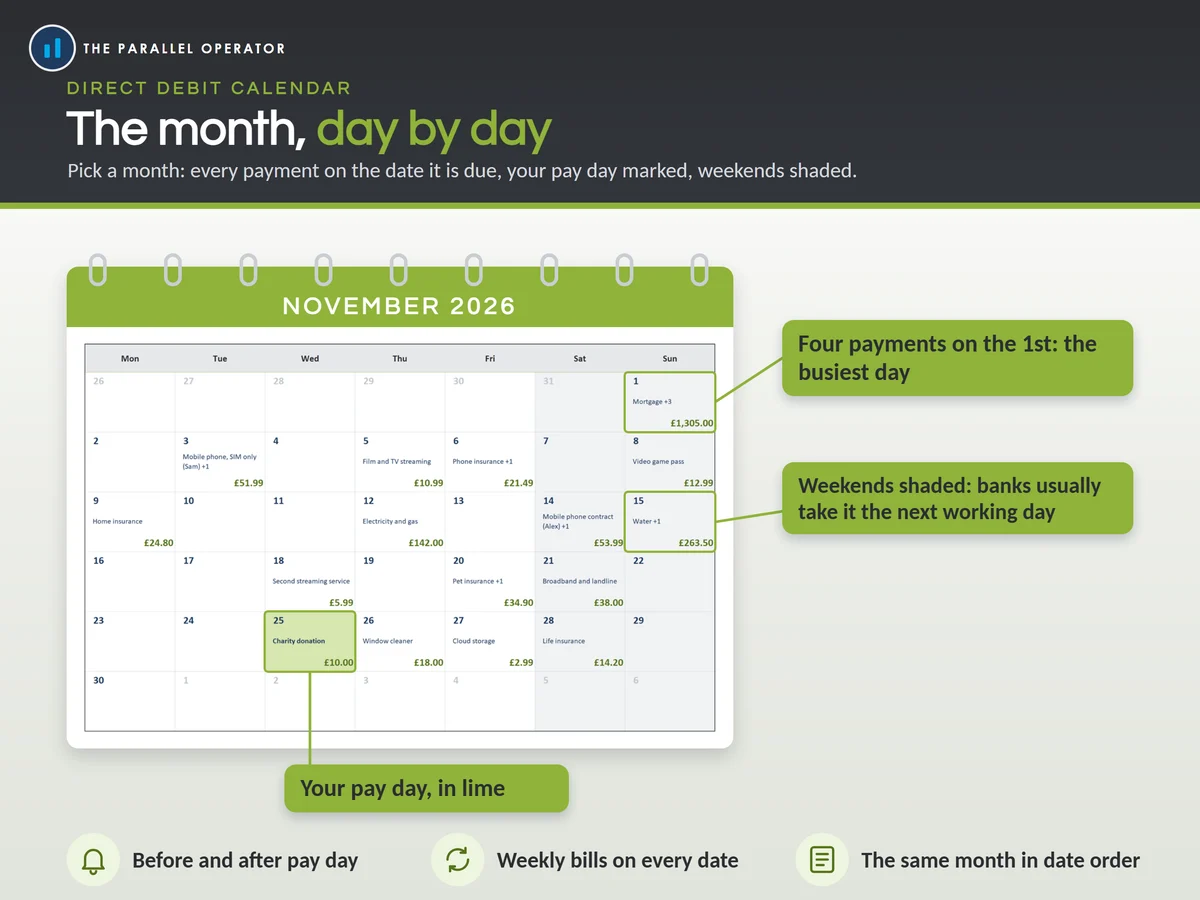
- A real direct debit calendarWeekly, fortnightly and four-weekly bills land on every date they fall, and a bill set for the 31st falls on the last day of shorter months.
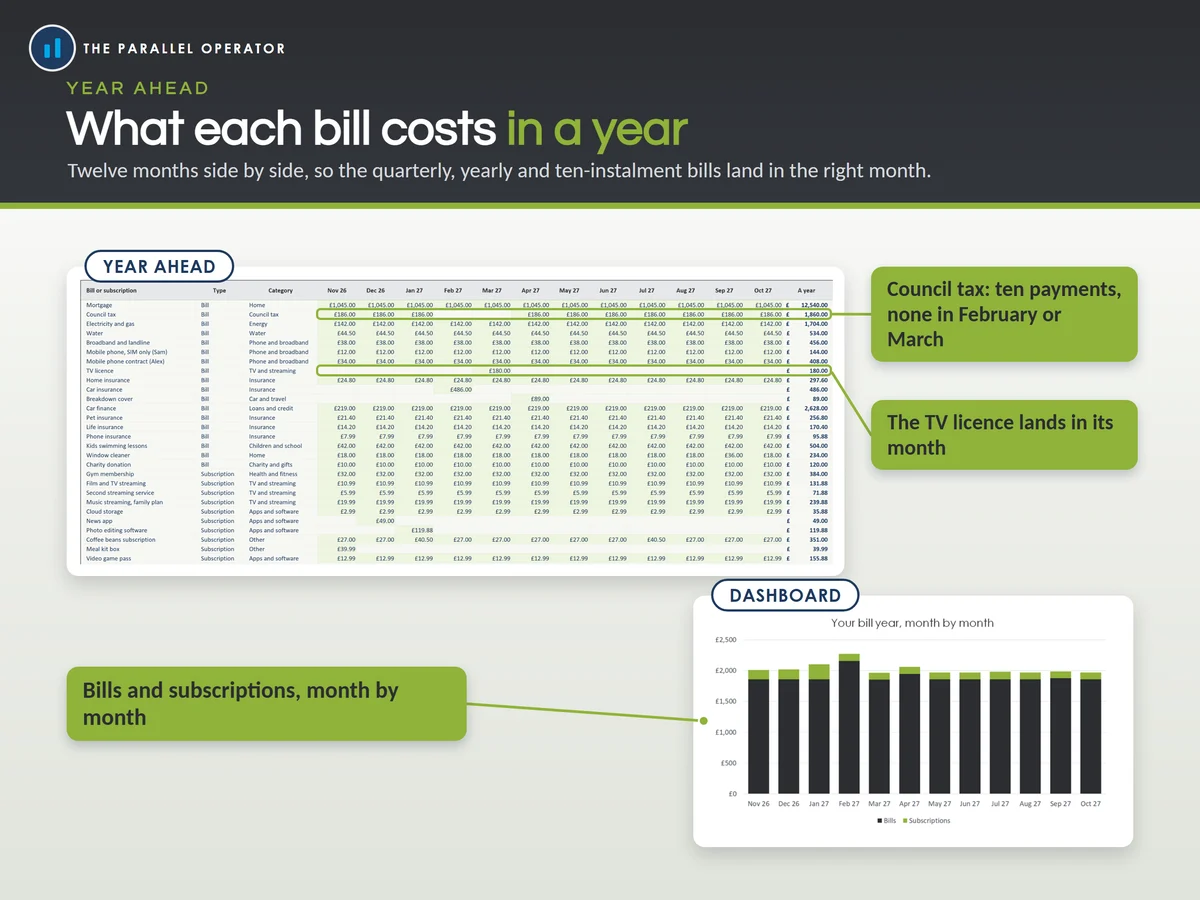
- Built for UK billsCouncil tax can be set to ten payments, with nothing in February and March. Common UK bills are already listed for you to fill in.
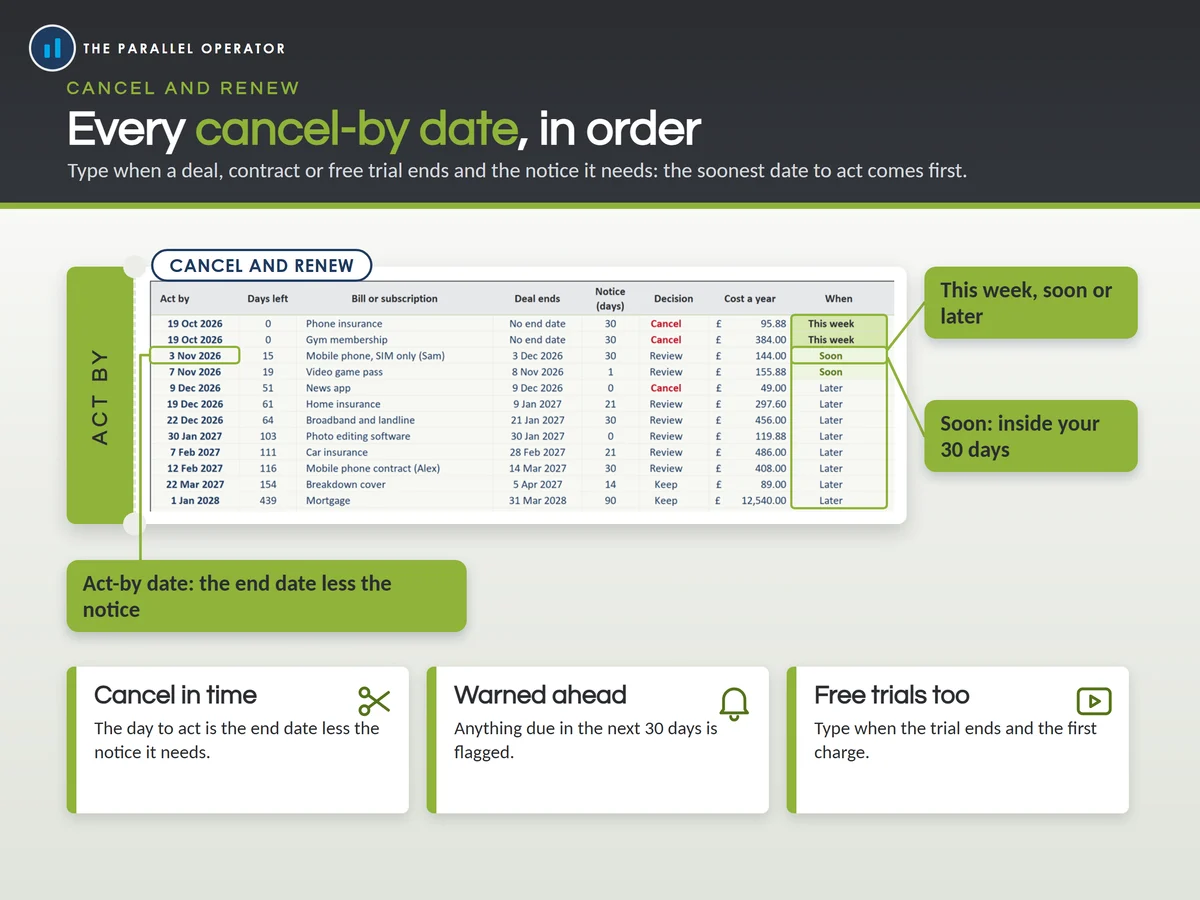
- Cancel before it renewsType when a deal or free trial ends and the notice it needs, and the file lists the date to act by, soonest first, and flags anything coming up soon.
- The cost a year, countedEvery payment in your bill year is counted, so a weekly bill with 53 payments is not priced as 52.
- An energy checkYour energy direct debit against your own yearly use, priced at the Ofgem price cap rates or your own tariff, each rate in its own cell to update.
How it works
- Type each bill onceOn Bills and subscriptions: how often, the amount and the next date it leaves your account
- Add the deals that endWhere a deal, contract or free trial ends, add that date and the notice it needs
- Open the calendarDirect debit calendar for the month ahead. Year ahead, Cancel and renew and the Dashboard fill in by themselves
Who it is for
Anyone in the UK who wants every direct debit and subscription in one place: households, couples, renters and homeowners, and anyone who has found a payment they forgot they were making. A direct debit is a payment a company takes from your bank account on a set day, so seeing them all on a calendar shows what leaves before pay day and what leaves after it.
Questions
Do I need Microsoft Excel?
No. It comes with a Google Sheets version, which is free with a Google account. The Excel file also opens in the free web version of Excel.
How do I get it?
Straight after payment it is in your library on this site: the Excel file, the PDF guide and the Open me first page with the Google Sheets button.
How many bills can it hold?
Up to 80 bills and subscriptions, each typed once, weekly, fortnightly, four-weekly, monthly, quarterly or yearly.
What happens when the price cap changes?
Type the four new rates on Settings and the energy check follows. When the TV licence fee changes, type the new amount on your TV licence row.
Is this financial advice?
No. It is a planning tool to help you organise your bills, with no promise of savings.

Made by Izhar Shah. I built a brand in the evenings alongside a full-time engineering job, and in its first twelve months it passed £500,000 in sales. I make the sheets I wish I had when I started.
Works in
Instant access in your library after payment. A planning tool to help you organise your bills, not financial advice.