Every Shopify fee off every order, and what you keep
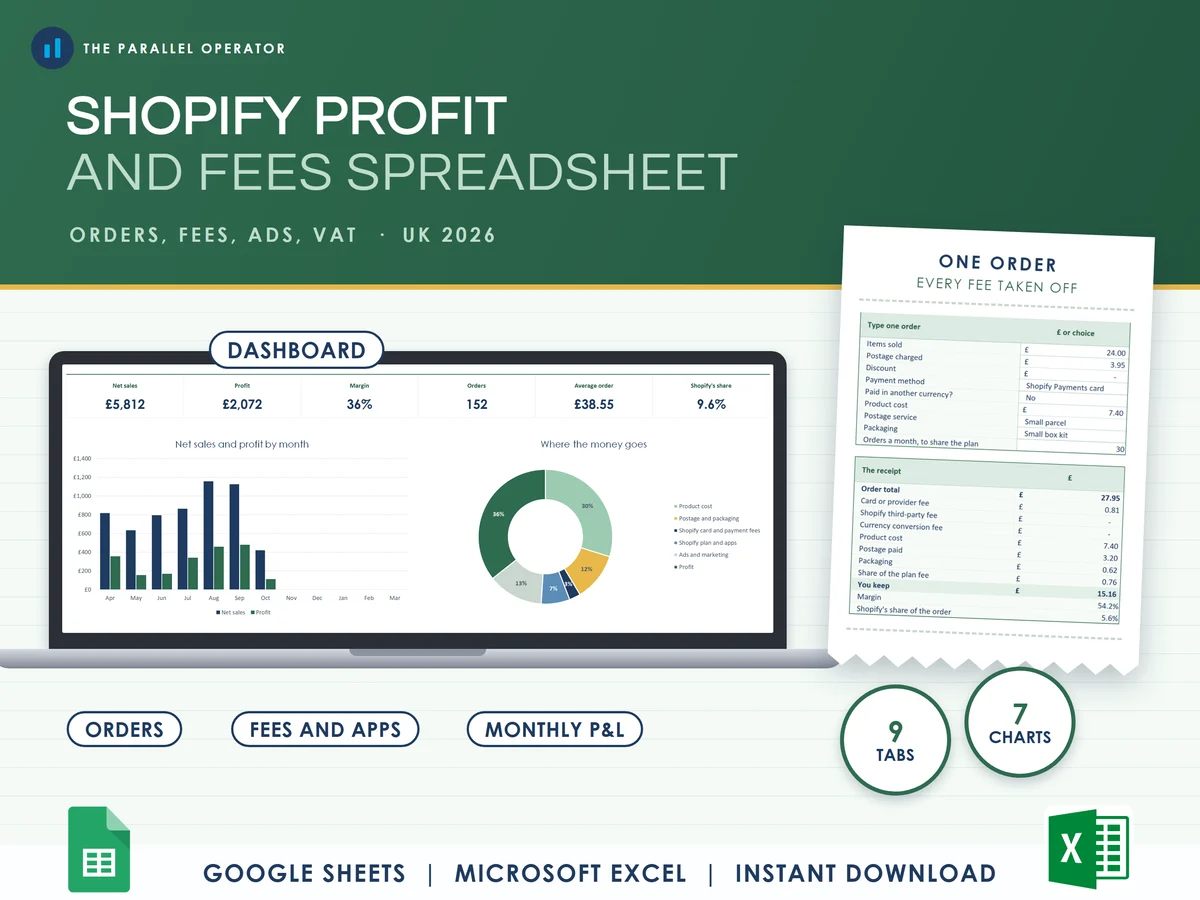
See what your Shopify store actually keeps: every order has its real fee taken off, then postage and packaging, with the plan, apps and ads counted month by month. Excel and Google Sheets.
What you get
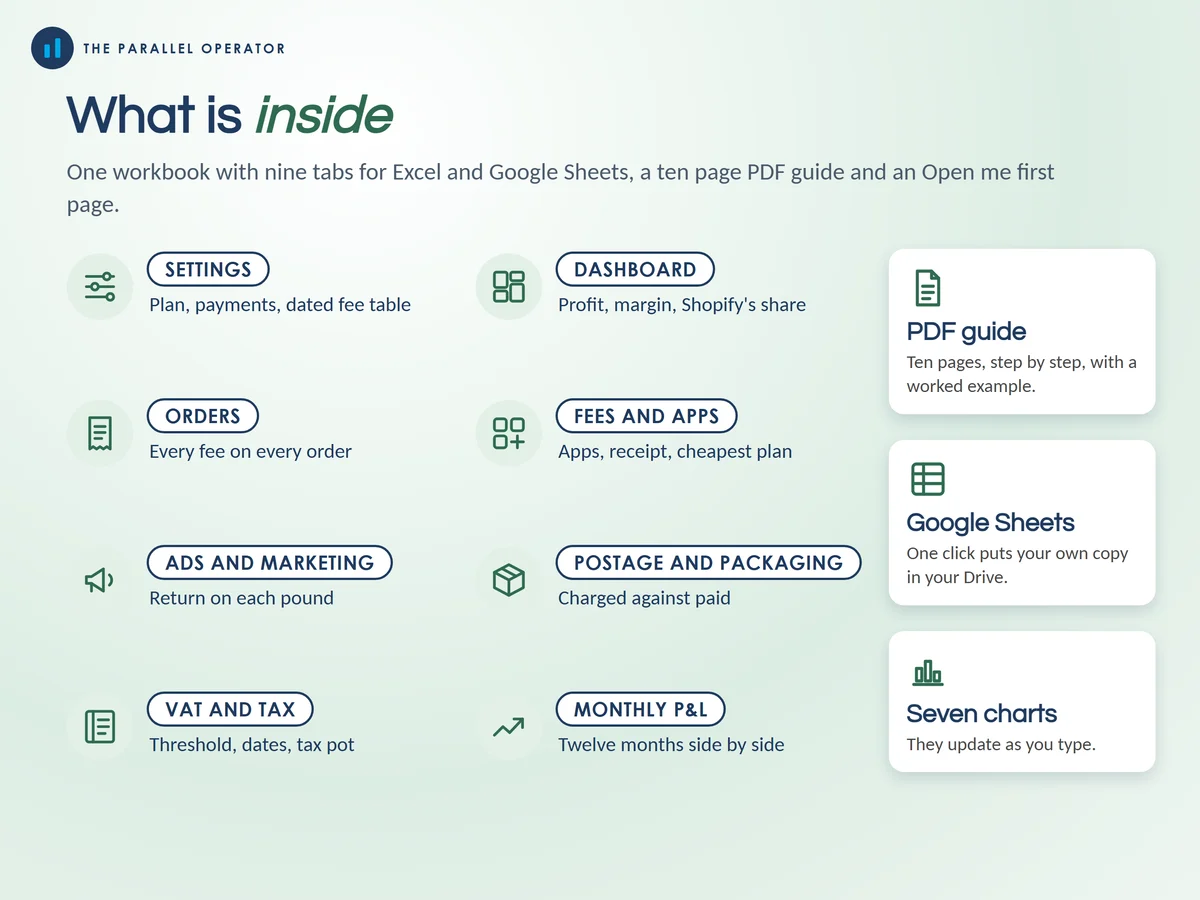
- Excel workbook, 9 tabs and 7 chartsStart here, Settings, Dashboard, Orders, Fees and apps, Ads and marketing, Postage and packaging, VAT and tax, Monthly P&L
- Google Sheets versionA make-a-copy link puts it in your own Drive in one click
- 10 page PDF guideYour plan and payments, every fee on one order, which plan costs least, ads, postage, VAT and tax, and the monthly P&L, with a worked example
- Open me first pageThe Google Sheets button and the three things to do first
Why this one
- Shopify UK fees in one tableBasic 2% + 25p, Grow 1.7% + 25p and Advanced 1.5% + 25p online sit in one table, so when Shopify changes a price you type the new one.
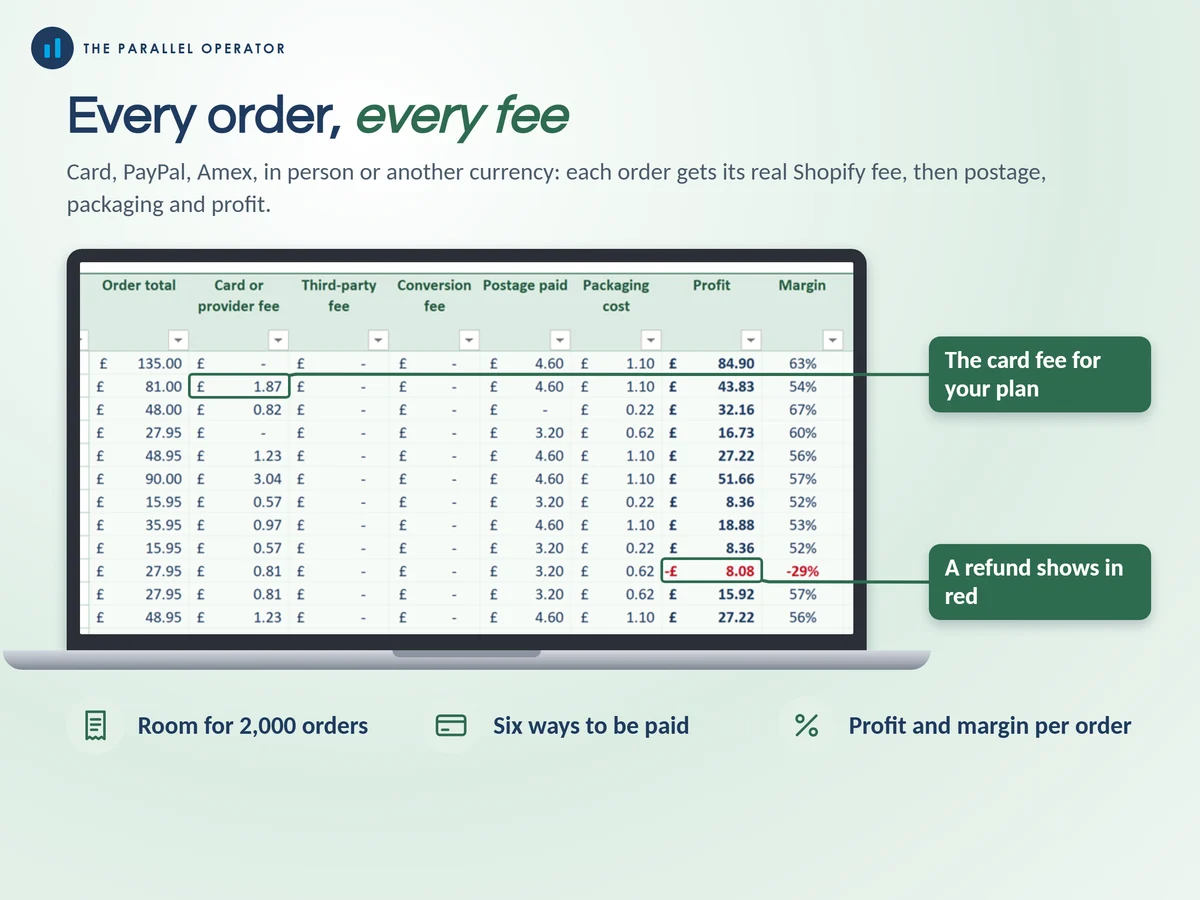
- Every way to be paidShopify Payments, Amex and international cards, in person, PayPal, another provider with Shopify's third-party fee, or no fee at all.
- The costs most sheets forgetCurrency conversion, VAT on Shopify's bills, apps that start and stop, packaging per order and postage that does not cover itself.
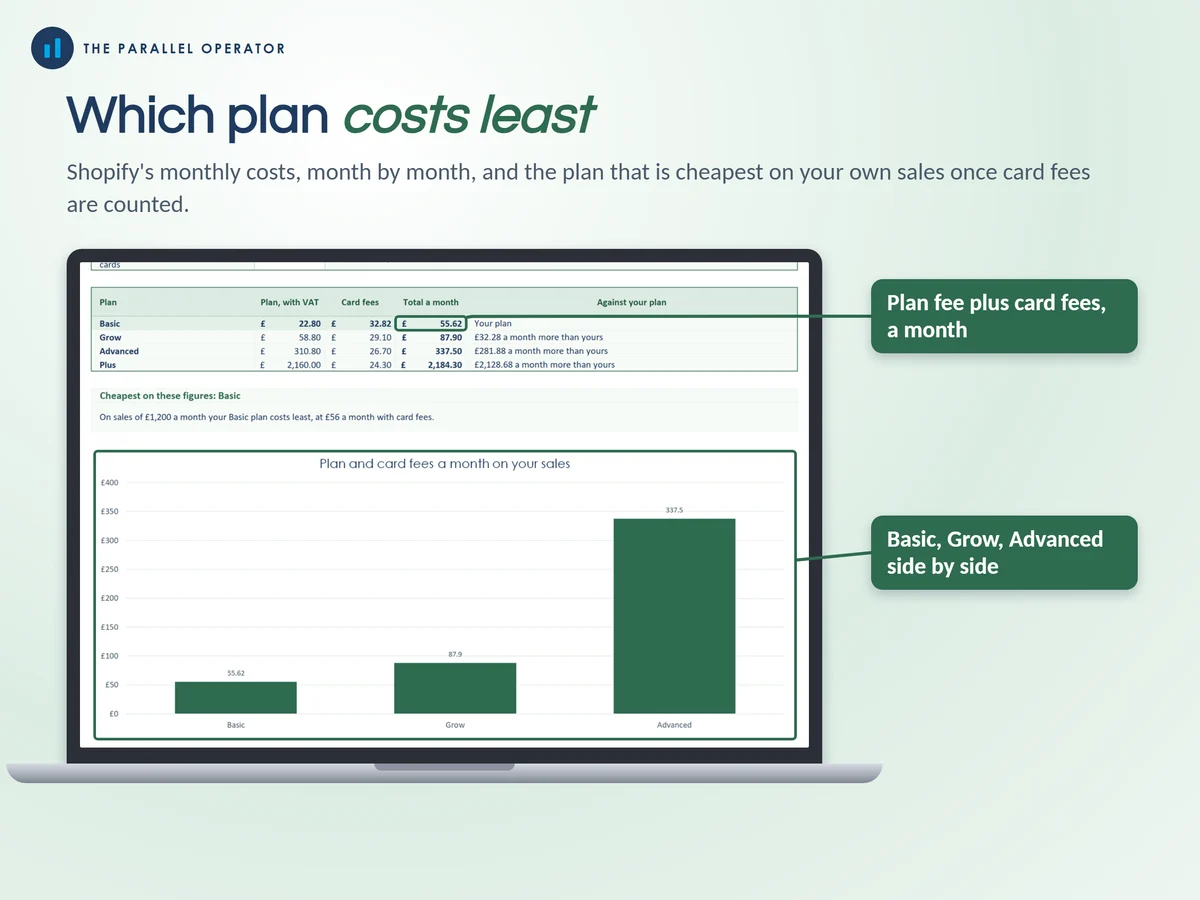
- Which plan costs leastType your sales and orders a month and it compares Basic, Grow and Advanced with card fees counted, so you know when an upgrade pays.
- A tax pot and the VAT lineA share of each month's profit set aside, and a warning as your rolling 12 months near the £90,000 VAT threshold.
How it works
- Pick your planOn Settings, your plan, monthly or yearly billing, and how you take payments
- Add your ordersOne row per order on Orders, or copy dates and amounts from a Shopify orders export. Fees, postage and profit fill in. Room for 2,000 orders
- Add apps and ads, see what you keepYour apps on Fees and apps and your spend on Ads and marketing. The Dashboard and Monthly P&L do the rest
Who it is for
UK sellers on Shopify, from the first sales to a few hundred orders a month: makers, resellers, dropshippers and small brands who want the real profit after every fee. Dropshippers are sellers whose supplier posts the item straight to the buyer. P&L means profit and loss: what came in, what went out and what is left.
Questions
Do I need Microsoft Excel?
No. It comes with a Google Sheets version, which is free with a Google account. The Excel file also opens in the free web version of Excel.
How do I get it?
Straight after payment it is in your library on this site: the Excel file, the PDF guide and the Open me first page with the Google Sheets button.
What if Shopify changes a price?
Every plan price and card rate sits in one table on the Settings tab. Type the new figure and every tab follows.
Can I bring in my Shopify orders?
Yes. Add one row per order, or copy the dates and amounts from a Shopify orders export into the Orders tab.
Is this tax advice?
No. It is a record-keeping and planning tool built from the figures you type, not tax or financial advice, and no promise of profit. It is independent and not affiliated with Shopify or PayPal.

Made by Izhar Shah. I built a brand in the evenings alongside a full-time engineering job, and in its first twelve months it passed £500,000 in sales. I make the sheets I wish I had when I started.
Works in
Instant access in your library after payment. A planning tool built from the figures you type, not tax or financial advice.