What one order really leaves you, and when the money lands
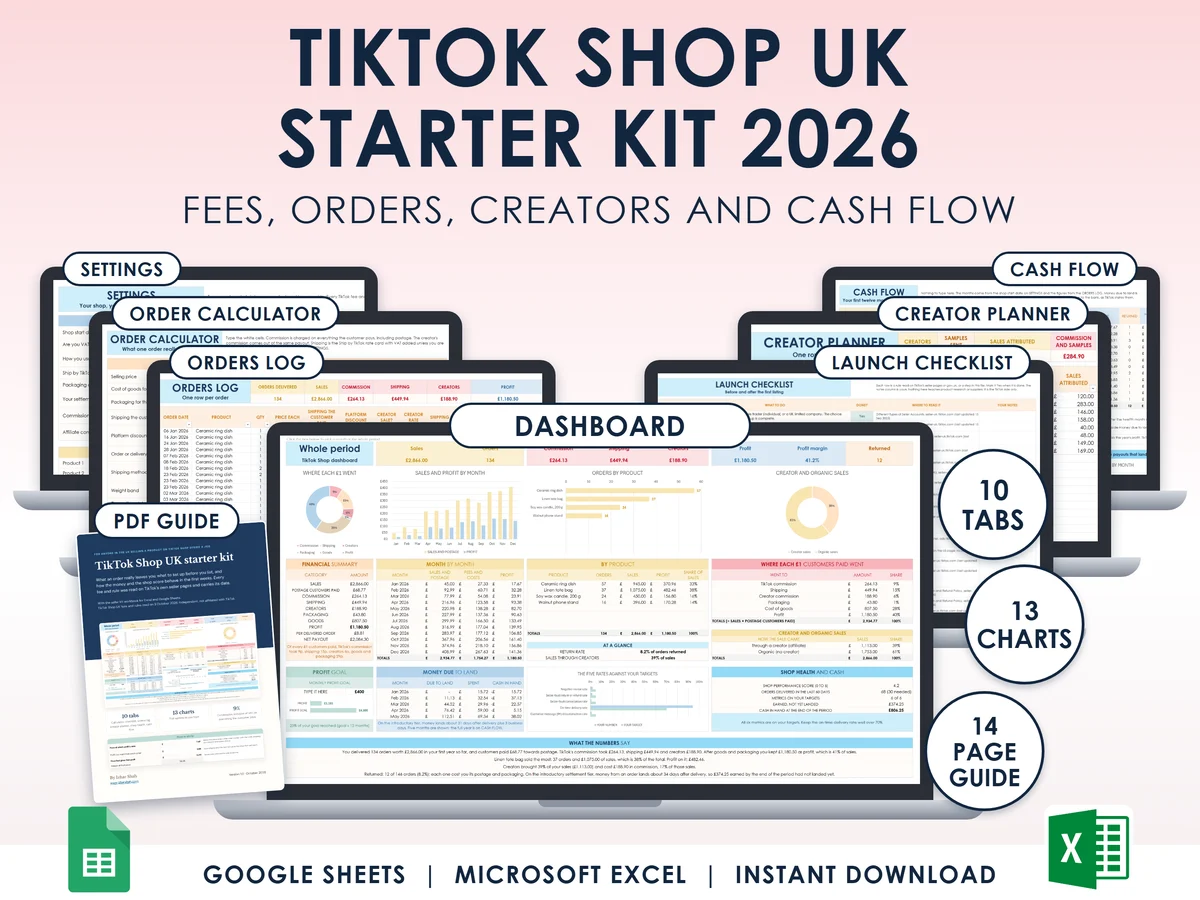
For anyone in the UK starting a TikTok Shop. Price one product, log each order, and see commission, shipping, the creator's cut, your profit and the date the money lands. Excel and Google Sheets.
What you get
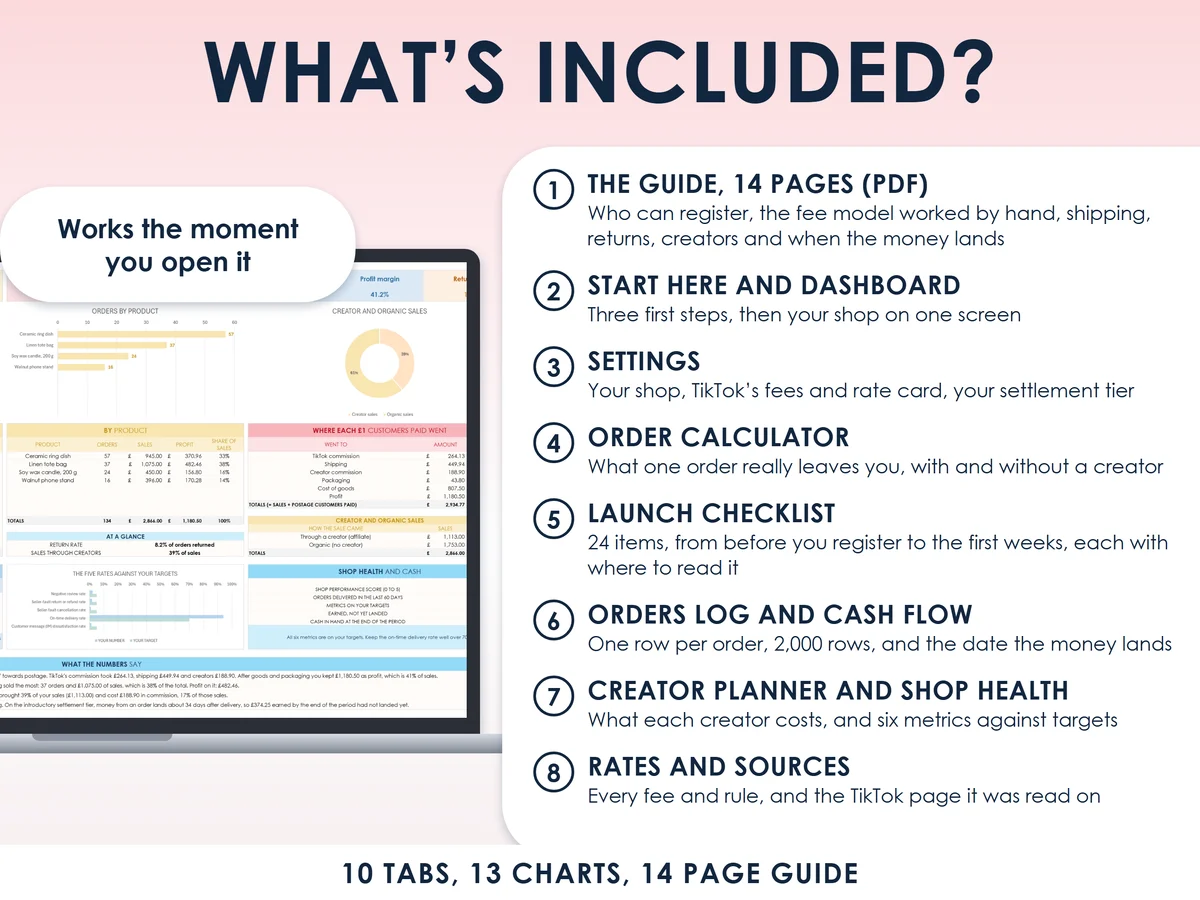
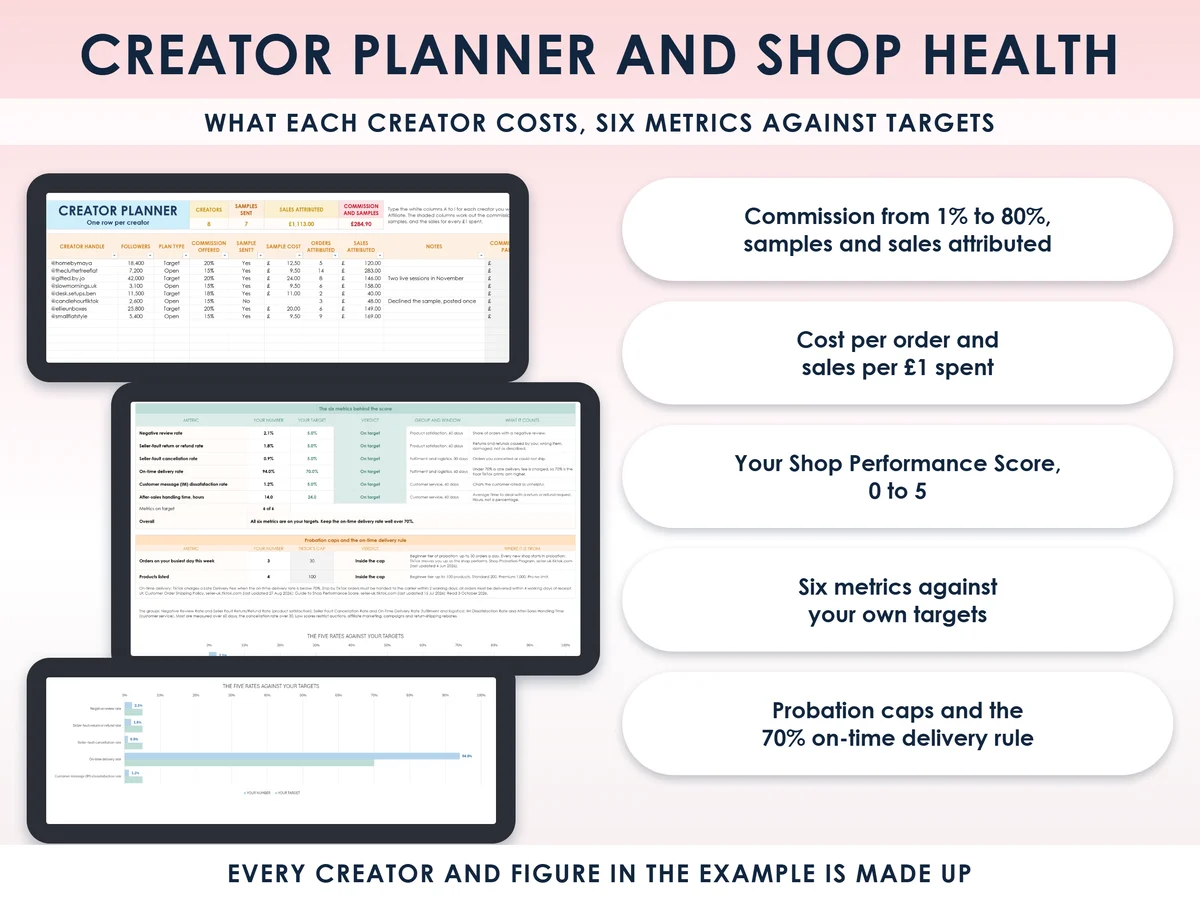
- Excel workbook, 10 tabs and 13 chartsStart here, Dashboard, Settings, Order calculator, Launch checklist, Orders log, Creator planner, Shop health, Cash flow, Rates and sources
- Google Sheets versionA make-a-copy link puts it in your own Drive in one click
- 14 page PDF guideWho can register, the fee model worked by hand, shipping and its deadlines, returns, the shop score, creators, when the money lands, and seven mistakes
- Open me first pageThe Google Sheets button and the three things to do first
See it working
Why this one
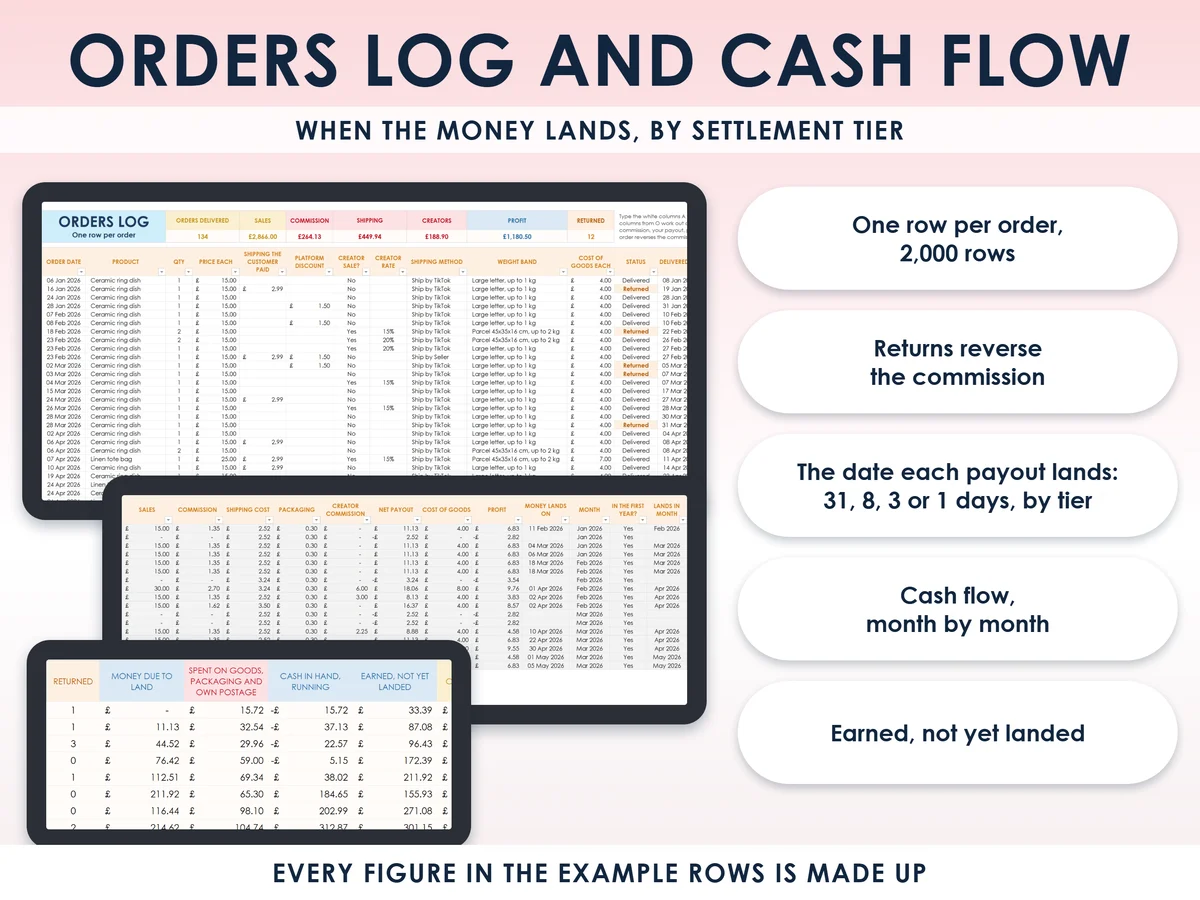
- Commission on the postage tooTikTok charges commission on the price plus the postage the customer pays, so the calculator and the log do the same.
- Returns reverse the commissionA returned order gives the commission back and takes the payout away, so the log shows what a return really costs you.
- The wait is built inOn the introductory tier the money lands 31 days after delivery plus the business days to the bank, and the log dates every order.
- With and without a creatorThe order calculator shows what one order leaves you on its own and with a creator's cut, plus the price at which profit is zero.
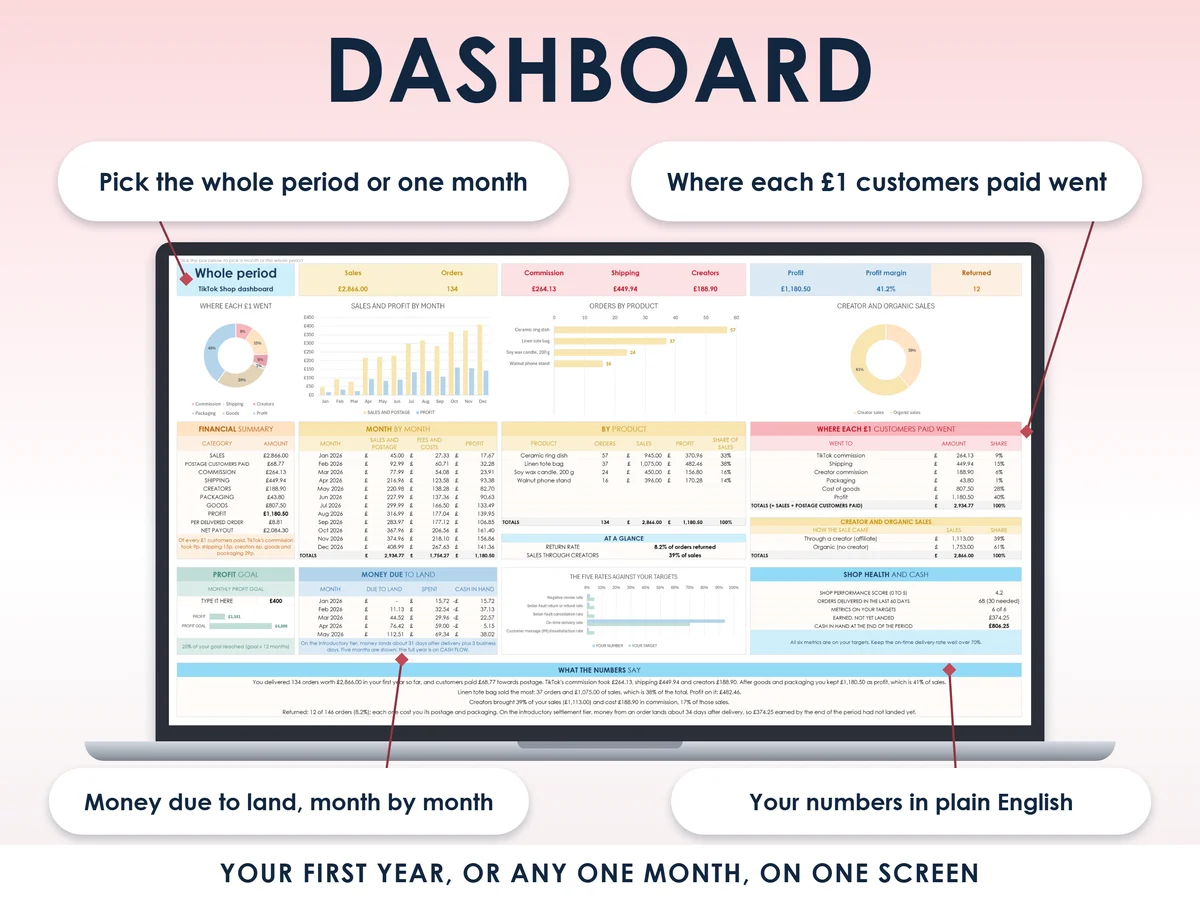
- Alive from the first minuteExample rows with one product, six orders and two creators bring all 13 charts to life. Clear them and type your own.
How it works
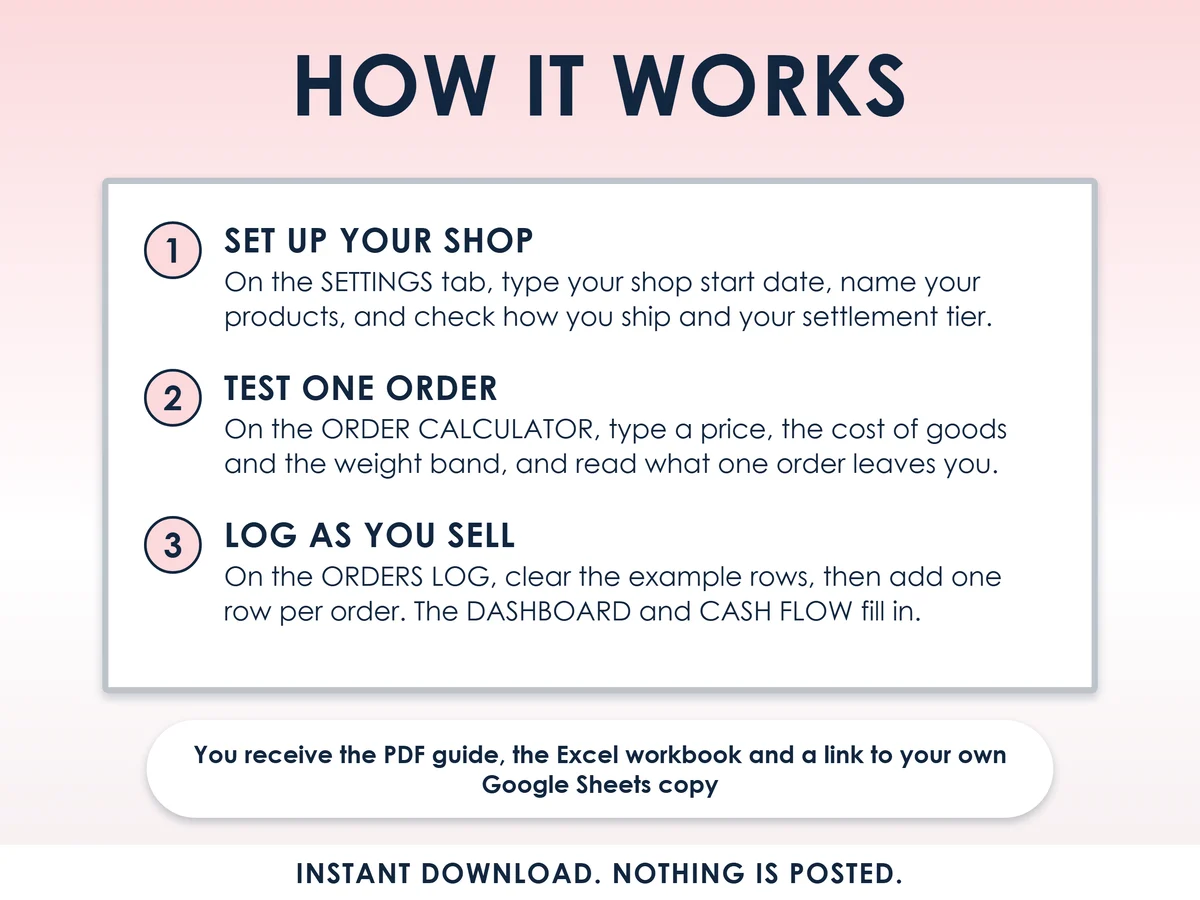
- Set up your shopOn the Settings tab, type your shop start date, name your products, and check how you ship and your settlement tier
- Test one orderOn the Order calculator, type a price, the cost of goods and the weight band, and read what one order leaves you, with and without a creator
- Log as you sellOn the Orders log, clear the example rows, then add one row per order. The Dashboard and Cash flow fill in, with the date each payout lands
Who it is for
Anyone in the UK starting a TikTok Shop, or in their first year on it, as a side hustle next to a job or as your main income. You can sell as a sole trader, which means selling in your own name rather than through a limited company, or as a small limited company. It covers the TikTok side only, so it does not teach product research or sourcing.
Questions
Do I need Microsoft Excel?
No. It comes with a Google Sheets version, which is free with a Google account. The Excel file also opens in the free web version of Excel.
How do I get it?
Straight after payment it is in your library on this site: the Excel file, the 14 page PDF guide and the Open me first page with the Google Sheets button.
Does it help me find products to sell?
No. It covers the TikTok side only: fees, shipping, payouts, creators, the launch checklist and shop health. Product research and sourcing are not in it.
What if TikTok changes a fee?
Every fee and rule sits in a white cell, and the Rates and sources tab names the TikTok page each one came from. Change the cell and every tab follows.
Is this made by TikTok?
No. It is independent, not affiliated with or endorsed by TikTok, and built from TikTok's own seller pages. It is general information to help you plan, not financial or tax advice.

Made by Izhar Shah. I built a brand in the evenings alongside a full-time engineering job, and in its first twelve months it passed £500,000 in sales. I make the sheets I wish I had when I started.
Works in
Instant access in your library after payment. General information to help you plan, not financial or tax advice. Independent, not affiliated with TikTok.