Every booking, every currency, and what the trip really costs
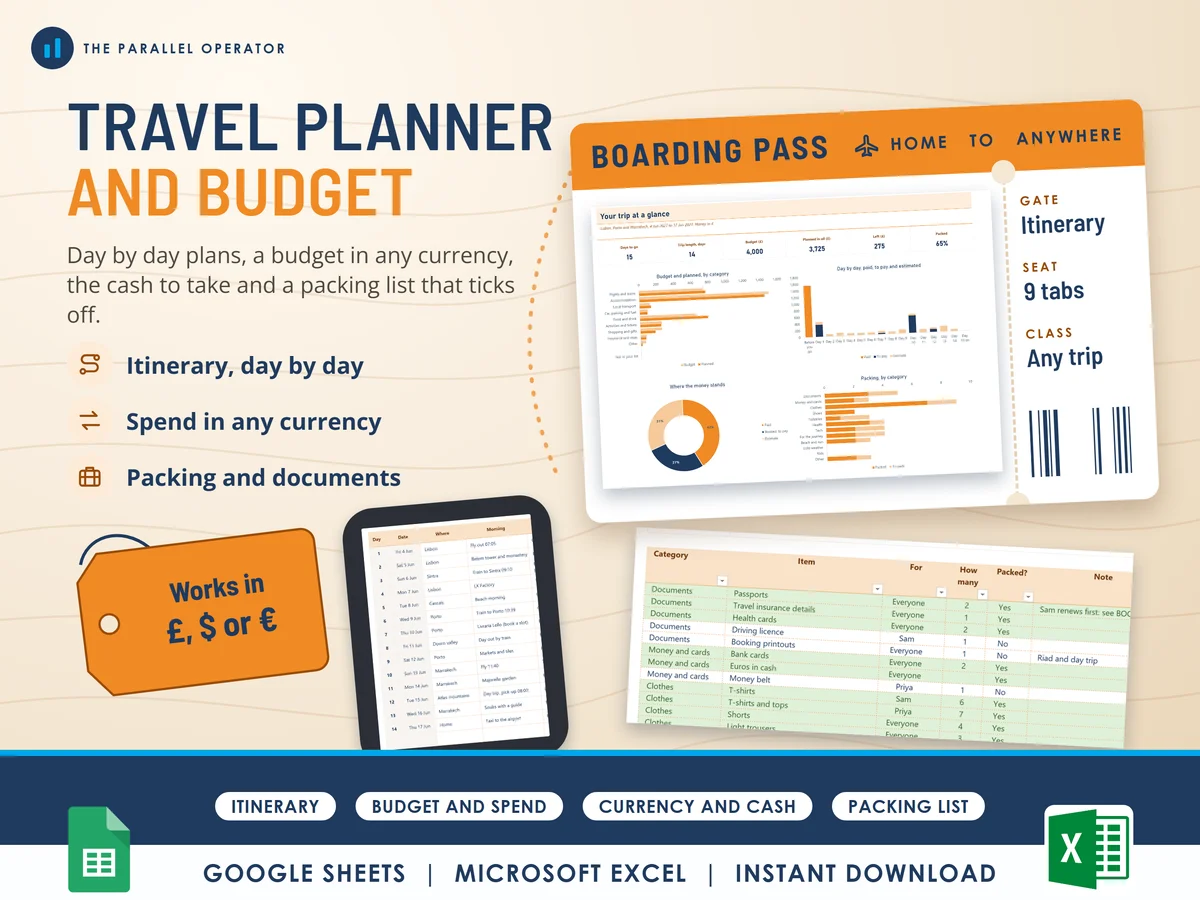
Plan a trip day by day and see what it really costs in your own money, whatever currency you pay in. Excel and Google Sheets.
What you get
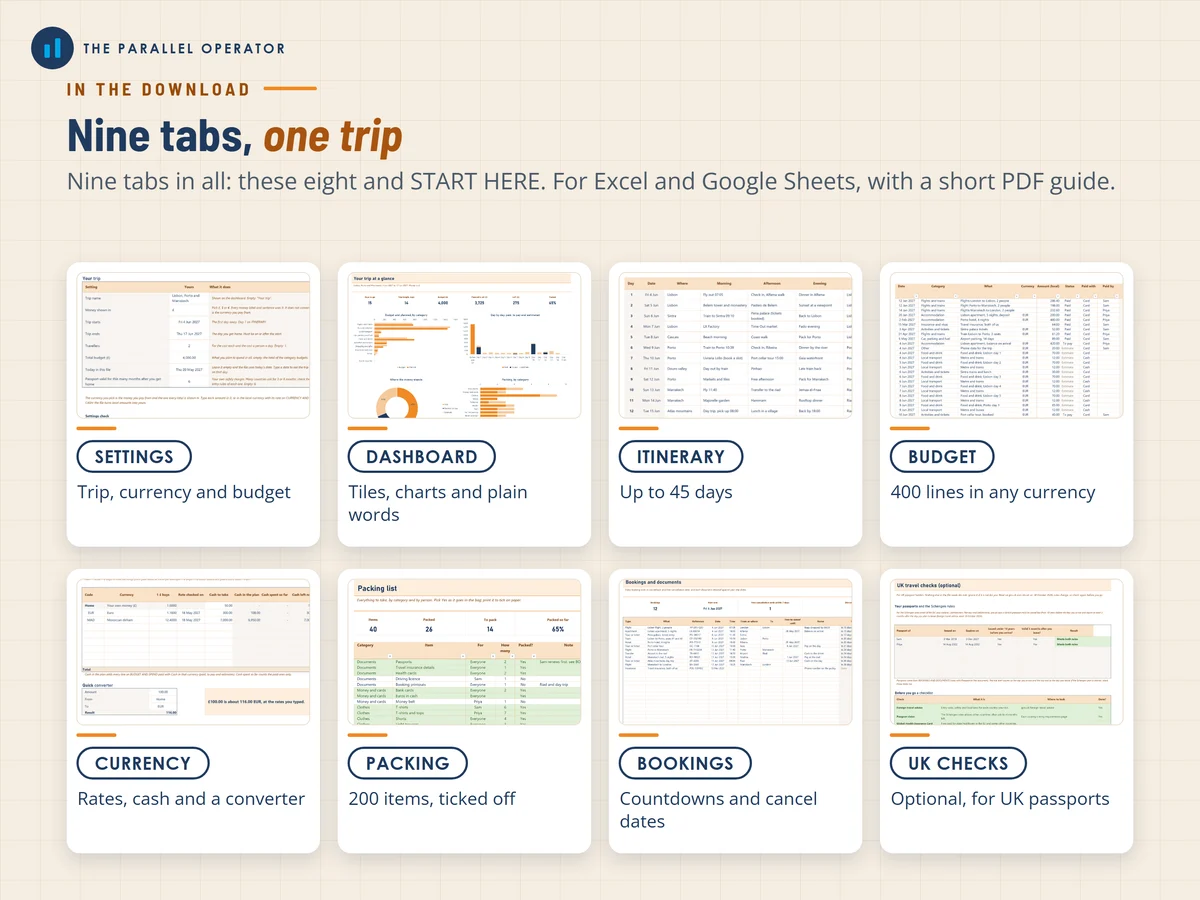
- Excel workbook, 9 tabs and 5 chartsStart here, Settings, Dashboard, Itinerary, Budget and spend, Currency and cash, Packing list, Bookings and documents, UK travel checks
- Google Sheets versionA make-a-copy link puts it in your own Drive in one click
- 9 page PDF guideSettings and currency, the itinerary and spend log, rates and cash, packing, bookings and documents, the dashboard and the UK checks, each with a worked example
- Open me first pageThe Google Sheets button and the three things to do first
Why this one
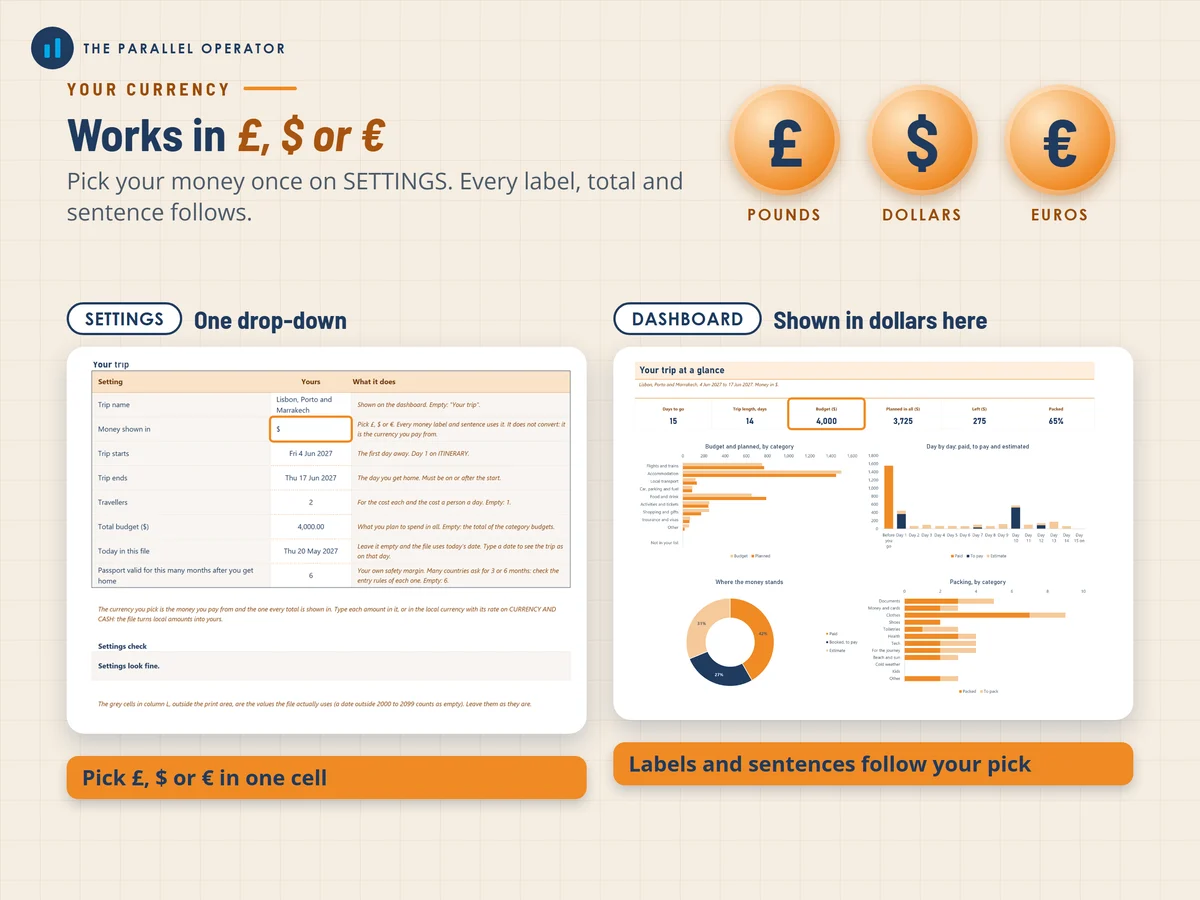
- Any currency, your own moneyEvery line keeps the amount in the currency you paid and shows it in yours at the rate you typed, so the budget adds up even with three currencies in one trip.
- Paid, to pay and estimate kept apartYou see what has gone, what is booked to pay on arrival and what is still a guess, day by day and by category.
- A cash plan for each currencyThe planner adds up everything you plan to pay in cash and tells you what is left of the cash you take.
- No live rates to breakYou type the rates, so the file works offline and the same in Excel and Google Sheets.
- Documents checked against your datesPassports, cards and insurance are flagged when they run out before you are home, with your own passport margin.
How it works
- Set up the tripOn Settings, name the trip, pick £, $ or € and type the dates, who is going and the budget
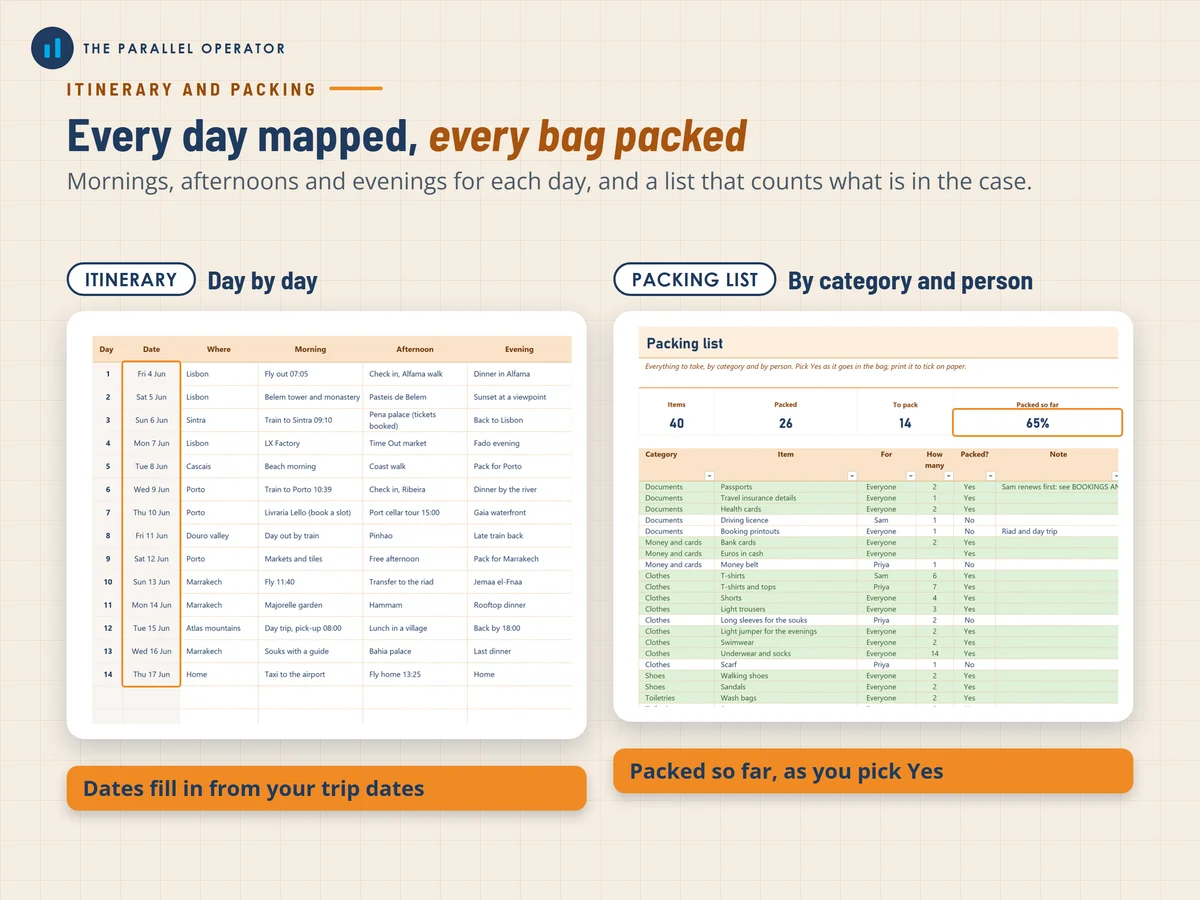
- Plan and logFill the Itinerary, add your currencies and rates, then log each booking and estimate on Budget and spend
- Pack and checkTick the Packing list, check Bookings and documents, and log what you spend while you are away
Who it is for
Anyone planning a trip: a city break, a family holiday, a honeymoon, a tour through several countries or six weeks on the road, alone or with up to eight people. It works in pounds, dollars or euros, and you log each cost in the currency you actually pay in. The UK travel checks tab is optional and only for UK passport holders.
Questions
Do I need Microsoft Excel?
No. It comes with a Google Sheets version, which is free with a Google account. The Excel file also opens in the free web version of Excel.
How do I get it?
Straight after payment it is in your library on this site: the Excel file, the PDF guide and the Open me first page with the Google Sheets button.
Does it look up exchange rates?
No. You type the rates yourself, so the file never breaks, works offline and gives the same answer in Excel and Google Sheets.
I do not have a UK passport. Is it still for me?
Yes. Everything works for any trip in pounds, dollars or euros. The UK travel checks tab is optional and you can ignore it.
Is this travel advice?
No. It is a planning tool, not travel or legal advice. Entry rules change, so check the official government pages before you travel.

Made by Izhar Shah. I built a brand in the evenings alongside a full-time engineering job, and in its first twelve months it passed £500,000 in sales. I make the sheets I wish I had when I started.
Works in
Instant access in your library after payment. A planning tool, not travel or legal advice.